I’m doing the first “Make your own game” tutorial, and we’re supposed to add a “position” condition for the gun. All I see is “position x” and “position y”. I need to be able to specify both in one variable, like a vector I tihnk. But in the video, I can see him getting “position” right off the top for the event sheet, whereas I have no such option. I’m sure this is very common, if someone would take a quick second to clear this up for me, I’d be very grateful. Seems like I hit a dead end every few minutes here.
I remember now, this is why I quit this tutorial last time
Hi,
not sure if you mean that you just gave up. But just to let you know, the position action is just in the place it always has been.
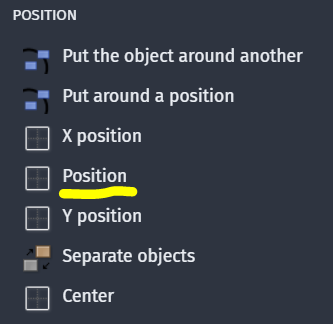
You can also use x position and y position as single actions, the result will be the same.
1 Like
Alright I will look again. Thank you!
This is what I’ve got on my screen:
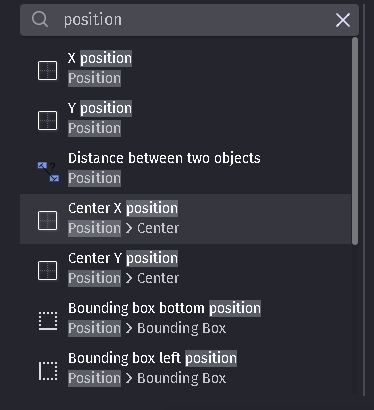
…I don’t seem to have POSITION available to me for whatever reason. (I tried to add another png from further down the list but they wouldn’t let me)
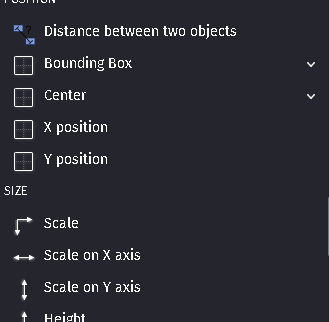
and I’ve tried to just use x and y separately, it got way confusing really fast because the editor wants me to enter an expression, not anything that would correspond with the POINT on the sprite I’m trying to use to position it
I’m not aware of a position condition that has both X and Y. Are you sure it’s a condition not an action? Is there maybe supposed to be an extension or behavior that has the function?
The closest thing is point is inside.
I don't have a position condition either and it's not something that's been removed recently as I've noticed before there isn't one.
Have you got a link to the tutorial? Is it the one called How to make a game, step by step tutorial?
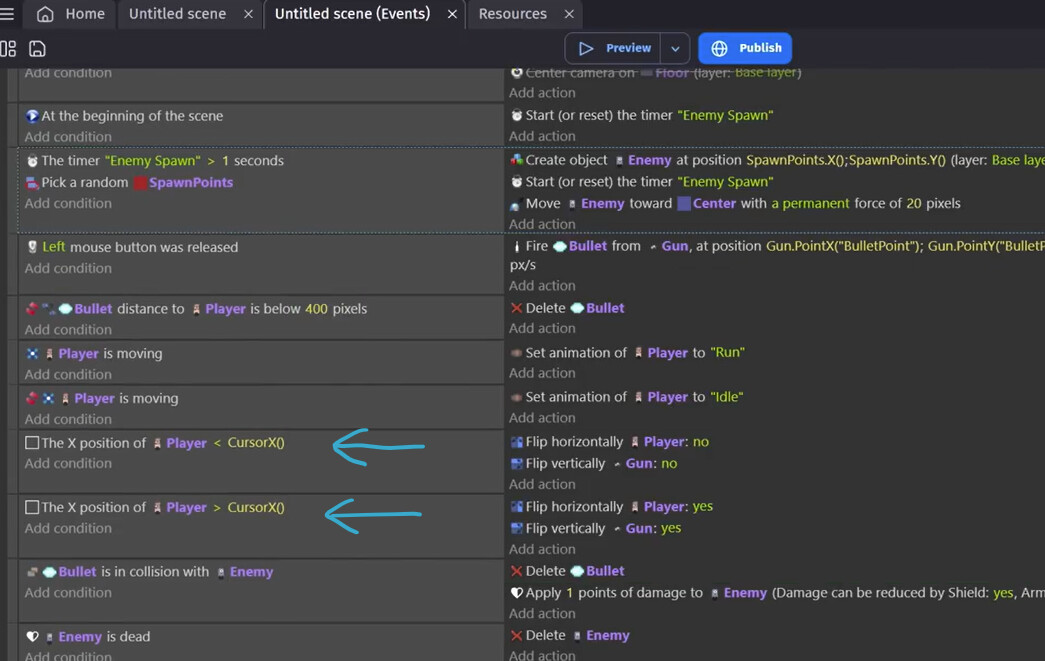
This is what is in the events sheet for that tutorial and it has two separate conditions for position, but both are for X.
look at the post from Drona, they have it!
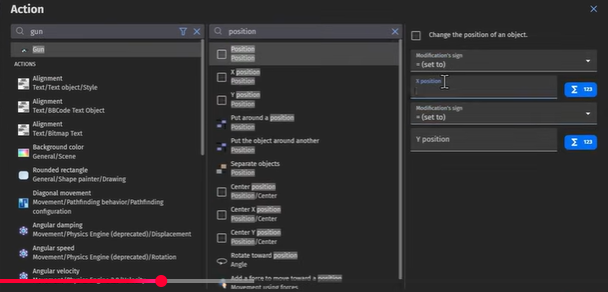
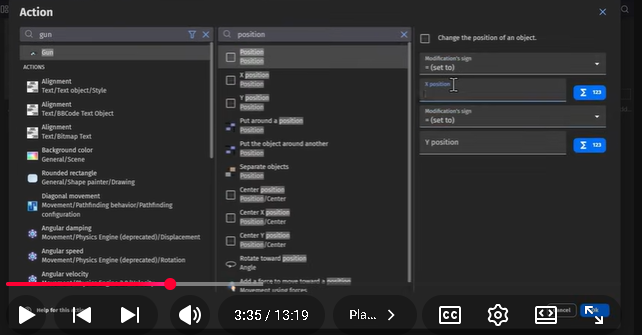
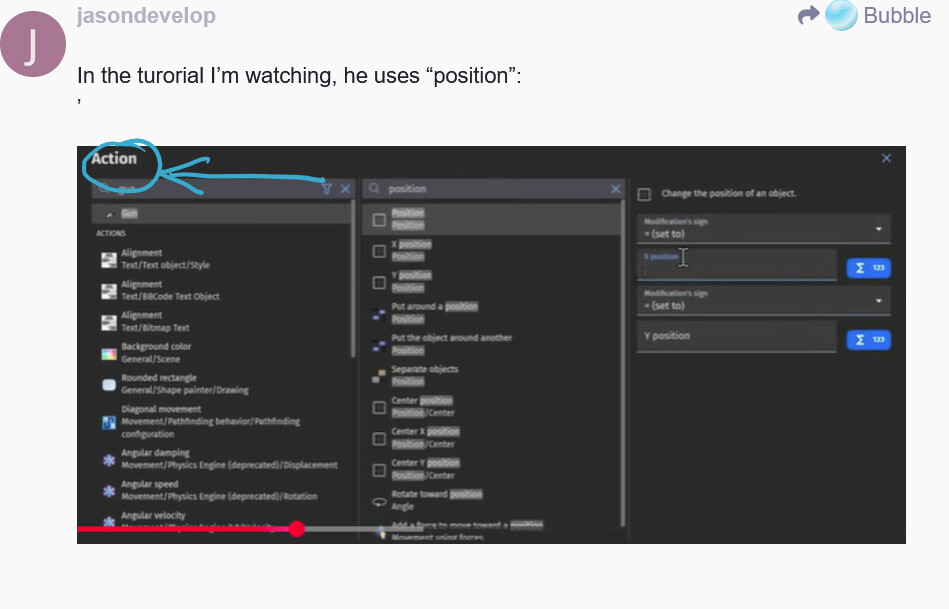
Your screenshot if for an action. You said you wanted a condition.
Drona thought you meant an action.
1 Like
Bubble and Keith are right that there is no “position” condition. Your screenshot shows “action” and I assumed you are talking about an action although you wrote:
Conditions are set on the left side and actions on the right side of your event sheet. Anyway, if you could link the tutorial you are talking about, someone will be able to guide you through.
1 Like
that’s what it was. Thanks dude, you solved it for me
1 Like