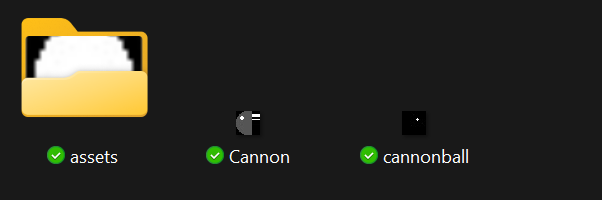
This happened because I imported them from a different project. the resources page for gdevelop lists them as cannon.png and cannonball.png, even though all the other sprite resources don’t have .png in their name.
Will this become a problem? it so, then how do I move them to the asset folder without screwing anything up?
I’d really like to know is this the way it’s meant to be? If I create an image in Piskel, it goes into the assets folder but if I import it (as mentioned above), it goes in the project folder.
Is this intentional? I’d really prefer that imported assets went into the assets folder by default.
The assets folder actually isn’t created when you create a project. It gets added whenever an asset is created. There have actually been some cases in which I’ve had to create the asset folder myself to import sprites made with aseprite.
I did a test and yes, you’re right. I’m pretty sure there was no assets folder when I started with GDevelop so I tried to find in release notes on github when the assets folder was introduced to see what they said it was for and what it’s meant to include. But I couldn’t find any mention of it. I did find a reference in the forum from early 2022 that there was no assets folder though.
I think I saw in the release notes that in the last year or two they made it that assets from the assets store go in the assets folder too. I don’t really look at the assets store so I can’t confirm it.
Should there be a feature request for imported assets to go in the assets folder? I could do one, if the OP or anyone else doesn’t feel like it.
What i’d quite like to see is it auto generate an asset folder that contains an images folder, a sound folder, an extensions folder and a 3d models folder…but that might be asking a bit much there
It’s all about how the developer want to sort their folders. Automating folders may make some people happy, but it can also be annoying to others.
Although, it can always be an option.