1 Like
Hey!
First of all, welcome to the community!
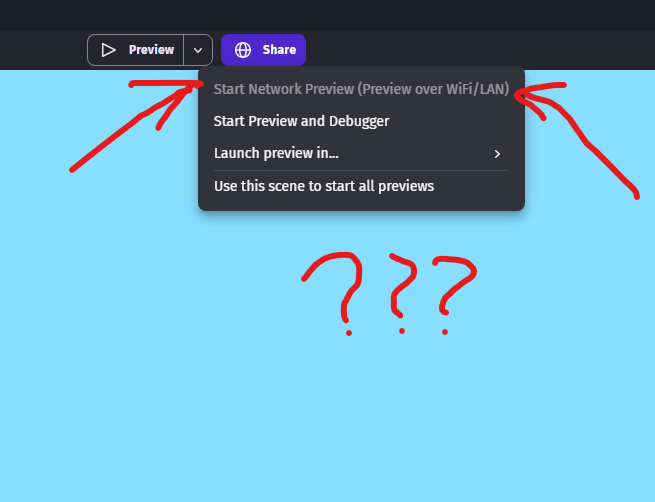
In order to help with this problem, we (as in the community) are going to need more context. As of currently, this button seems to work for me, so let’s check a few things.
- Are you on wifi? This is probably the reason the button is disabled.
- Are you on the newest version of GDevelop? (V5.6.261)
- Have you tried quitting the app and reopening it?
If all three of these don’t work, provide more context and we’ll be sure to help you solve this. Thanks!
– Snowy
Hey))) Im on LAN and on the web version via VPN however! May be because VPN?
1 Like
Hey!
Thanks for the info. It turns out that the web editor has this feature greyed out for me as well. I’m not 100% sure if this is a bug or intentional, so the best thing to do is to use the app version (if possible) for now.
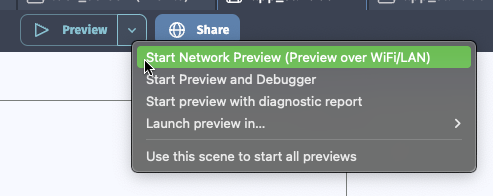
It’s been forever since I used the web editor for anything other than testing for others, but I don’t remember the network preview ever being available if you were using the web version.
I could be wrong, but: Since it doesn’t runocally on your machine, how would it establish a local network connection to try? I’d think most browsers would block it as a cross domain access attempt, from a security perspective.
1 Like
o…oh, i didnt notice that might be the web version
1 Like
No worries, I can’t remember if it’s ever been available for web anyway. I could be entirely wrong, but the technology doesn’t seem to be there for it to work via the web client unless I’m missing something.
1 Like
У меня в веб-версии работало.
У меня яндекс браузер. Может от браузера зависит.