Stop my points counter during the pause menu and after the completion of the level? I’m trying to create a points display that doesn’t continue to count down while the pause menu is present and after the player’s character has crossed over the ‘level end’ flag.
What is the expected result
When the player presses ‘space’ to pause the game, the game pauses and so should the points counter display. When the player crosses the ‘level end’ flag upon completing the level, the points should also stop then.
What is the actual result
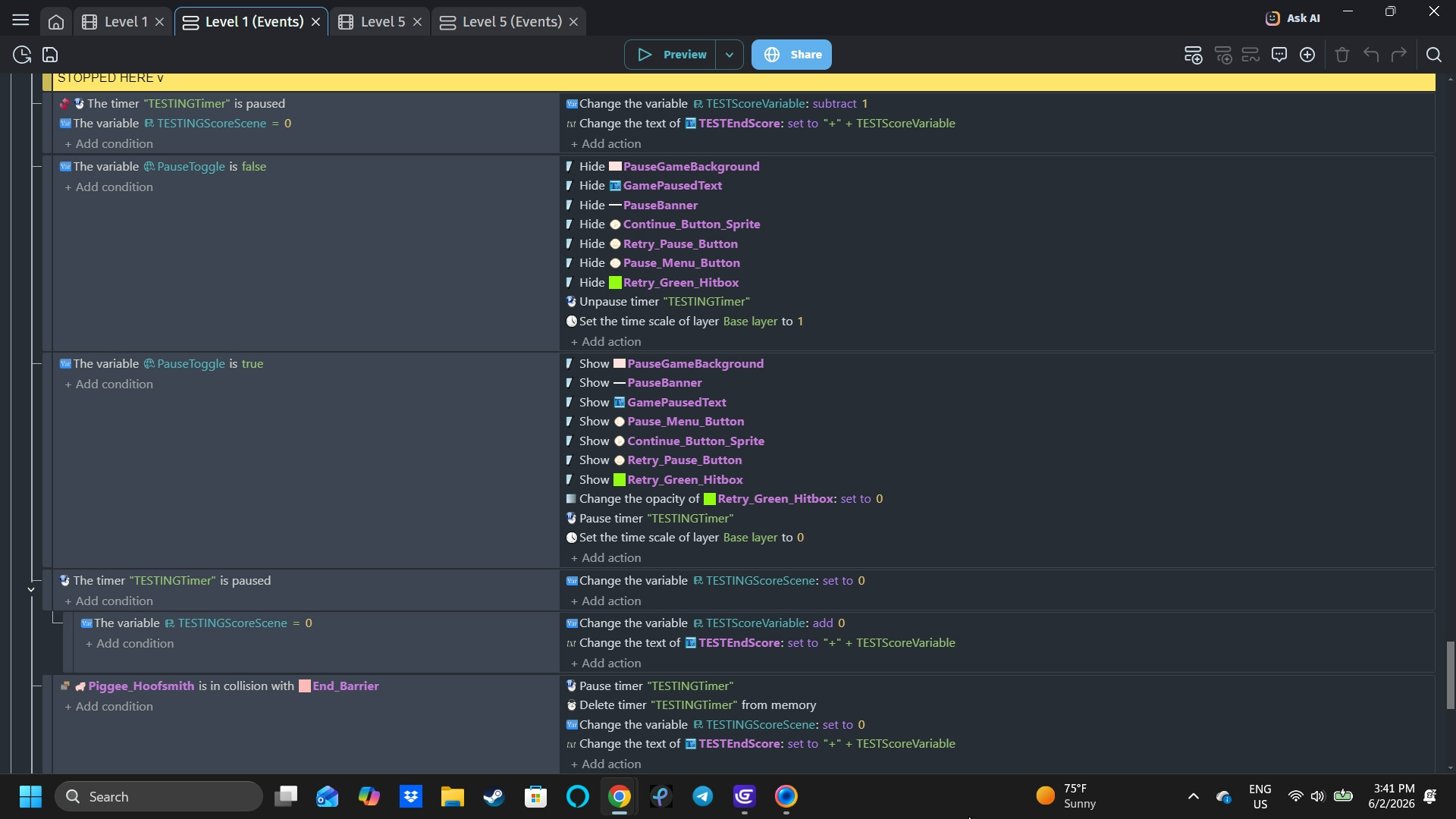
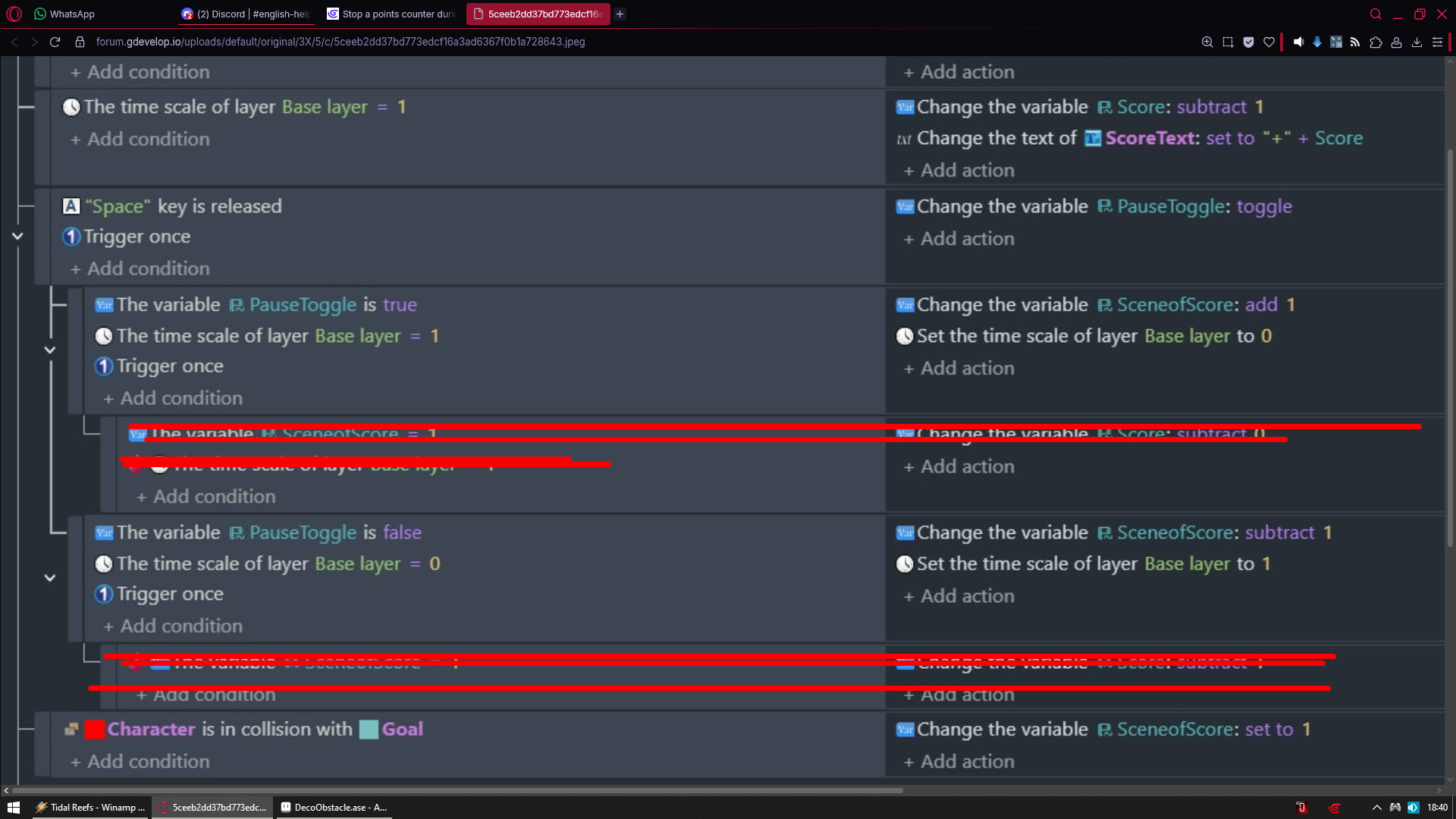
The game I’m making is a “run-based” platformer so the character is constantly moving forward. The point system is set to a timer called “TestingTimer” that starts at the beginning of the scene. The variable that holds the score information is set to subtract by 1 after each second. The issue I’ve encountered through different tweaks is that the points counter stops going down either when the pause menu is presentORwhen the flag at the end has been reached, but never both.
Related screenshots
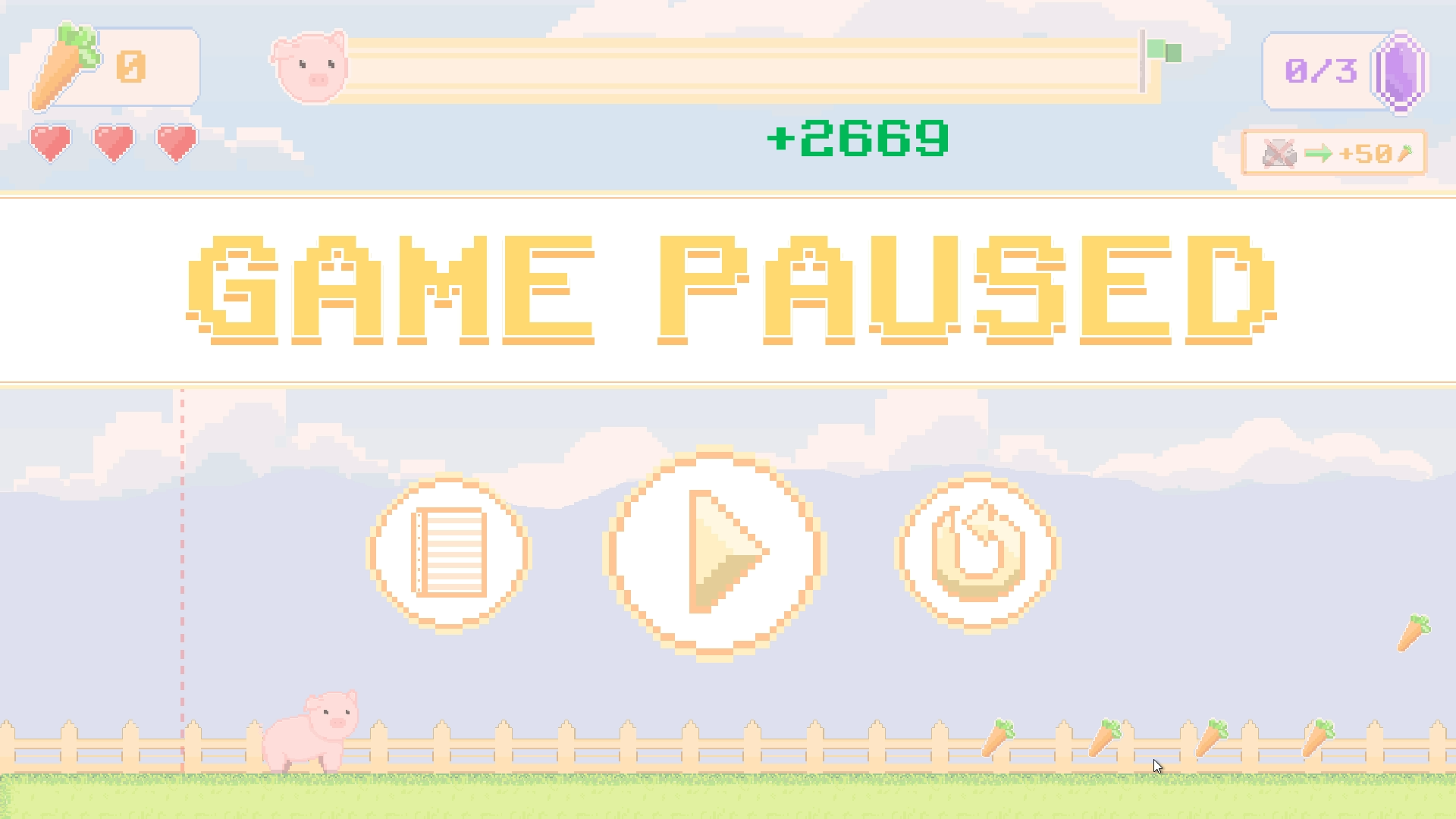
In the game screenshot, the green text is the points counter in particular. In the events sheet screenshot, those are all of the events except for the “Start (or reset timer)” that is an action for an “At the beginning of the scene” in a different event group.
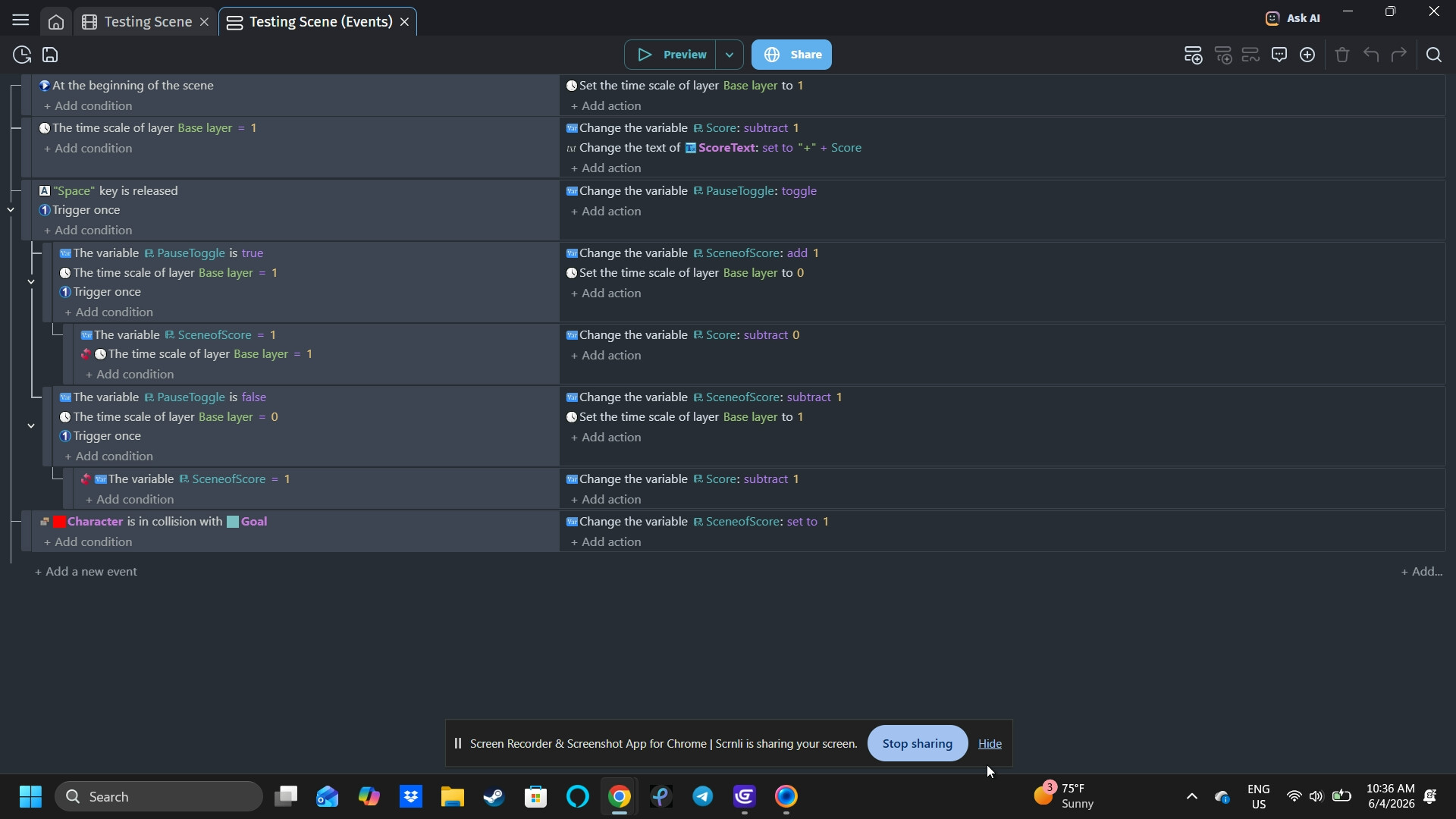
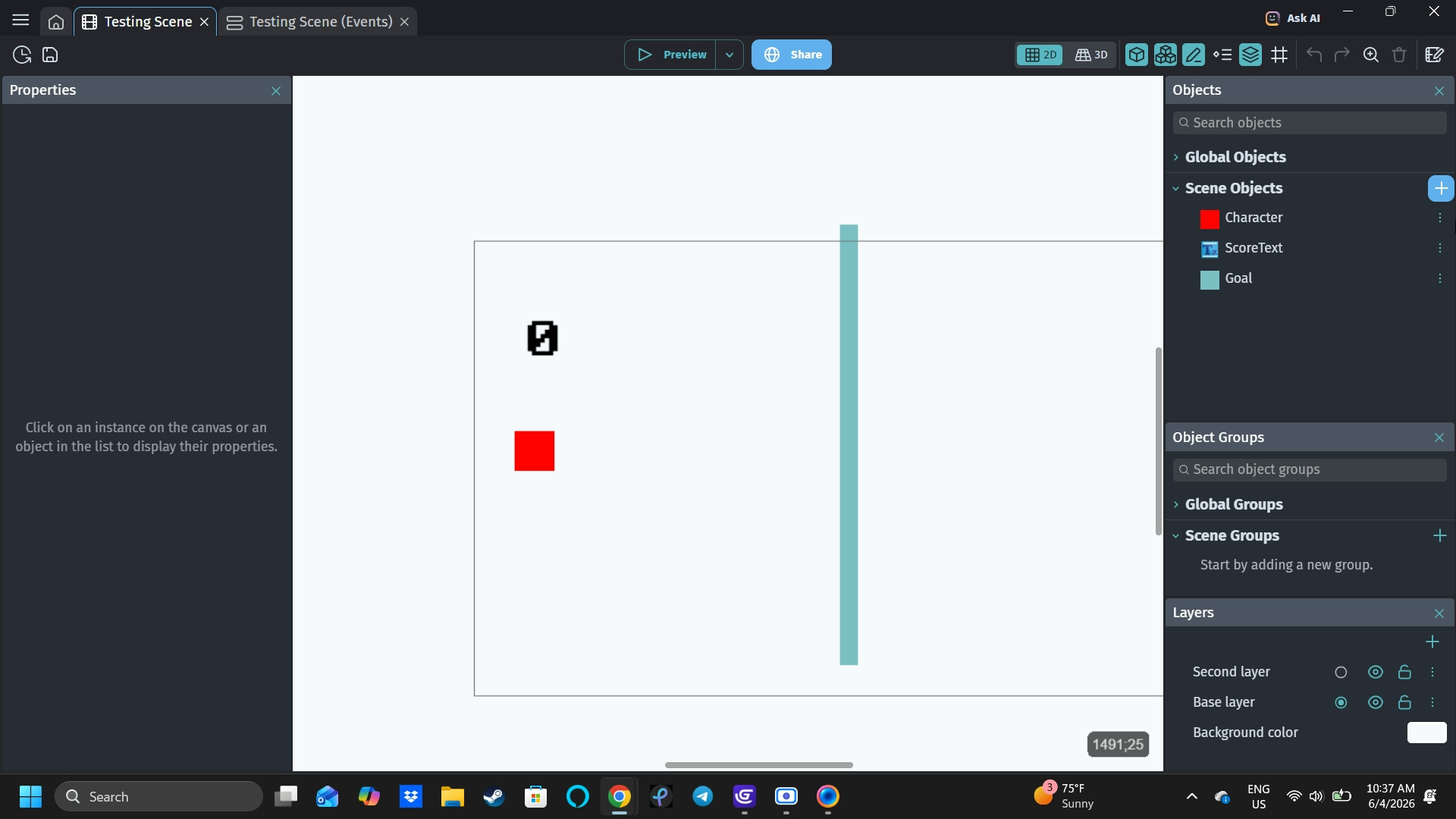
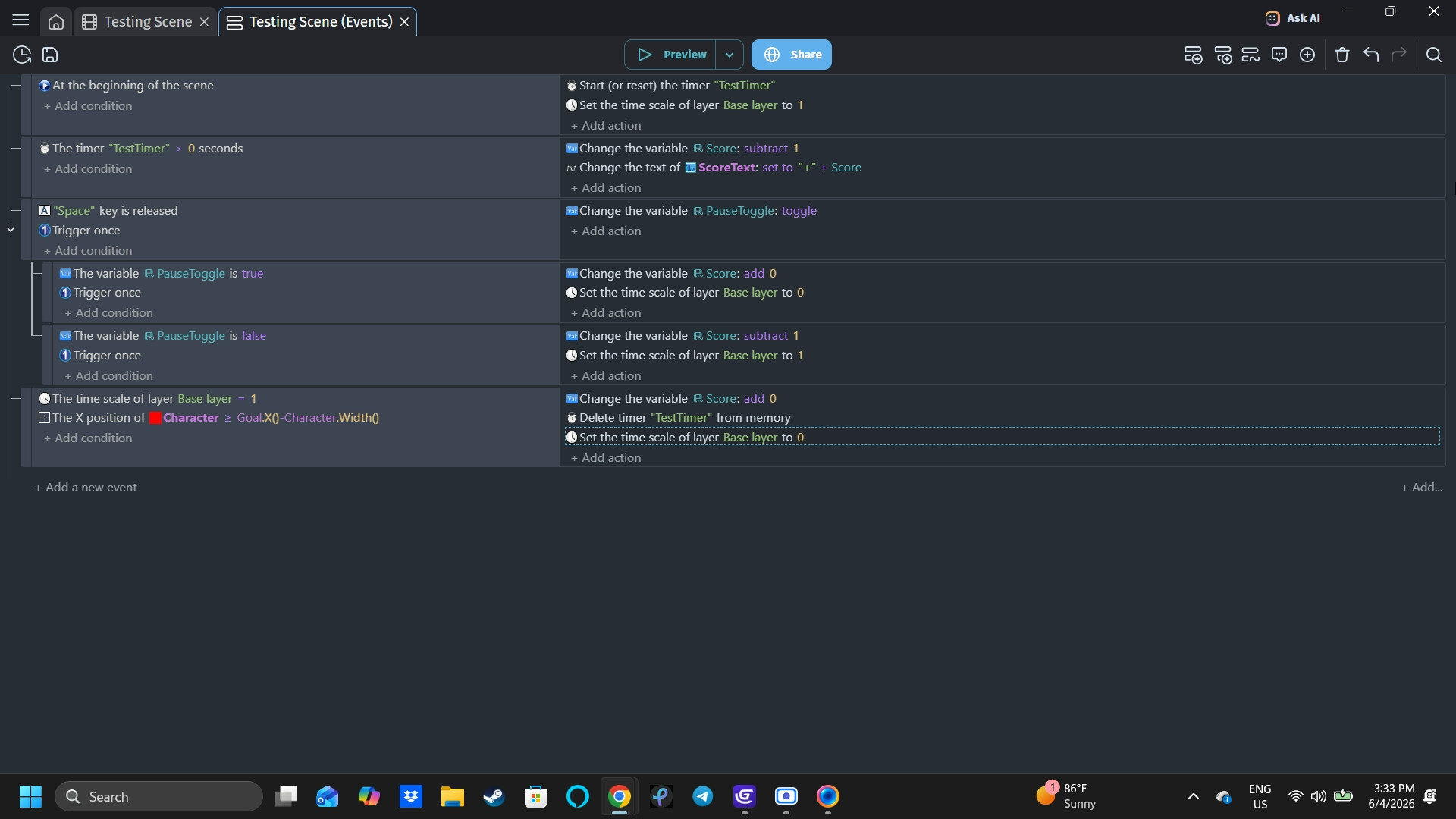
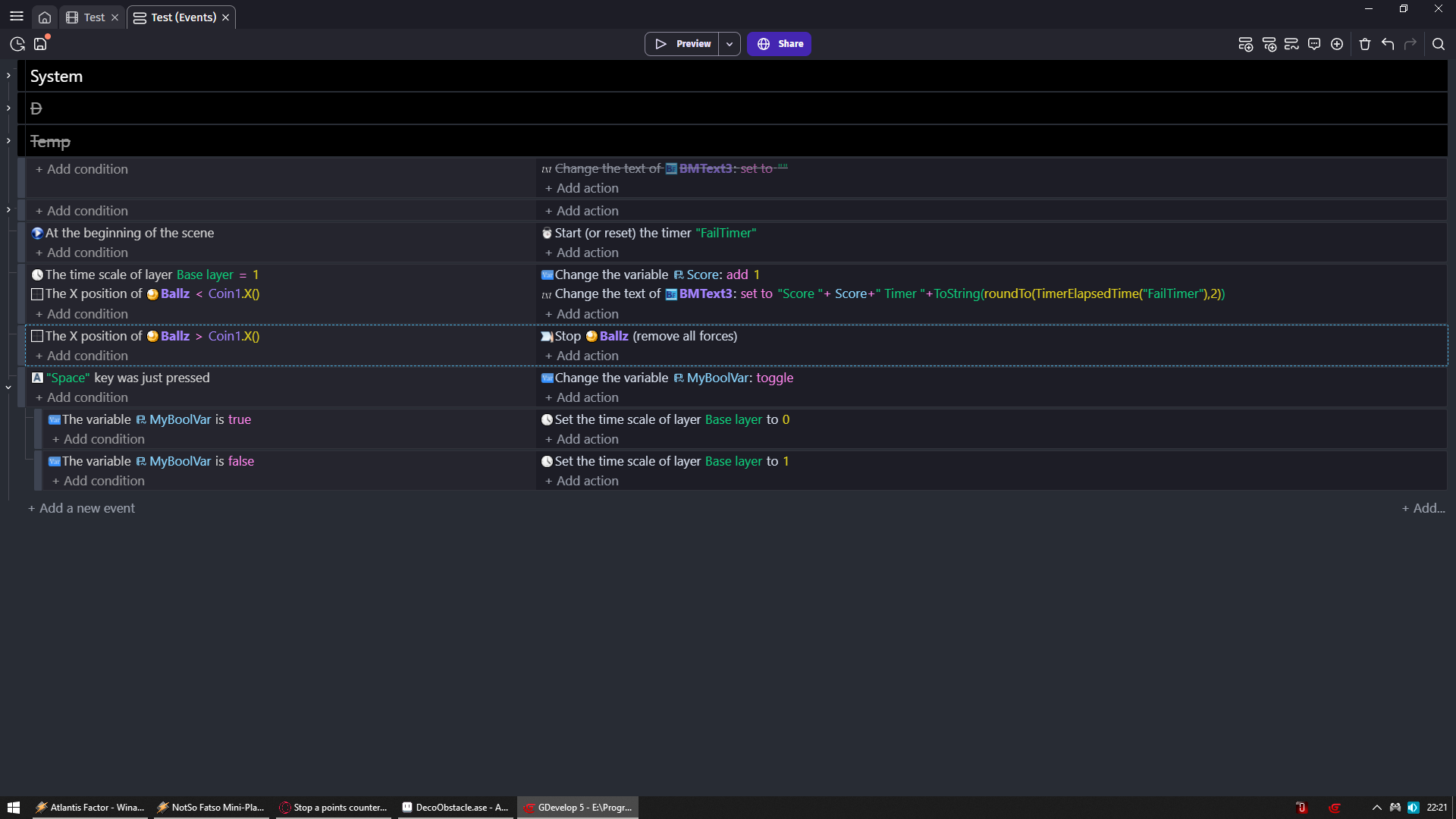
I made another little game with similar/what I hoped were “fixed” events, and I still encountered the same problem. Here’s the screenshot of those events and the game. Same principle: the counter display stops going down when space is pressed and should stop when the red sprite crosses over the goal line.
Hi, I did that maybe, but it still didn’t fix the issue. As a I told Mr. Men, I made a hopefully more understandable version using the time layer scale thing you mentioned. But it’s the same issue…hopefully this is more troubleshoot-able…?
The only thing that doesn’t work is the countdown stopping the player has crossed over the goal. But that didn’t work at all from the beginning. I’m either able to make the countdown stop with the pause menu or when the character crosses the finish line, but never both. And I’m trying to do both with the countdown.
Make event
Add condition type OR in search bar and add it
Condition
OR
Player X is greater than Goal.X()-Player.Width()
Time scale on SOME layer = 0
Action
Pause timer
What i gave you regarding player X pos will make so that if player hit with his RIGHT side goal
It will stop timer
And now all you need is to add to however you unpause add there action to also unpause timer
That’s all
And what you did and why it did not work
You made that if game is not paused then unpause timer
But when you reach goal you do not pause so timer would get upaused
Hi, okay so I added your suggestions. Hopefully, I did it right. Now, when the character reaches the goal, the timer stops, but the ‘space bar’ to pause doesn’t work anymore…