I have two clickable objects with interactions. One object sits in a UI layer (let’s call this layer A) and is fixed. The other object sits in the layer below (layer B) and is scrollable. When both objects overlap each other, clicking the object on layer A executes the interactions for both objects.
Layer visibility won’t help if one layer is a UI and the other layer is a visible scrolling play area.
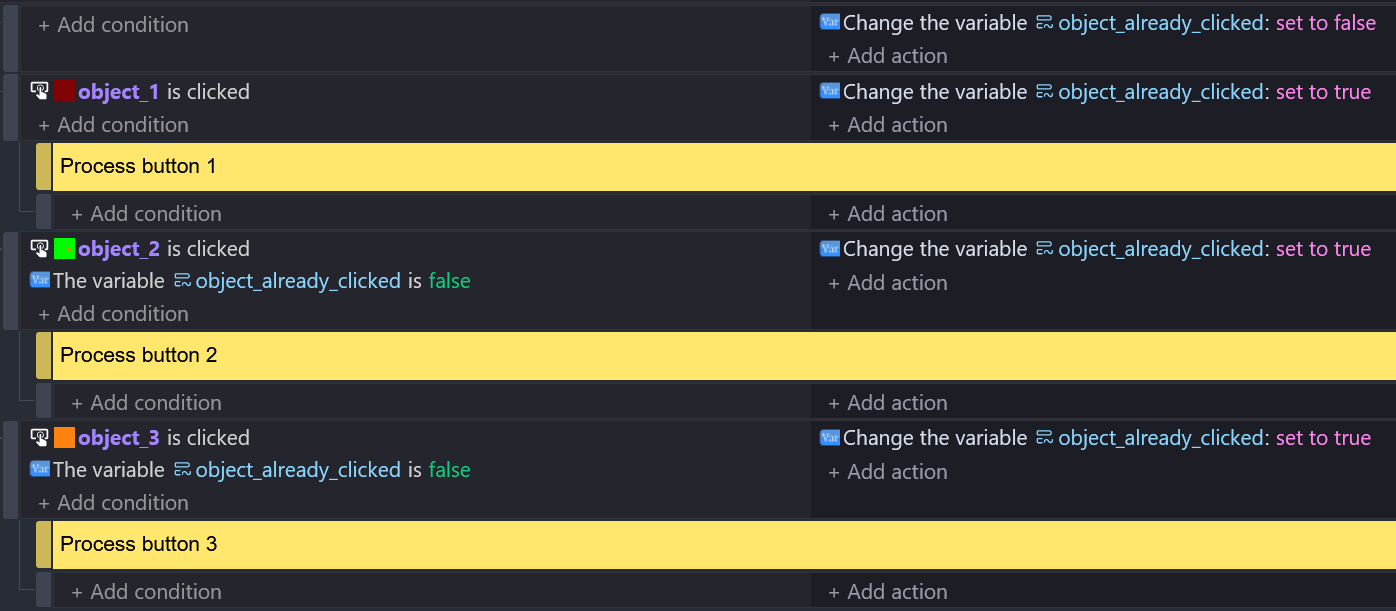
@patrickwelham, I’d put all the object clicked events in order that they should be checked. I’d also add add a variable to indicate whether another object has already been clicked. Something like: