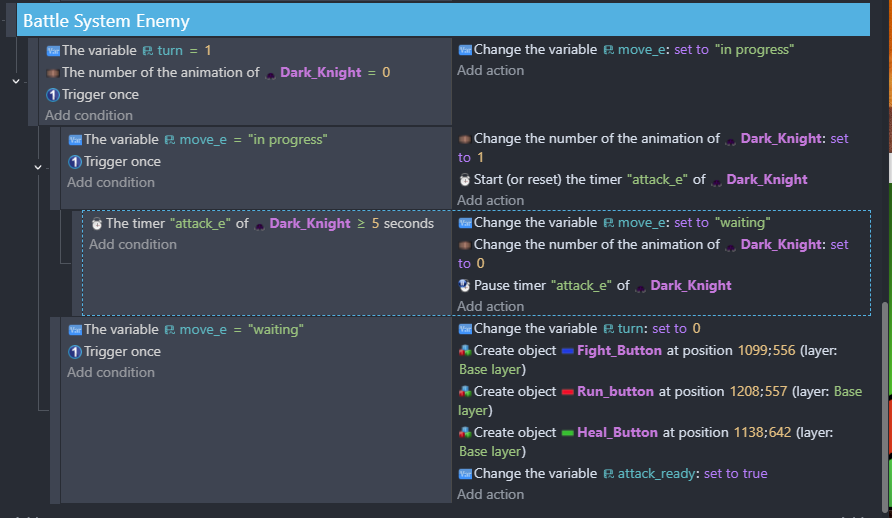
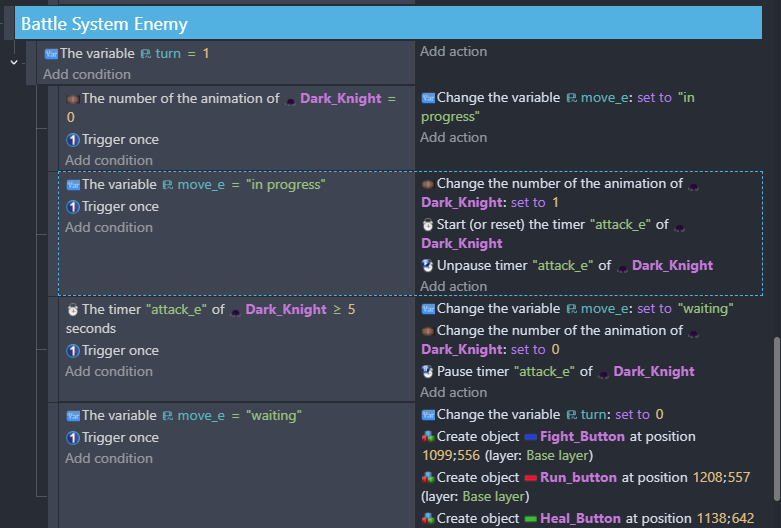
Get this object timer condition to work? I’m making a scene for a turnbased battle where the player chooses an attack (they always go first), then the enemy attacks.
It starts off with the player pressing run, heal, or fight
buttons. When its the enemy turn (turn var changes from 0 to 1) the buttons are deleted. After enemies turn (change back to turn = 0) the buttons are supposed created again. This part never happens because the timer condition “attack_e >= 5 seconds” is never activating, even when the timer is running.
or maybe its something else I don’t know.
Is there a reason its not working or maybe another way I can do this?
It only checks timer on same frame you start it
Cause its sub event and there you have trigger once
Better explain exactly what you want to do
I am not sure i get it
BUT
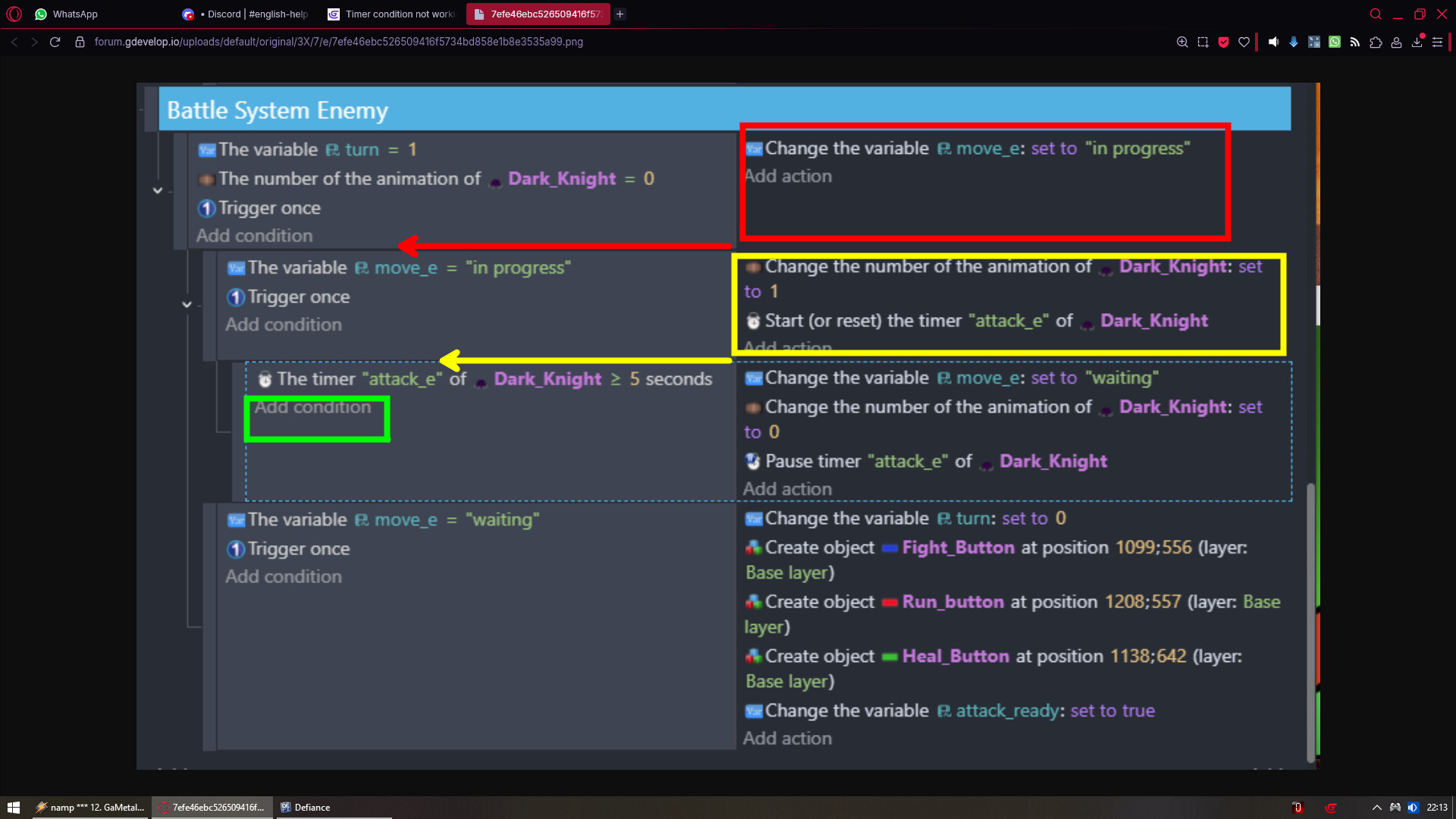
You could make all your actions from each event a sub event to which they are in
Then to that add trigger once
And now your timer would work
To which you should just add trigger once
The issue is that the last event won’t evet get actioned. It’s a bit complex to explain, but it’s the trigger once in the second event that’ll be preventing it.
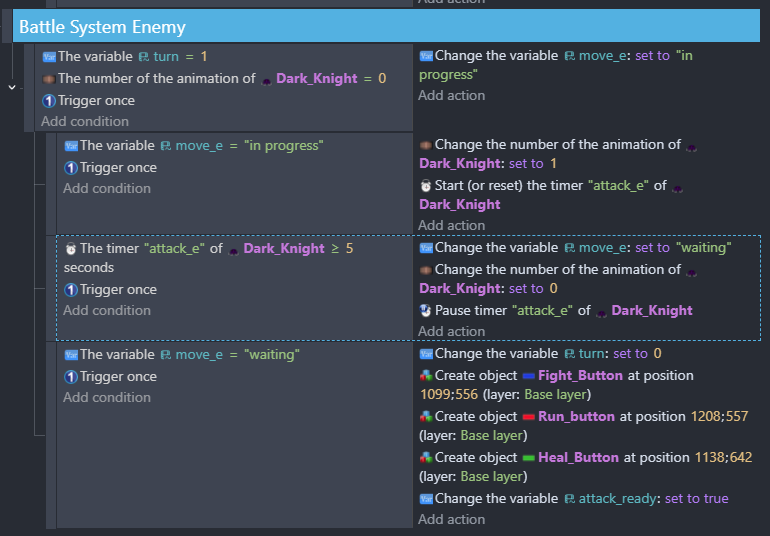
Try this solution instead. Apologies for the hack job, I’m limited to Paint for now…
Alternatively, you could take the above solution, create a new event with the condition "The variable turn = 1" and move the above three events to be subevents of the new event.
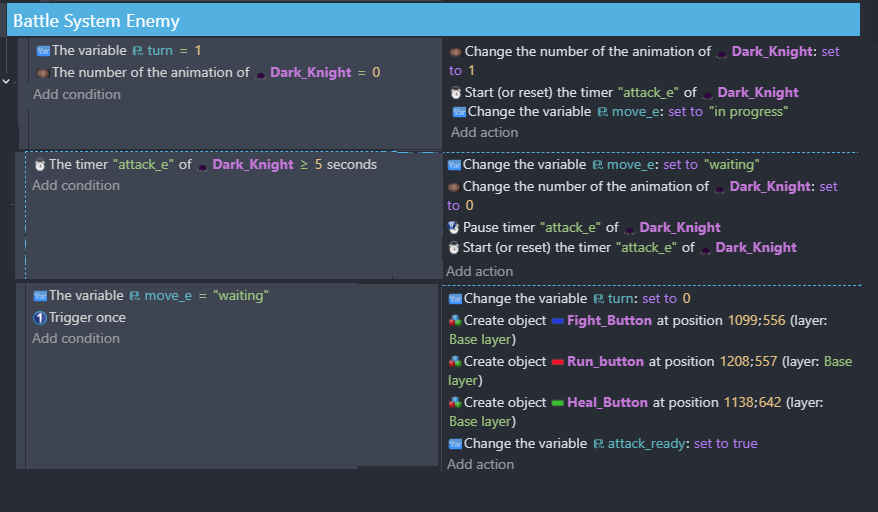
I can clear it up a bit. the way it is now my code is now it’s not recognizing the third event, which is needed to set the enemy in “waiting” mode. I want it to then change the turn (change the variable turn: set to 0) back over to the player and re-create the buttons so that they can attack.
nothing happens after the enemy attacks in the second event. But I can see in the debugger that “turn = 1” “move_e = ‘waiting’” and that the timer is running. So I know the issue is with the third event with “the timer ‘attack_e’ of dark_knight >= 5 seconds”
I did try a bit of what you said but I’m confused.
I know you’ve got it resolved, but here’s an explanation why the third event is not being recognised:
In the first event, the condition is animation number is 0. It then sets move_e to “in progress”.
The second event kicks off because move_e is “in progress”. This sets the animation number to 1. Doing this prevents the first event from starting because the animation number is no longer 0
-The third and the last events will not fire the first time they are encountered because the conditions are not met.
After the first time through, those events will not be processed again because the animation number is 1, and the events are not looked at again.
Oh I think I get it. The program was stuck because it originally the third condition was false. So on the next frame it tried to check for it again but couldn’t because the first events conditions were not met. That makes sense, thanks!