I’m making a 2d metroidvania and I want there to be swimming mechanics. I decided to use the top down Behavior to mimic this when the player is in water and just toggle the behavior off or on whenever needed.
The thing is I don’t want the player to just rotate completely to get to all directions.
Basically if the player is facing the right, I want him to rotate to change directions( Either to the North East direction, East direction, South East or South direction)… But if the left button is pressed, I want the player sprite to flip and then do the same thing when facing the left. (Either to the North West, West or South West direction)
I can’t seem to make this work. It works fine when facing the default direction which is right but when I try flipping the sprite, it becomes a total mess with the sprite rotating to face the wrong directions and stuff like that. I would really appreciate it if anyone could help me with a simple template or something to follow to fix this issue.
I’m going on some big assumptions here, in that when press up and rotate the player anti clockwise (so from E to NE) you do so by decreasing the player angle by 45 degrees.
If you flip this, the player faces NW, whereas you want them to face SW, correct?
If so, then you’ll need to multiply the player’s angle by -1 when they get flipped. And if they’re flipped you’ll need to increase the angle by 45 when the up key is pressed.
Best, though, is if you can screen snip your events.
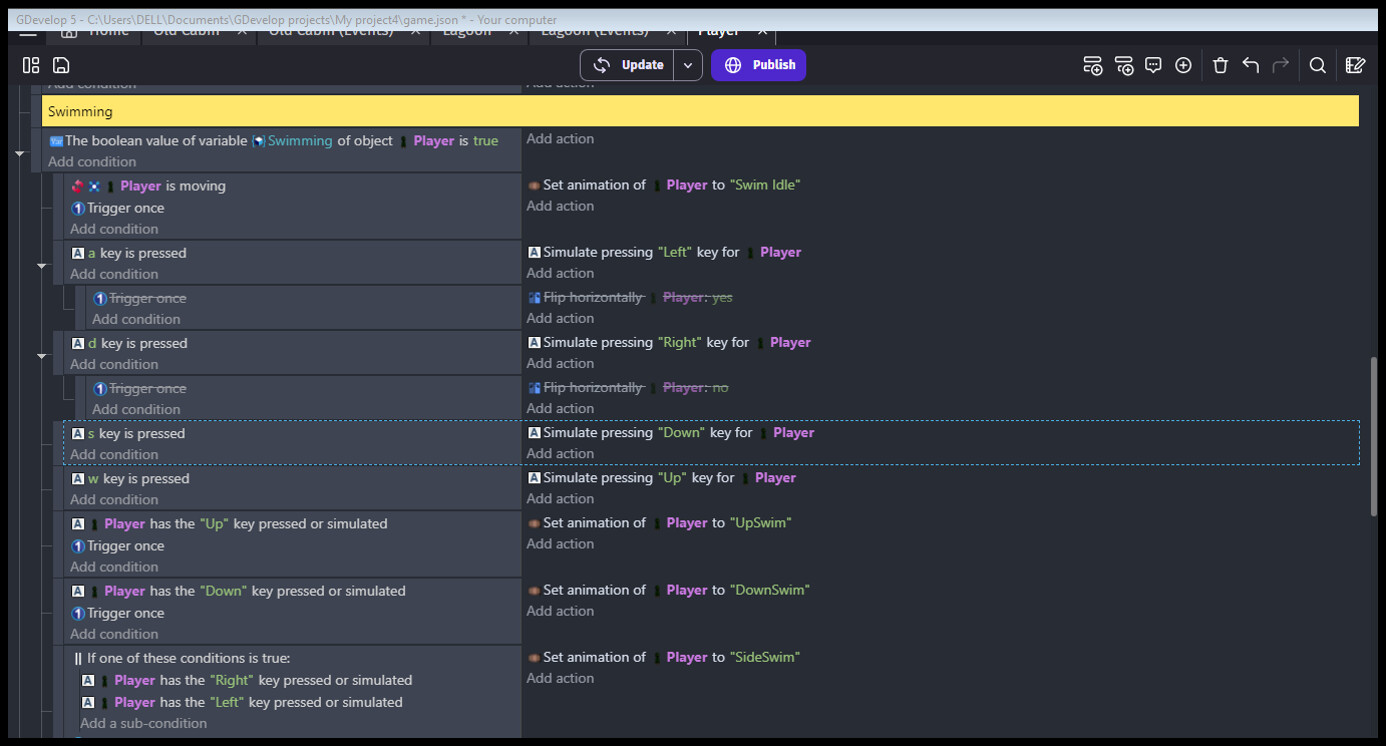
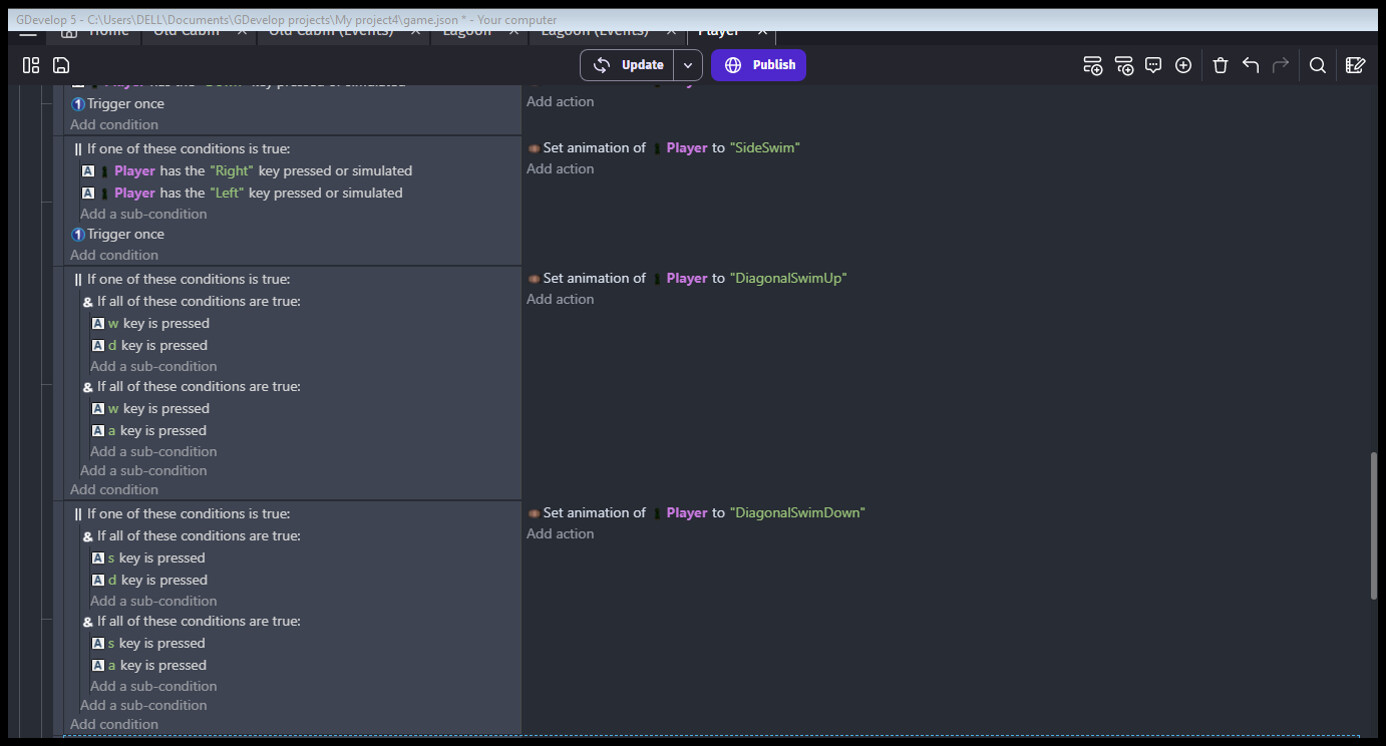
Okay so there are my Events for the behavior.
I’m not rotating manually, I just enabled the rotation in the top down movement behavior directly
I would send a screen recording but it says that’s bot authorized…
You’re setting the sprite’s animation depending on key presses, but also have rotation turned on for the player’s top down behaviour? Do either one or the other.
If I understand your issue and read what you’re doing correctly, I’d suggest you simplify your animations and events. First, turn off rotation on the TopDownMovement behaviour.
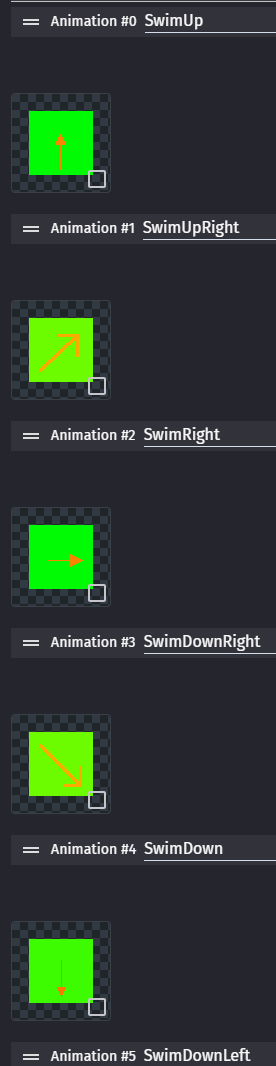
Then create and name the 8 directional animations (it’s a lot simpler to control than flipping and rotating). The animation name is the word “Swim” first, followed by the vertical direction and then the horizontal direction. This is the easiest format to work with:
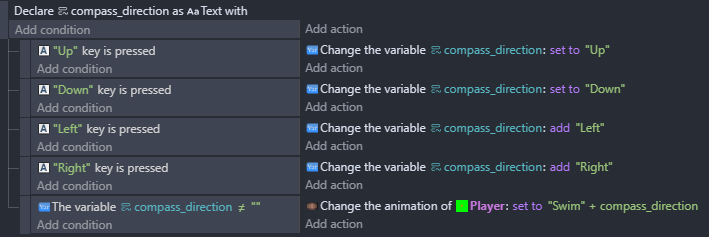
Then make the events (note the order is important and the first two actions set the name while the second two animations add to the name):
As in the forum prevents you? All you need to do is create a .gif of the screen recording and drag-n-drop it into the editing box of the post.
Ohhh… Thanks for that, I kept the rotation of the top down movement behavior because I like how it looks but adjusted my events and animations to eliminate the issue of flipping clashing with sprite directions and also changed the object angle depending on the direction so it works fine now… Thanks