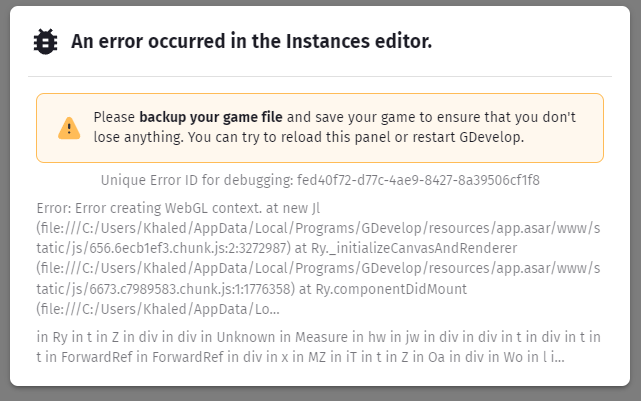
It happened just now when I was in the editor, pressed CTRL+Z several times and then BAAM!! GDevelop is completely white, I clicked on the scene again and then saw this terrifying thing, I tried reopening the project >> Same massege >> I then closed GD and reopened it >> It worked >> But yeah had a small heart attack, Thank god nothing horrible happened…
Now I hope it gets a fix because it’s terrifying to lose progress in a project like the one I’m working on…
ISSUE NUMBER 2
Also I want to mention that when you’re in the events and you try doing CTRL+Z >>> it’s very slow and freezes for a second and weird things can start happening like:
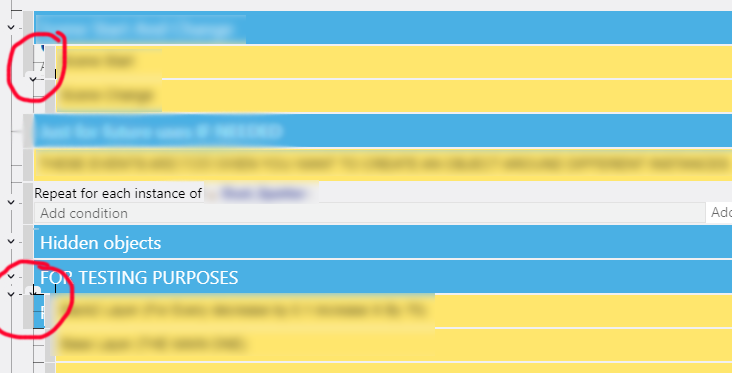
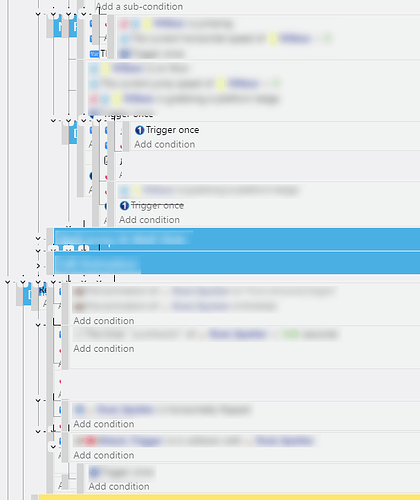
1- Some events get on top of each other (I mean like the whole text is on top of each other and it stays like that until you close the event window of that scene and restart it)
2- It throws you into a random place in the event sheet for no reason
3- It freezes for a couple of seconds
It’s very easy to make it happen when you a long event sheet
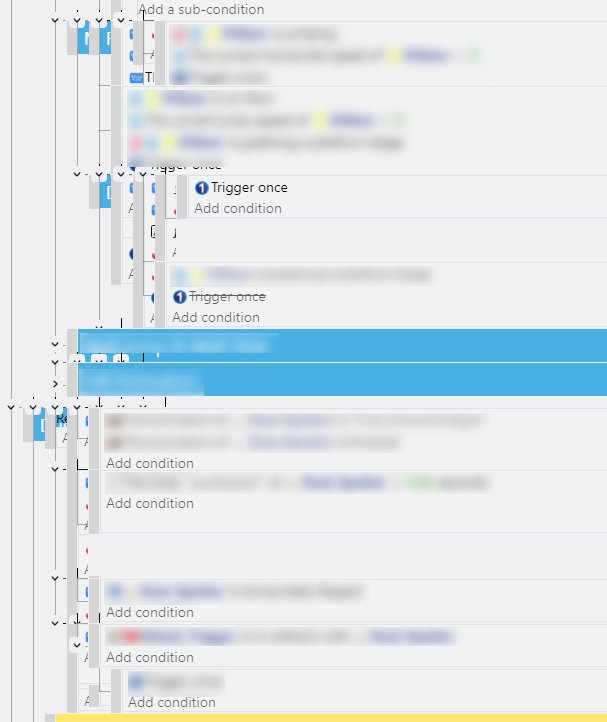
As you can see, the events turns into spaghetti (The blur I did is for privacy only not related to the issue mentioned)
ISSUE NUMBER 3
Also there is a red error that I saw a couple of times inside the preview >> I don’t use javascripts in my own code >> not sure if it’s maybe related to an extension or something in the engine I don’t know really, to fix it, just exit the preview and open it again…
This one sometimes happen, when you change something and then click on update, somethings changed can break the preview like this and you have to restart, not 100% sure if that’s it, but I feel like it can be one of the reasons.
Yep, this jumbled mess happens to me quite often in the last few weeks. Thanks for reporting it. I get it to refresh and fix itself by switching to a different tab, like the scene editor or an extension tab.
Hey Coriander. I didn’t get to say it elsewhere but welcome back!
Please note the rules on bug and feature requests haven’t changed, which means only one report per thread.
Otherwise troubleshooting and feedback gets lost in the shuffle.
(Also always search for existing open threads before making a new one for either, but I don’t think either of the ones mentioned above are reported as such)
I would recommend to avoid copy, paste as much as you can. It was causing problems since I can remember. It is difficult to reproduce some people experience it rarely or never while others more frequently, therefore it is difficult to fix. I also recommend to backup your project daily if you can.
Regarding the red error message, it would be useful if you could reproduce the error in a small minimal project so the developers would know for certain if they need to look inside GDevelop or an extension.
The number of events on a single tab doesn’t matter. I believe all the tabs are taken into account.
imo PixiJS tends to choke when there’s “too much” to compute… not exactly news to me.
edit: my thread shows “fixed” bcs at that times things were even worse.
I just checked with quite a long event sheet and it seems better. It didn’t do the jumbled up thing. There should be an hour glass icon or ‘we’re working on it’ - or ‘processing…’ as sometimes it’s hard to tell if it’s recognized CTRL Z.
2.6.252, the jumbled events thing is still happening for me. It also happens quite a lot when using the search. I press the previous found arrow and then go forward again and it fixes itself.

 to compute… not exactly news to me.