Hi I am working on a game and a weird bug is happening. I tried refreshing and moving the object and it says nothing in the debugger… Can you help me?
How do I…
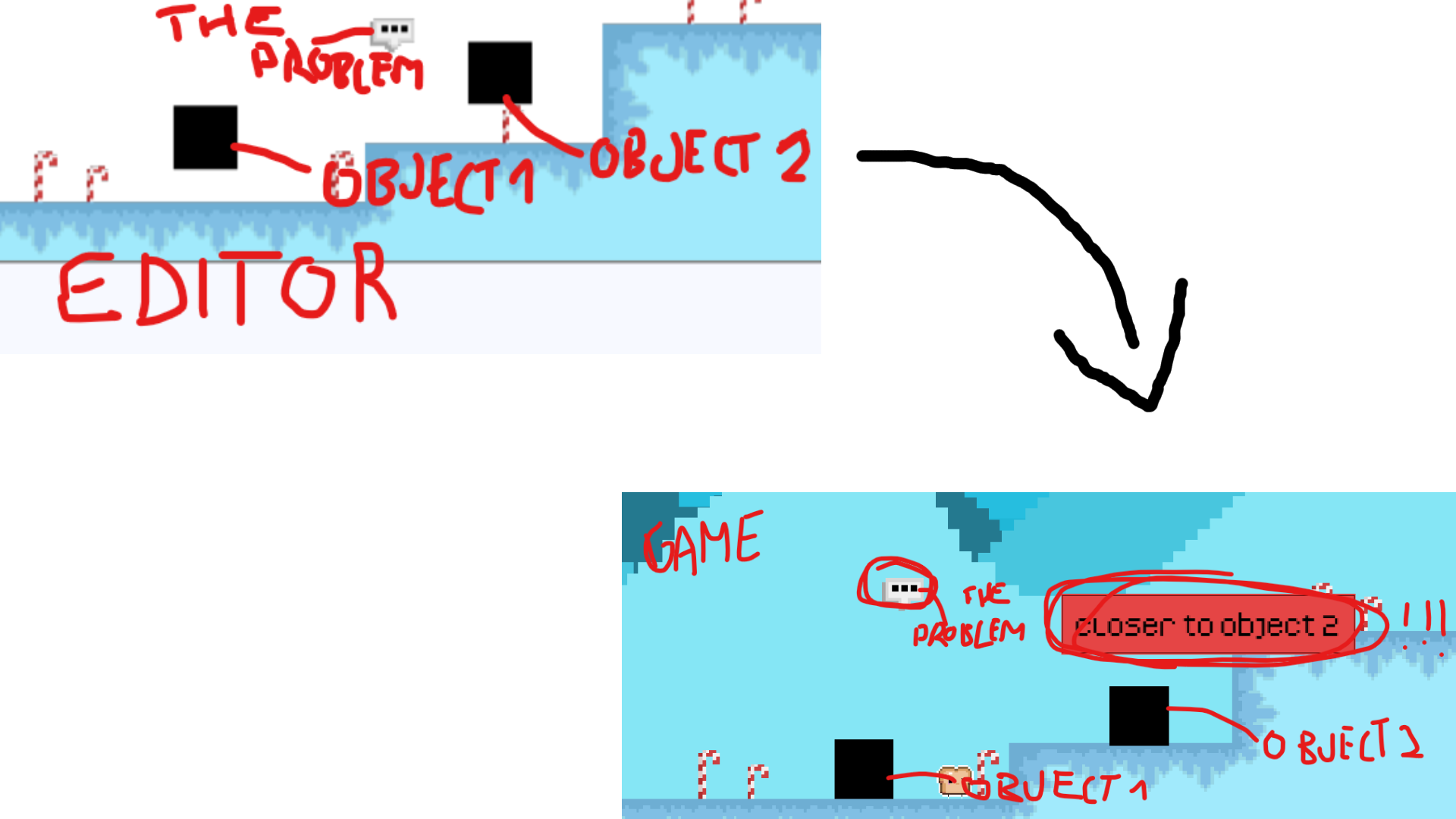
So I have an object that is on a layer above the base layer. When I move the object to the base layer I can see it in the editor and the preview on the same position, but if i move it to a layer above it, I can see where it is in the editor, but in the preview it is moved to the left a lot. The system sees it where I placed it, I know because i have a code that tracks if an object is closer to another or the third one and if I place it closer to one in the preview it shows it closer to the other one but it tells me that it is closer to the one I placed it at, even though it dosen’t look like it is.
What is the expected result
Get the object to show exactly where I placed it.
What is the actual result
It is moved te the left, but the system sees it on the right place.
Related screenshots
ignore the boxes moving down on the second pic(i moved them) and sorry for the handwriting.
Hope you can help me. Thanks for all responses!