Please make sure to follow theforum’s rulesbefore posting. Posts that do not follow the rules will be ignored, closed and archived.
Every time I want to show text (let’s say, for a tutorial) I have to make tons of text objects which, although fine (for me), does get annoying fast. I would like to be able change the text in a text object, so instead of making multiple text objects for said tutorial, I would only need to make one text object, copy it and change the text in each instance (kind of like how you can change the variable value for each instance of object). Sorry if this has been asked before!
Well.. you can change the text of an object instance except you have to do it through code. For example you give a text a variable and say if the variable of this text is equal to 1, change the text to this.etc
Yeah, so, I would like a way to do it in the editor, not through coding. Just like how I can create one object with one variable, and have many instances of that object each with different variable values.
Thats why we have Instance variables! When you click on an instance on the scene, the mini editor and properties view (where you can change position and rotation). You can also change the variable for only THAT instance. Also the animation, opacity, etc
OH! This might be a solution! Make an instance variable with the text you want in there, and then change the showing text to the text in the instance variable?
If you would create variable called MyText for your text object
Give each instance of your text object different value of that variable
You could just at beginning of scene set each Text text to thier MyText variable
IDK if it would require repeat for each object or not but its A or B situation
But watch this
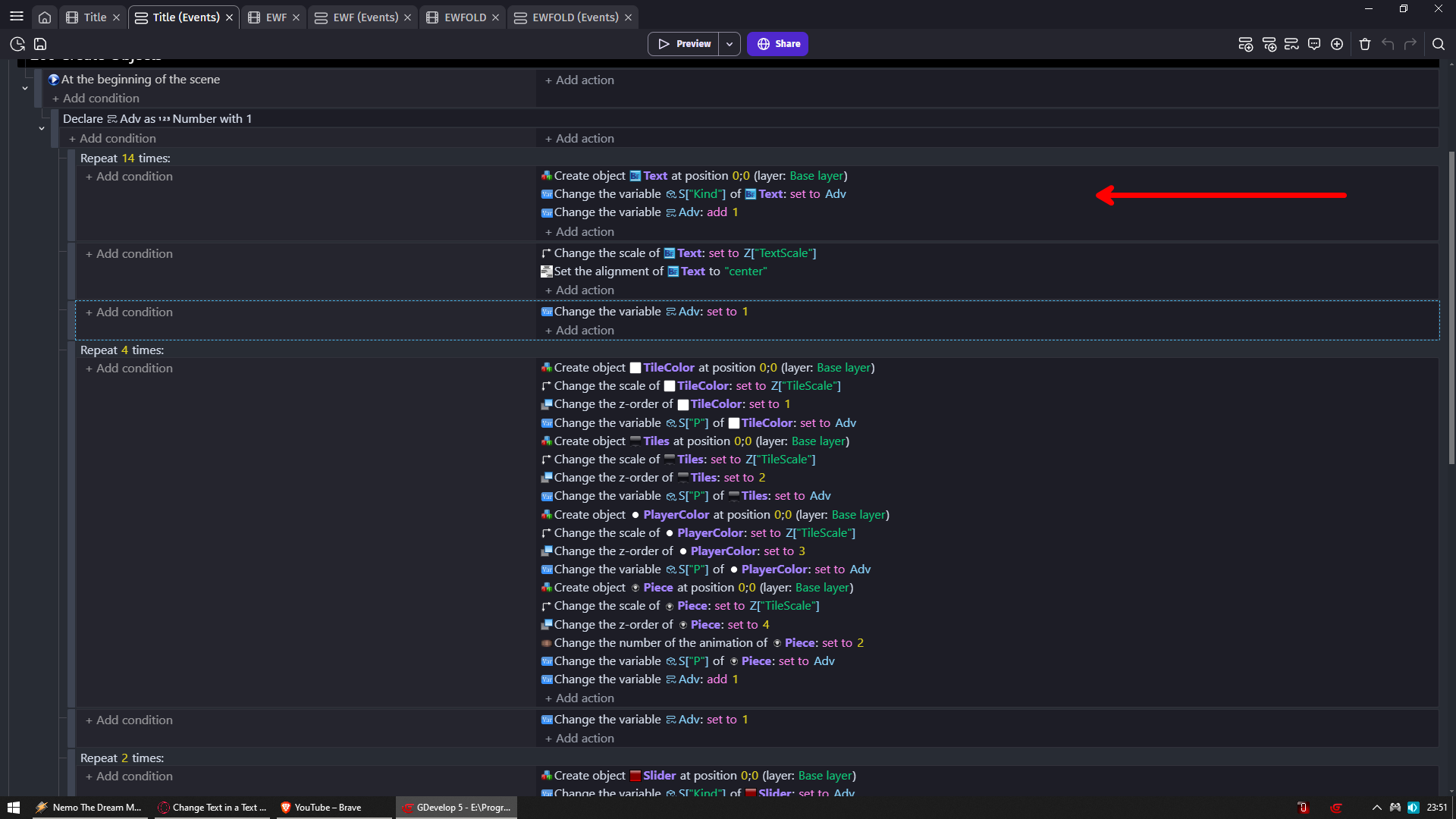
This is how you create text via events using local variable which you want to avoid
So as you see i create 10 text objects
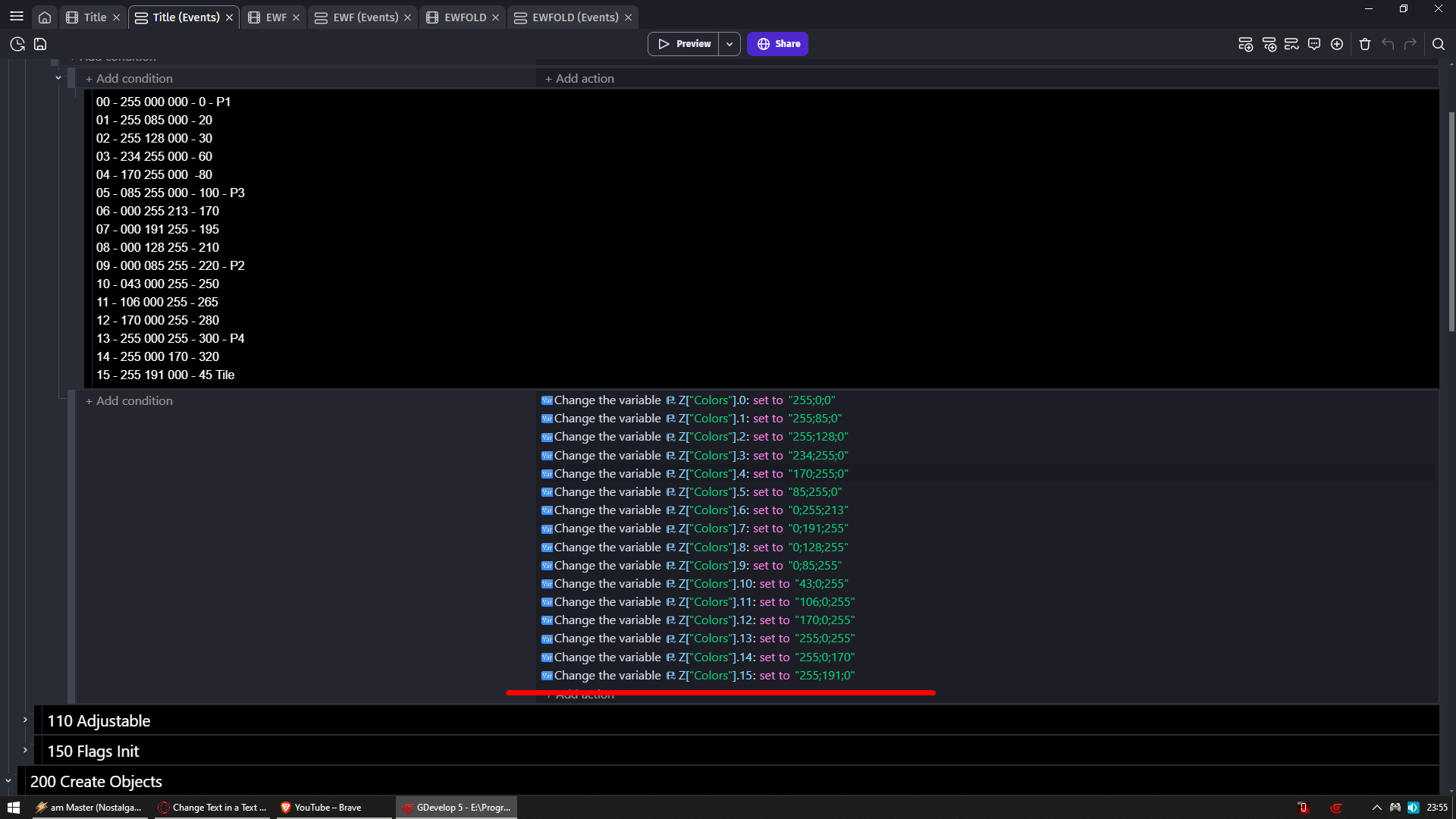
Now i also have event to set colors of whatever
I am creating here array with each child holding different color
I have events to check if text S[“ID”] var = something
And now i set its text to its ID var so for example text object with ID var 4 will get “170;255;0”
I can do that to all of them at once
Now in other event i just need to position them properly even anchoring them so different displays have text objects in same place
And so i have all text of each text object in one place
Doing it via events gives you a lot more than doing it via editor
For example expressions or even shift+enter to make new line
Stick to what is better to you
But think about what i wrote above
I agree. It would be easier. You could have one object instead of dozens. You can change the animation of a sprite for instances and now for behaviors. There’s no reason why you shouldn’t be able to do the same with a text object.
I’ve used the object variable approach. It works for simple one-liners like headers but for larger texts it makes it difficult to arrange other elements when you can’t see the text in the designer. You don’t know how large the text object will be. So, it’s difficult to arrange other nearby objects.
how do you even use arrays? I’ve seen so many people use them and they seem useful. I only use structures (and that’s really just for organization with my variables)
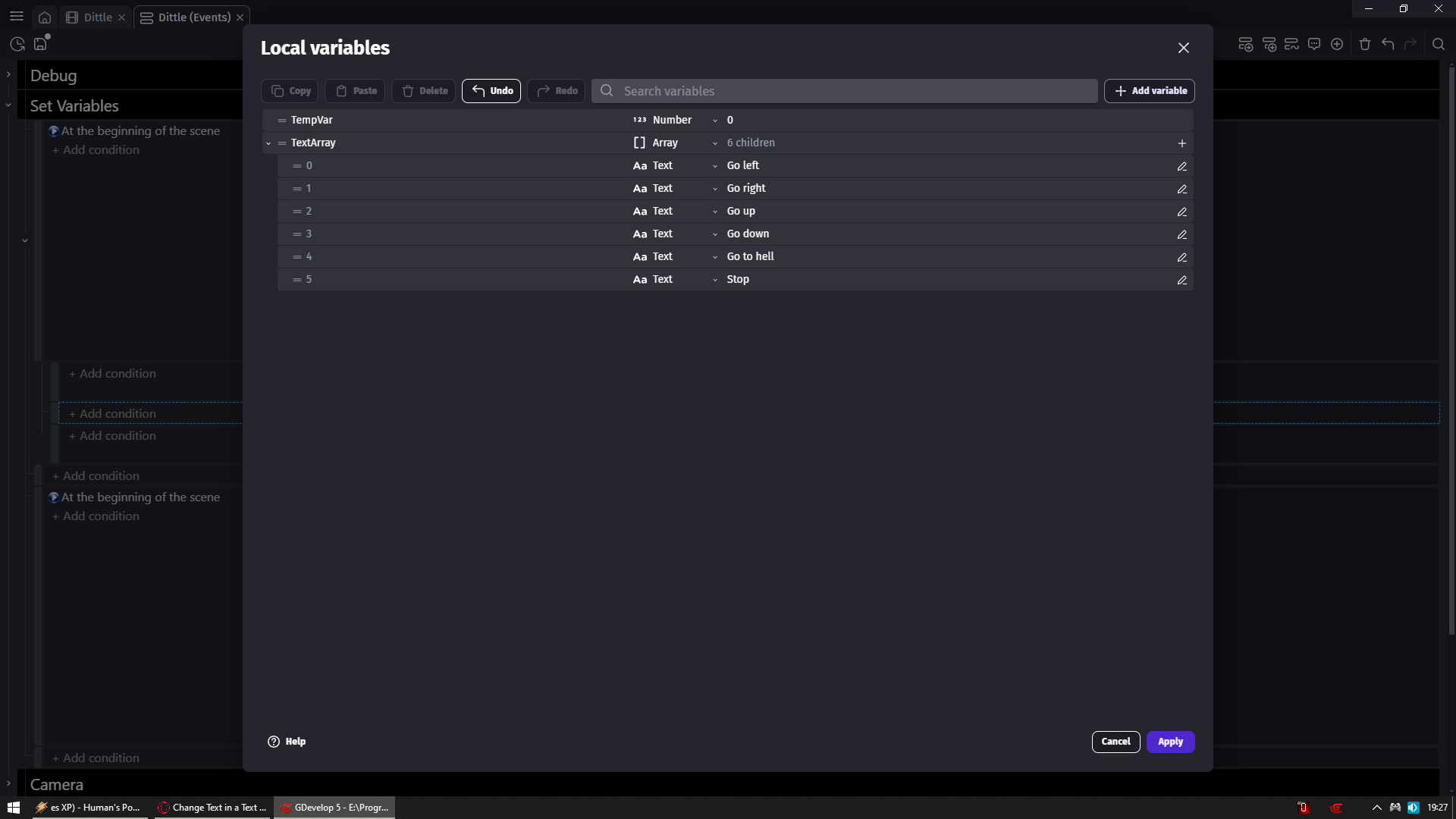
Array is like a structure but with numbers starting from 0. this could REALLY help with your text objects. So you create an ARRAY (can be scene, global or object, doesn’t matter) and make the list for example
0: Hello
1: Goodbye
2: See you
Then you make an OBJECT number (yes number) variable for your next and give them their instance variables, 0,1 etc
Now in events you tell gdevelop to change the text of object to…
ArrayVar[TextObject.ObjectVariable]. So that expression in the [ ] are the numbers of the text variables depending on the texts.
It’s rlly similar to what @ZeroX4 did
If you have something like a tutorial popup, custom object (prefab) would be a better solution. But it depends on what you are trying to do. maybe first you might need a different method to structure your texts in your game. Because for the same functionality creating a different text objects doesn’t makes sense.
Imagine you playing idk counter strike you press tab you see your team as
0
1
2
3
4
5
Players on some list
If player number 4 will disconnect
Player with number 5 will become player 4
THAT is how array works they don’t allow gaps/empty spaces between numbers
Index number mean just number on the list
ALL arrays start from index 0
Basically same as animation of your sprite
You want to reference some array child? You do it by index
You have array called MyArray
You wanna reference child 4
SO
MyArray[4]
Now imagine having number variable called CurrentWeapon
You go with MyArray[CurrentWeapon]
And now you just change value of CurrentWeapon to switch which array child you reference
For example having 3 weapons you can set CurrentWeapon to 0 1 or 2 and you just created weapon selection
Best thing to do is make text object print array child to text object look how it behaves
WHAT you see in my screenshot is a way to create variables without declaring them
Remember this
If you see
[number]
It means you are dealing with array
If you see
[“text”] or .text it means you are dealing with structure
NO .number for example .4 does not count as number it counts as text
So SomeVar.4 makes some var structure
SomeVar[“4”] makes some var structure
SomeVar[4] makes some var array
Difference is Arrays have index NUMBERS structures have CHILD NAMES
SomeVar[“x”].4 ← structutre
SomeVar.X.4 ← structure
SomeVar[4].4 ← [4] is array ← .4 is structure
SomeVar[“4”][4] ← [“4”] structure ← [4] array
Okay so arrays, I could use one for the tutorial, make one text object, give the text object some placeholder text and a variable to tell it what text should be showing. The when my player is at a certain point and the text variable equals one (or something), then change the text to the text that is in the array, is that it?
Yes the text thats in the array. Remember the arrya doesnt havr to be an object variable but for less clutter its better as an object variable. But the text object number variable HAS TO BE an object variable. And you store the text to be shown in the arrays children
Posts that do not follow the rules will be ignored, closed and archived.