EDIT 2: The explanation given here isn’t perfect. There are clarifications further down. There’s also a link to a more simplified example project further down. It’s clearer than the one offered just under here.
OVERVIEW
I have a platforming world made out of a tilemap. This world is divided into different Camera Areas. Camera Areas are made out of a separate tilemap.
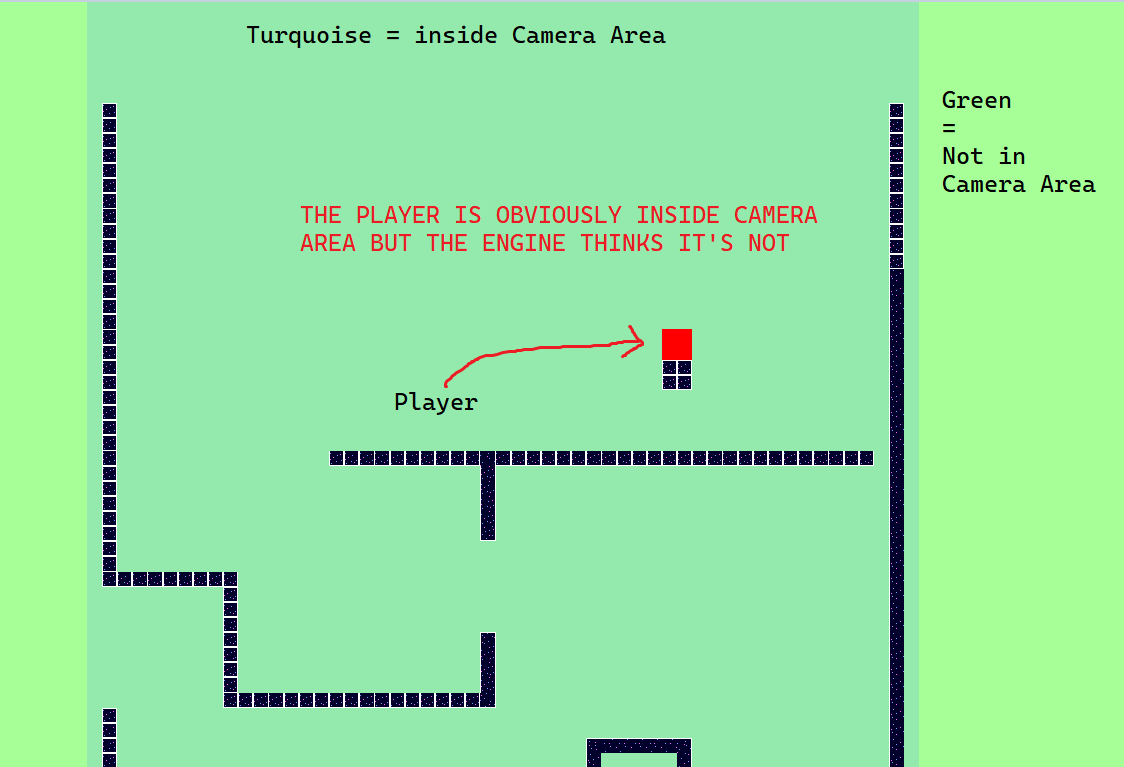
When the player is in collision with a Camera Area, certain things happen. When the player is not in collision with a Camera Area, different things happen. The problem is that even when the player is CLEARLY in collision with Camera Area, the engine might say it’s not. Wrong stuff happens.
DETAILS
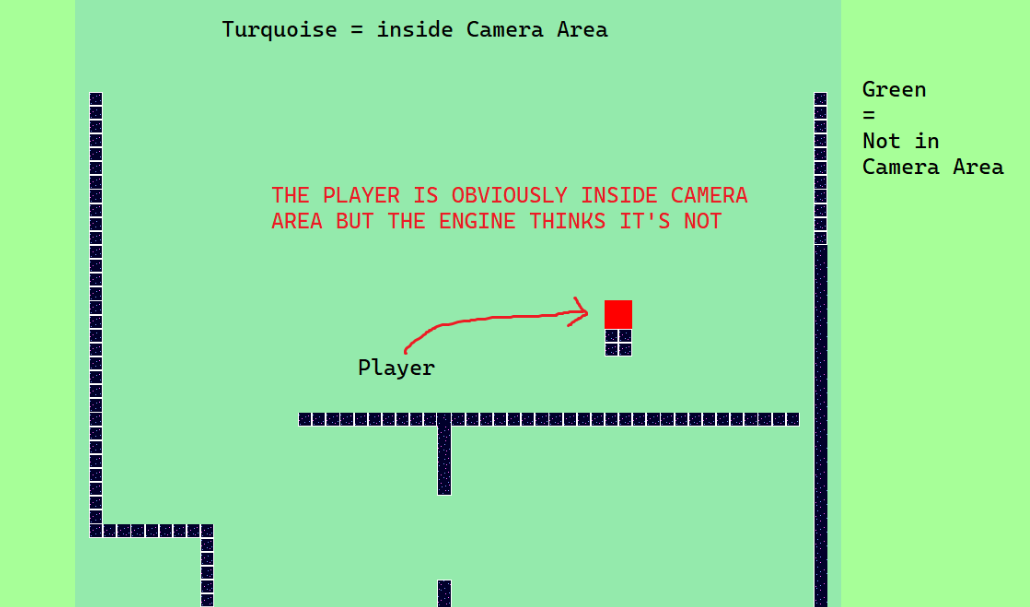
The bug only seems to have a chance of appearing in specific locations. In the project linked below, a certain floating box happens to be one such location. You can see the floating box in the image above too. When the player lands on this box, there is roughly 1 in 3 chance of the bug appearing. Out of 84 jumps straight up and down, 19 created the bug. I recommend you to download the project, jump up and down 20 times and see the phenomenon yourself.
If you change the coordinates of the tilemaps, the bug-locations change. For example, standing on top of the floating box will no longer ever make the bug appear.
I have found out that the bug can be fixed by rounding the position of the player every frame. EDIT: ACTUALLY NO IT CAN’T. READ EDIT BELOW.
This bug might or might not be connected to another bug dealing with Tilemaps I found. It’s explained here:
I really hope this gets patched soon. Making a serious project using these tilemaps feels… shaky.
IMPORTANT EDIT :
I just discovered that rounding the position of the player every frame doesn’t actually fix the issue completely. It just makes it significantly more rare. I saw it very briefly after jumping maybe 50 times.
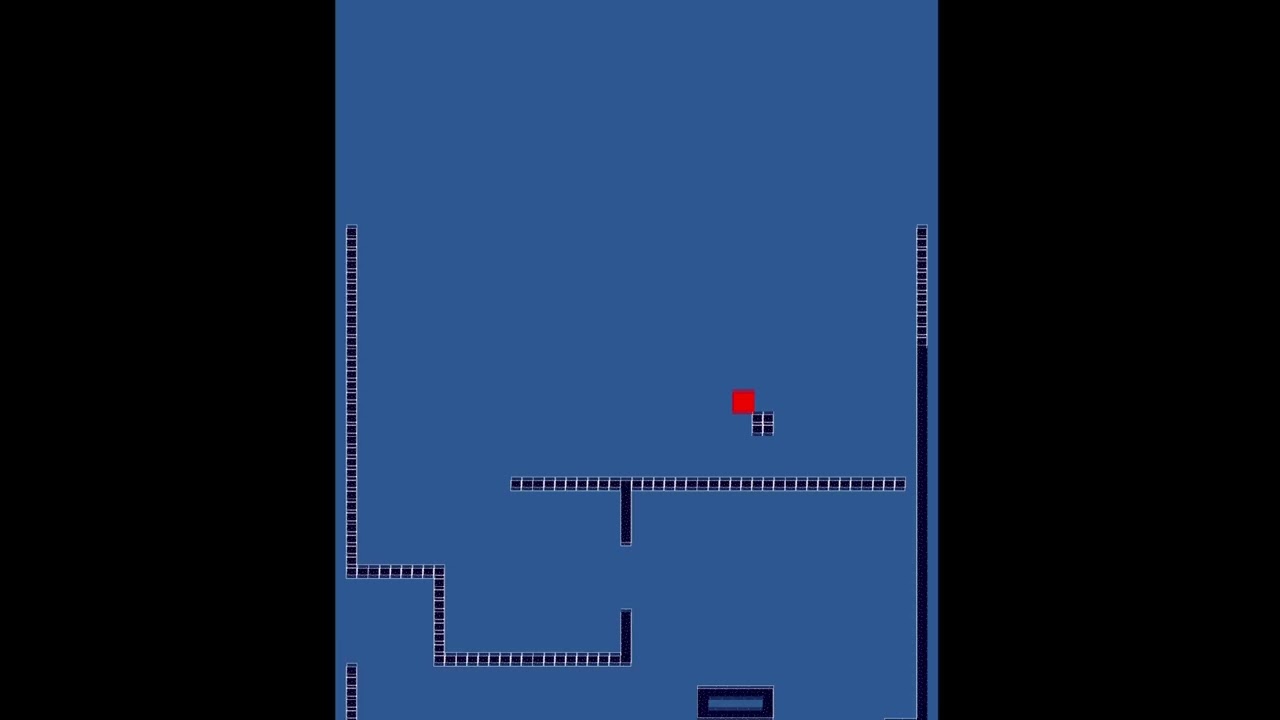
Here’s a video of the glitch happening even with rounding:
No. Camera_Areas is an object group. The group includes only one object, which is Camera_Area_Vertical_Passage. Camera_Area_Vertical_Passage is not a sprite, it’s a tilemap:
Every tile in the Camera_Area_Vertical_Passage has its hit box activated.
I know. I fail to see what this has to do with the issue I described. I’m not confused. There is a bug.
Could you please download the project I linked and check it out? I promise it is worth your time. Just jump up and down on the floating block, just like in the video. You’ll see the weird behavior I described.
I assume you are asking this so you can offer help. I’ll happily receive tips on how to sidestep the bug, but first and foremost I want the existence of the bug to be acknowledged so people can try to fix it. If I were only interested in help, I would have posted to “How do I…”
I want my camera to NEVER center on the player when the center point of the player is inside a Camera Area.
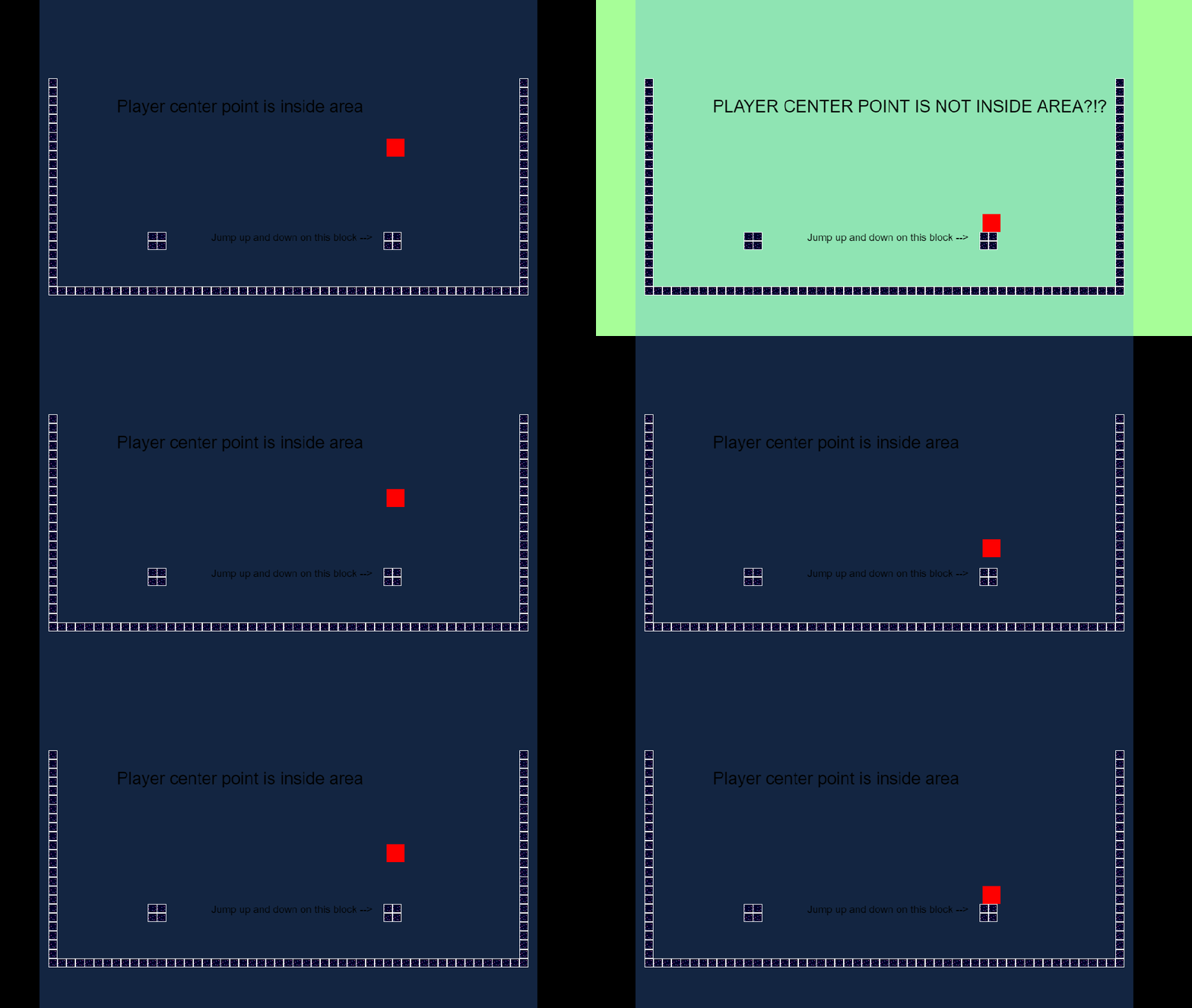
You see the red square? That’s the player. The center point of the player resides in the center of the player. Now do you see that turquoise area in the picture? That is a “Camera_Area_Vertical_Passage” which is a sole member of “Camera Areas” object group. “Camera_Area_Vertical_Passage” and “Camera Area” therefore work as synonyms. “Camera_Area_Vertical_Passage” is made out of a tilemap, and each tile has it’s hit box activated. It has no holes.
Okay, so lets ask: Does the center point of the player reside inside the turquoise Camera Area? Looking at the picture, the answer is obviously yes. Therefore, a condition like this…
…MUST be fulfilled in these circumstances. It’s unavoidable.
But against all reason, the engine can treat the impossible condition as fulfilled and the unavoidable condition as not fulfilled. This insanity can occur when the player lands on the floating little platform which is visible both in the image and in the video. The chance of the bug appearing is roughly 1/3.
To recreate the bug, download the project and jump up and down on the floating little platform just like in the video. The events can not explain the anomalies.
I had something similar long ago.
Could you please try to move the origin point of your player character at middle bottom pls. Just for test.
Telling this bcs i’v a similar system in my game and i had no issue exept the one i told you.
To be acknowledged as a bug you need to replicate the same issue on a basic/simplified project just with the object interacting each other, room,player, platform…camera zone.
eg…if player inside camera zone…change the object text to collided.
if not change text object to not collided.
Simplify as much as possible and test if the same happen
It’s unlikely that people reading your first message could have guess this. When I see a plain colored rectangle, a tilemap filled with 1 tile with activated hit box is not the 1st thing that comes in mind.
RMDB is right. If you want us to acknowledge the bug right away you need to make a tiny project and an explanation that go straight to the point. If I understand better this time, it would be some thing like:
Context:
A simple tile map object is filled with a tile with hit-box activated
The tilemap is at ### ; ### with a size of ### ; ###
The condition “point is inside” is checked at ### ; ###
Expected:
The condition should be true and it should log “Found”
Actual:
The condition is false since nothing is logged
Here is the project to reproduce the issue: ####.zip
I tried this. It made the bug disappear. But hold your horses: even though it’s possible that this eradicates the bug completely, I’m afraid it only changes its location to some unknown spot where it will – eventually – bother me again. In any case, this is a good find. Thank you.
The project I linked is simplified. It only had 3 objects, 8 events and one room. I assumed that’s good enough. I have now simplified the project even further. There’s more info further down.
True. That’s why I recommended to check out the actual project after one careful read-through. The project is simplified so understanding exactly where I’m coming from couldn’t have taken more than 10 minutes. I tried to keep the report brief without omitting possibly relevant info. But we don’t need to quarrel about this. Some mistakes were definitely made. I apologize on my own behalf.
CHECK OUT THIS MORE SIMPLIFIED VERSION OF THE PROJECT:
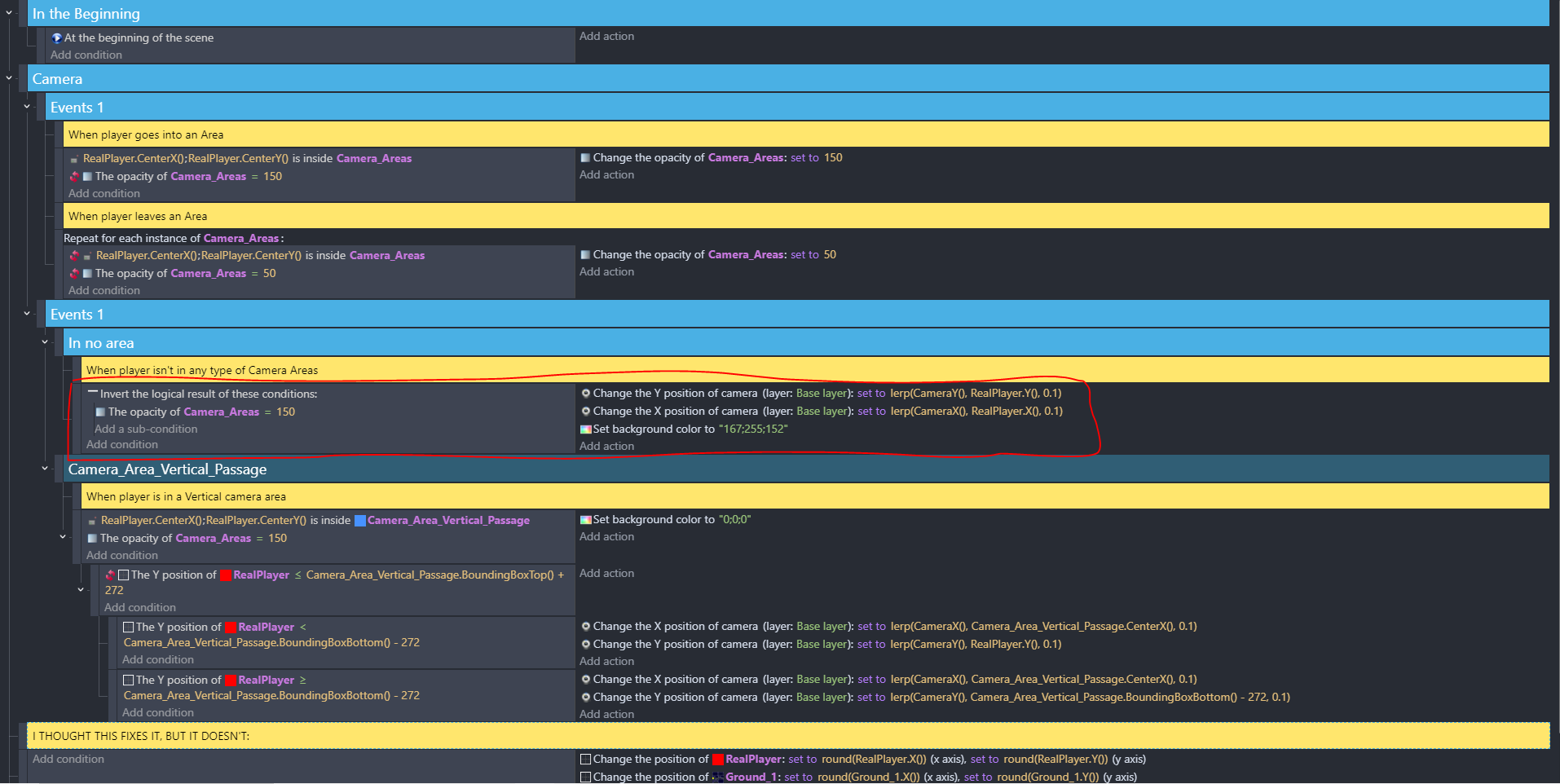
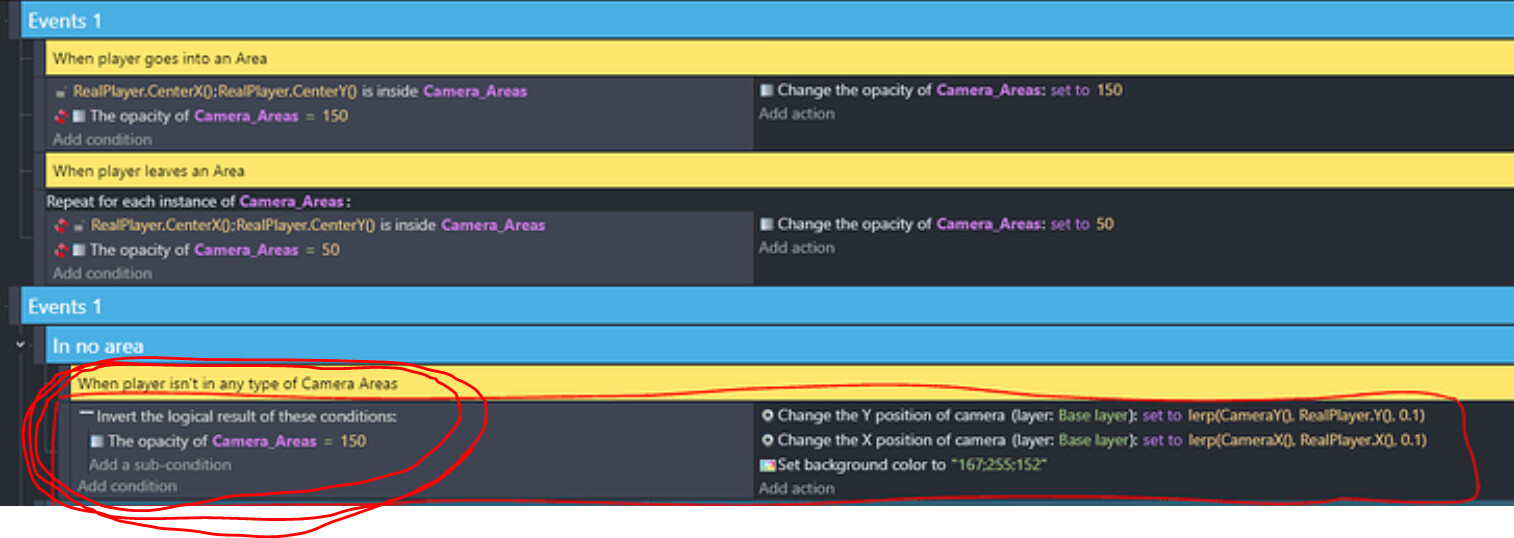
All events:
A gif of me reproducing the bug:
Expected behavior: The background never turns green when the player lands on this block.
Actual behavior: The background sometimes turns green.
I think it’s not the case here, but there are many unclear bug reports that are actually not bugs but misunderstanding. I would lost of lot of time if I were to investigate all of them without a clear view of the issue.
I don’t want to jump until the bug may appear one day. You know how to reproduce the issue so take note of the coordinates and put the coordinates directly in the condition. This way I can launch the preview and clearly see the issue right away.
I mean that you identified the “is point inside” condition as the issue. So, when you reproduce the issue, get back the value of the object center and put the value directly in the condition. This way you have a clear proof.
Someone has to do it. The more work I have to do the lower the priority.
Yes
as i said i met this problem long ago.
But since then, my game has worked fine, so I didn’t complain…but i know it’s there.
Imo moving the point below for player is the best choice in a sidescroller game.
I suggest you to try it…insted to wait for a fix.
I’m still not sure whether I did what you wanted, but I did do something and I have new info. I hope this is useful
I created this new event, so I can see the position of the center point from debugger:
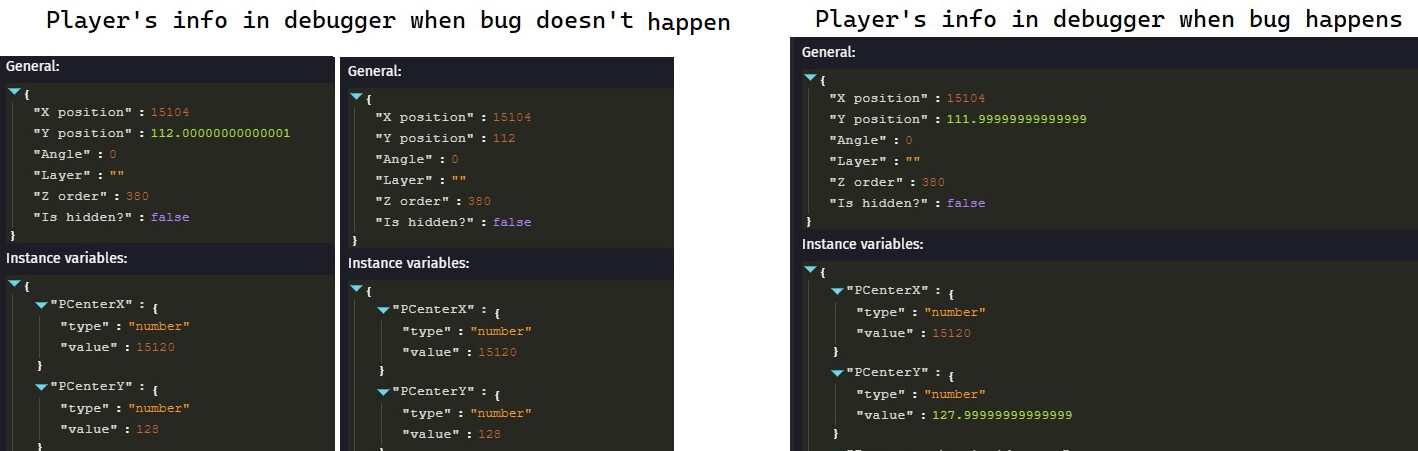
I started testing. I compared the debugger info of a non-buggy landing to a buggy landing. Here’s the difference:
When the player lands on the floating block, they don’t always end up at the same Y coordinate. Most of the time, the landing coordinate of the center point is 128. But sometimes, it’s 0.00000000000001 less. When this happens, the glitch occurs.
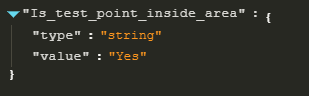
Based on this, I created 2 new events to find out whether the point (X=15120, Y=128) is considered to be inside an Area.