Hi everyone,
I’m developing a platformer game in GDevelop. I want the following to happen when the player presses the E key:
- The character rotates 180 degrees, but the sprite stays visually unchanged (it looks like the character didn’t rotate),
- The camera also rotates 180 degrees,
- The gravity is reversed (like
gravity = -gravity).
The goal is to make it feel like the entire room has been flipped upside down, while the character remains visually the same and keeps walking – now on what used to be the ceiling.
But I don’t want to actually rotate the entire map. Instead, I’m trying to rotate only the character and camera, and reverse gravity to simulate this effect.
Here’s what I’ve tried so far:
1. Platformer Behavior approach:
- I added Platformer Character behavior to the player and Platform behavior to the floor.
- When gravity is flipped and the character rotates, the sprite stays visually fine, but the character can’t walk on the ceiling.
- Sometimes it sticks for 1 second, then falls down.
- I placed a platform object on the ceiling to act as a “reverse floor”, but the character doesn’t recognize it properly from below.
2. Physics 2.0 Behavior approach:
- I used Physics 2.0 behavior, added animations, and tried to apply forces to control movement.
- But in this case, jumping doesn’t work, and the character’s interaction with flipped gravity is still problematic.
So far, neither method gives the result I want.
What I want to achieve:
When the E key is pressed, the world looks flipped and the character continues walking on the ceiling, but the sprite stays unchanged and movement direction stays the same. It should feel like gravity has flipped, and the character is walking upside-down – without actually rotating the level.
How can I implement this properly in GDevelop?
Which behavior setup or method would you recommend?
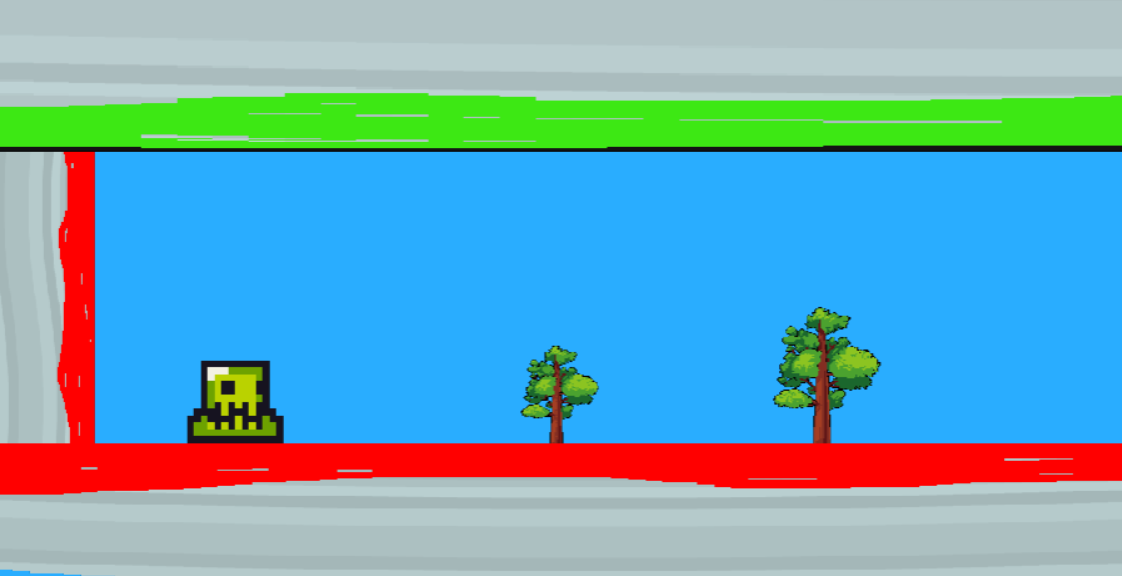
not flipped. normal
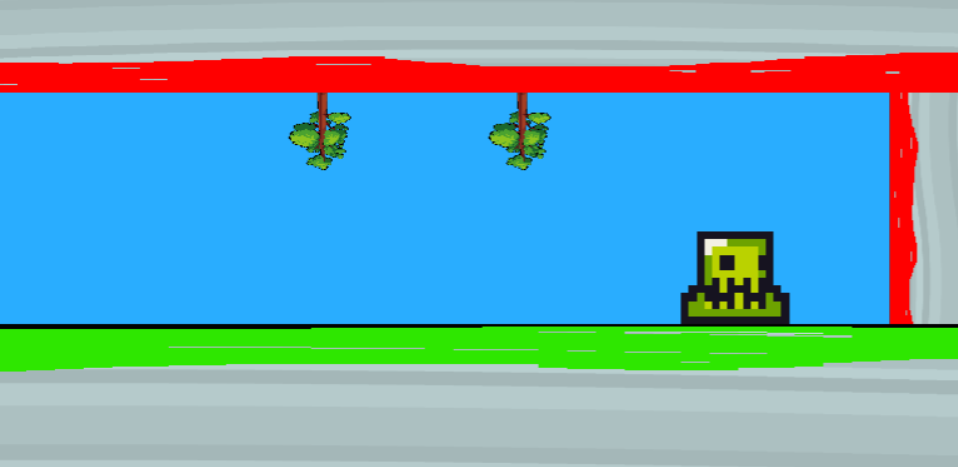
flipped [character and camera (180degrees)]