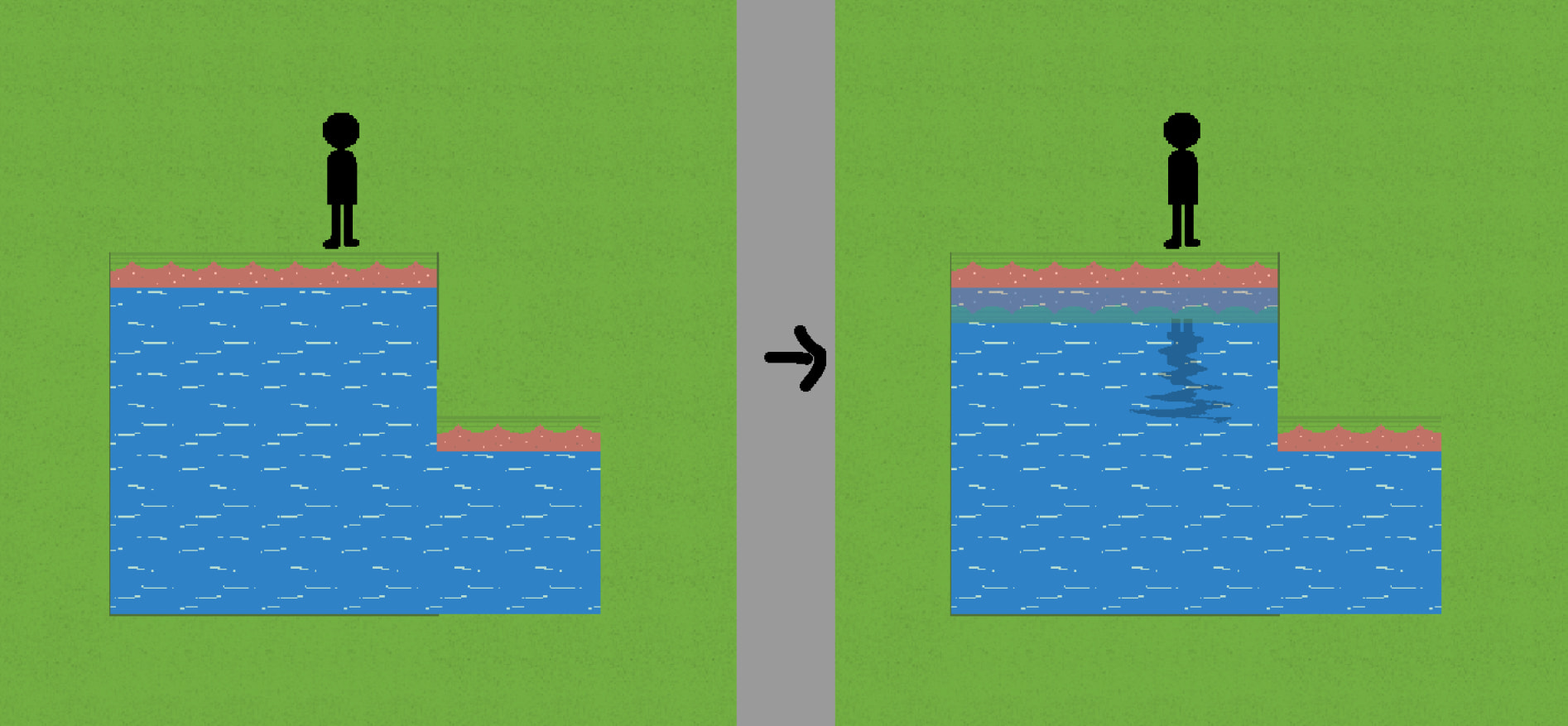
Regarding water reflection in tile maps: The default reflection in GDevelop flips the object upside down based on its center point to display the ripples. Because of this, the reflected image doesn’t look right depending on the object’s height.
What I want to achieve is to make the reflection visible only within a specific object’s hitbox or a defined area (like a water tile). I’ve tried using the community extension ‘Reflection’ behavior, but I couldn’t find a clear solution for this.
Is there a technique or workaround to apply a reflection effect strictly within a certain area?
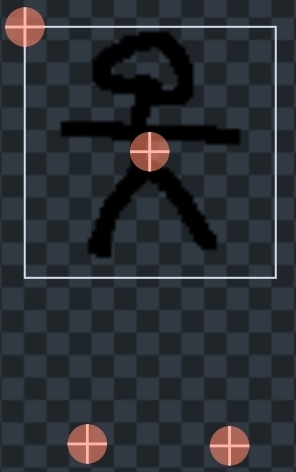
1: objects’ centers and origin points can be manually adjusted. this should probably solve your first problem, unless the problem isn’t about center points.
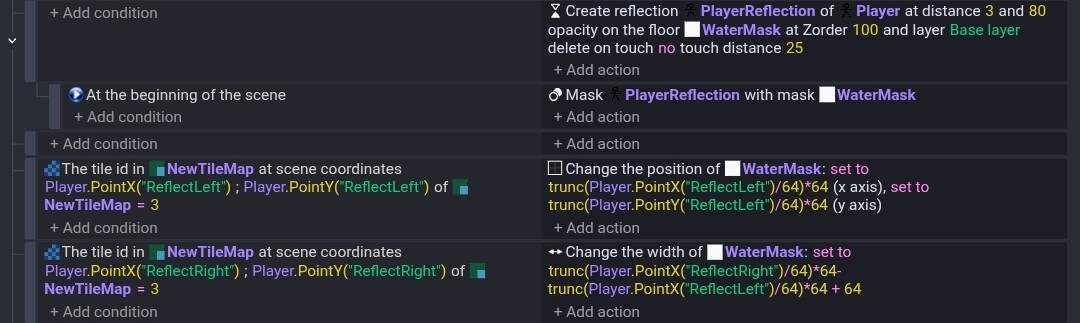
2: any object can be masked using the mask extension
Here is a discussion on exactly the interaction between the two extensions (reflection and mask). read it carefully
message me if you have more questions. though… i never used reflection yet
8: 30, captured a view of the top of the object from the camera’s perspective, placed it on the object, reduced its height, flipped it horizontally, and then added a rippling animation texture or effect. (15 min)
One point sets the position while the other calculates the width. It would be either 1 or 2 tiles wide.
It still needs events to enable/disable the reflection and removing the mask and the mask object.
Another approach would be to use either seperate sprites or another tilemap in a layered approach. Not necessarily different layers but different Z-orders.
The tilemap could be 0. The reflection 1. And then add blocks on each side of the water as 2. The player would be say 3.
That way the player would always be on top but the reflection would be above the water but obscured behind the fake tiles or objects.
My other approach seems better. It’s more dynamic unless you created the fake blocks through events instead of manually.