Hi,
how can I increase the timer value every time the button is pressed and then return to the original when the boolean variable returns false?
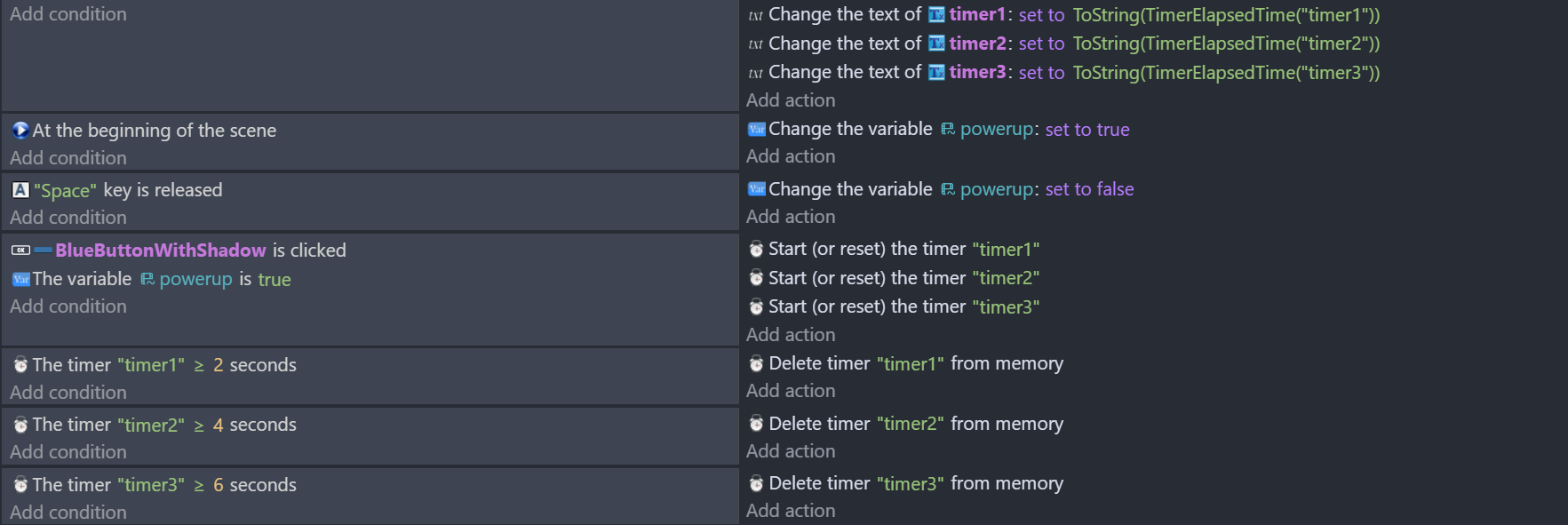
You can’t change the timer but you can change the value that you’re comparing it to by using a variable instead of a fixed number. You can use a variable or create a formula.
Button pressed change variable(s)
Button or space released, change variable(s)
1 Like
I have a timer extension that I made. It might be useful for you.
Extension link: Advanced Timers
2 Likes
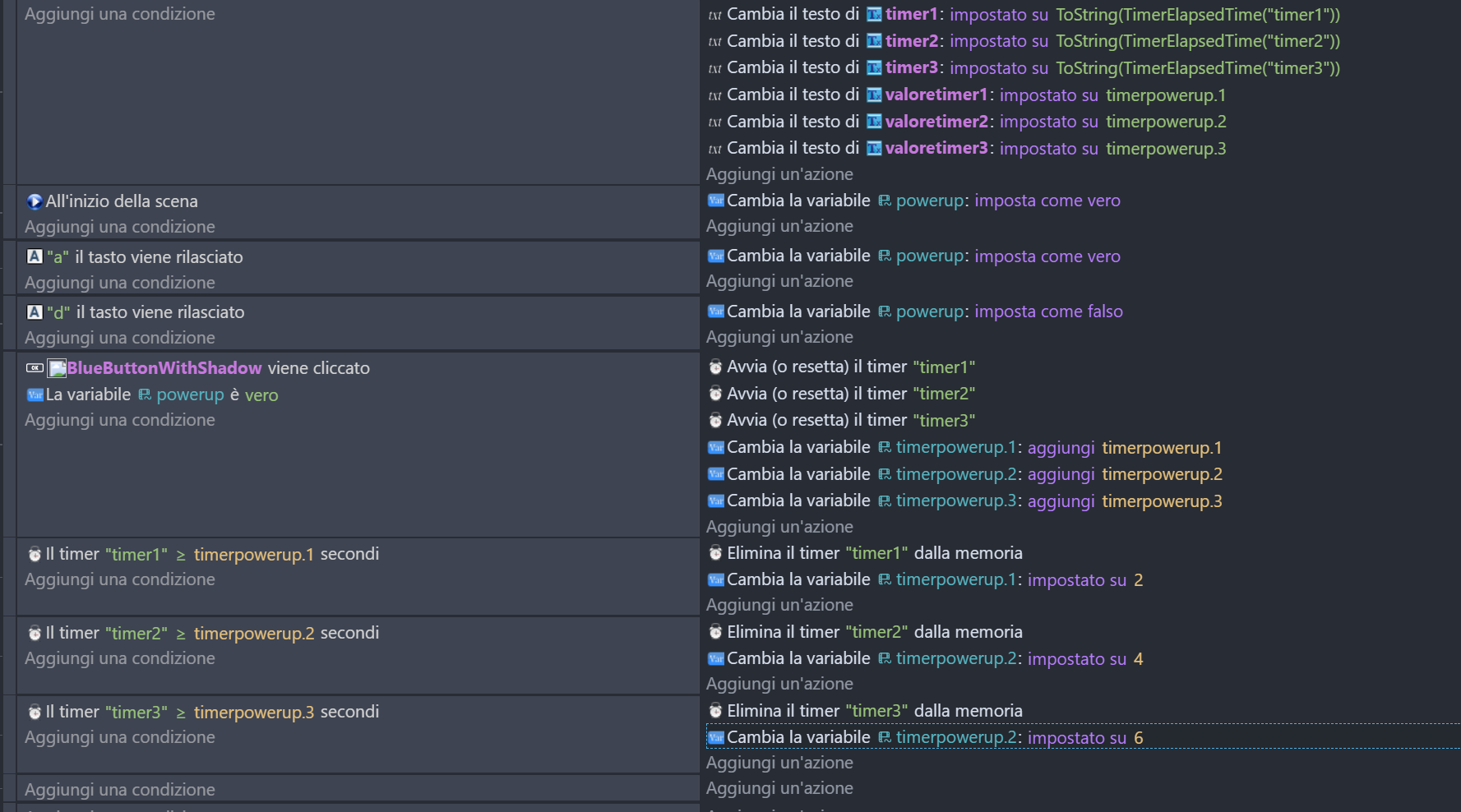
Thanks guys for your suggestions.
I’m following @Keith_1357 's advice using variables.
Is there a simpler way to double the values of all the children in that structure and return them to their original values, or is this the correct way to do it?
Anyway, it seems to work this way.

1 Like
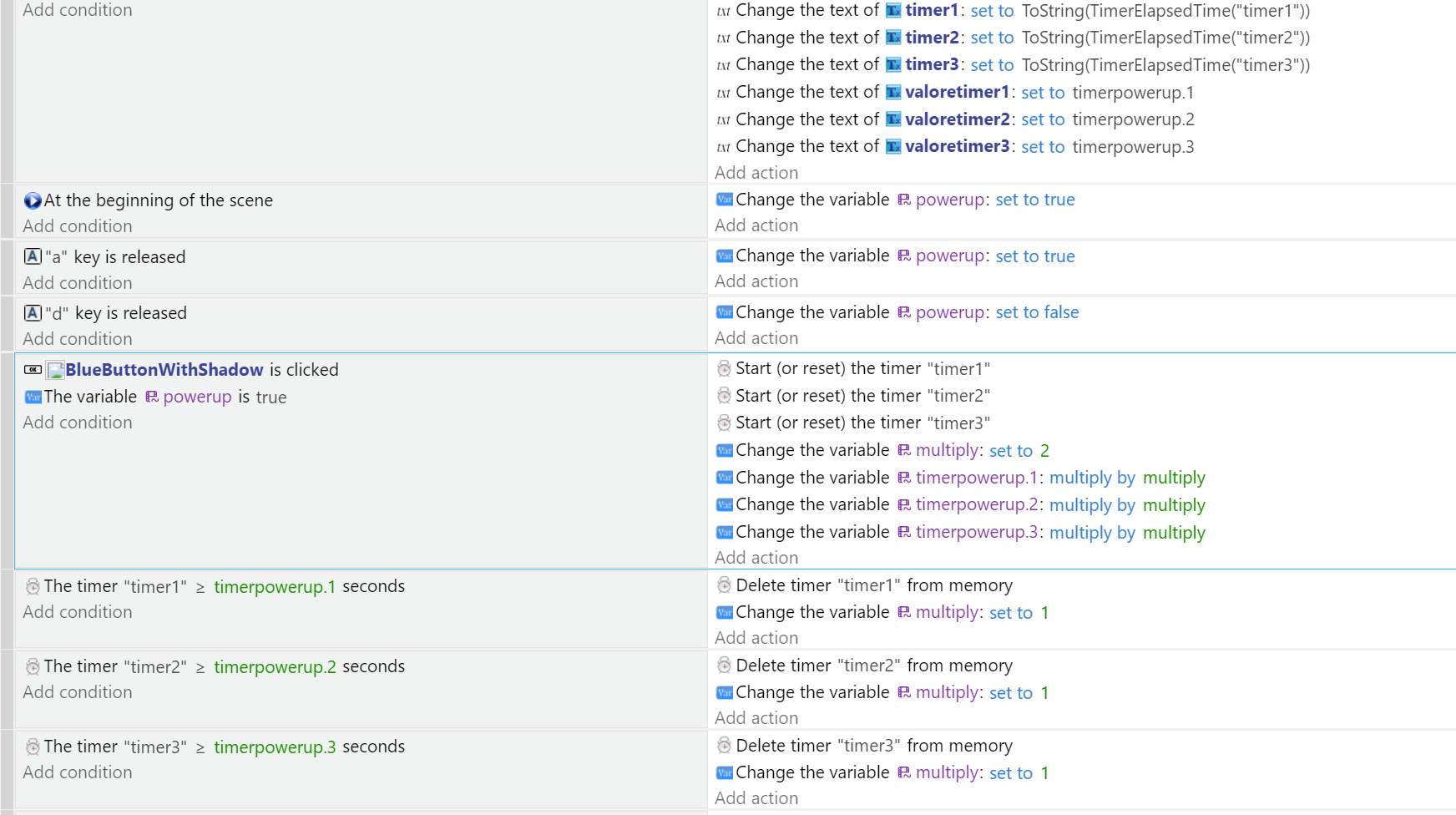
I can’t read the language that was used but if you’re doubling the values equally then you could use a 2nd variable and multiple the other variables by it. Change the 2nd variable from 1 to 2 and then back to 1
Timer > time1 * multiplier
Timer > time2 * multiplier
…
2 Likes
thank you very much I hadn’t thought of that
I’m coming back to this post again… what if the power up boolean variable becomes false or the timers have been deleted and I want to return them to their original values? Do I always have to reset them manually?
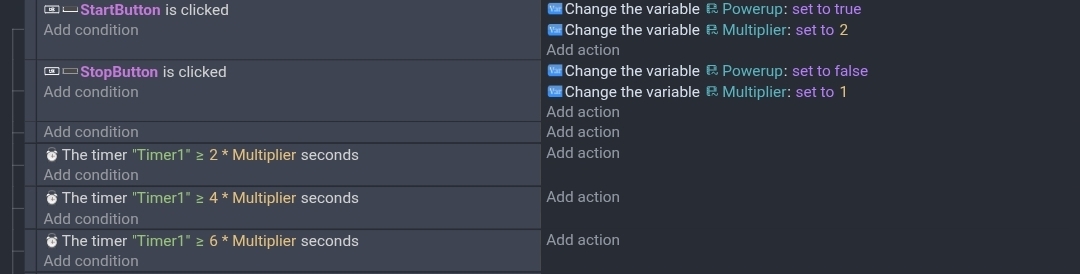
You don’t need to change the variables just the multiplier variable. In the timer condition you can put the variables in the time box.
Timer > variable1 * multiplierVariable
I’m not sure of your ultimate goal but as far as the timer, this is what I was suggesting. You can use multiple variables, I used 2,4 and 6 just for clarity. It would be any formula.
I’m on my phone. So, I used buttons instead of keys.
1 Like