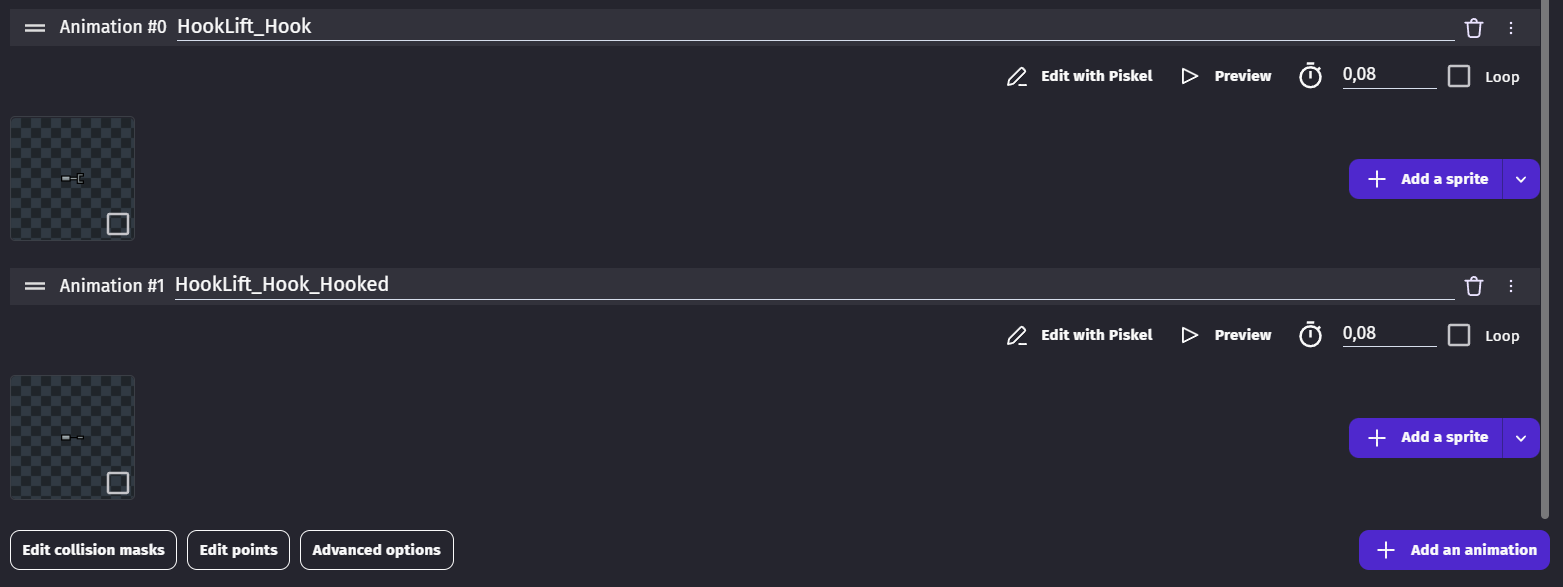
So i’ve been increasingly adding more and more objects to the saving system i’ve been using but on certain objects it started breaking their animations. Specifically the ones that’s been triggered by key presses. I’m not sure what’s the problem here actually because before loading the game everything works as intended.
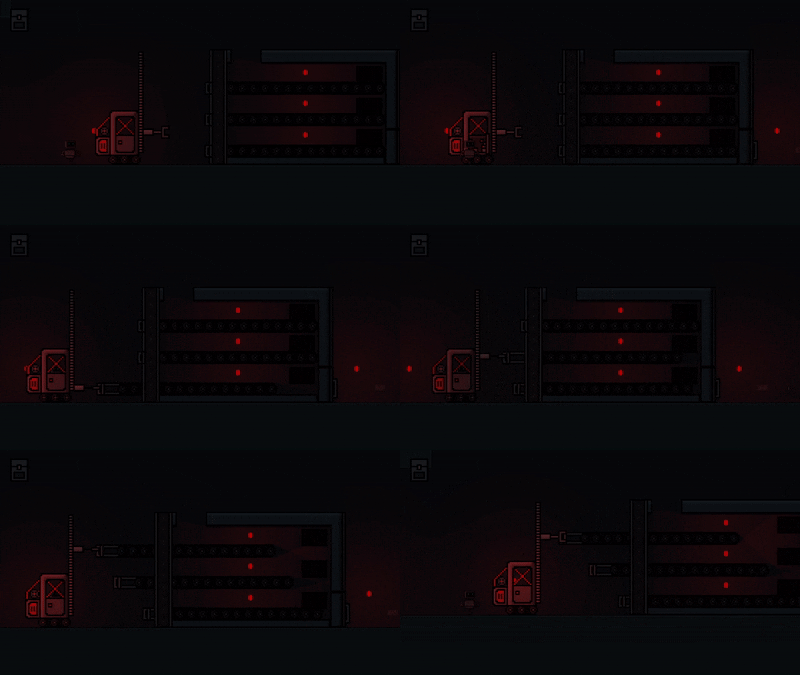
Here is the animation of the vehicle before loading the game :
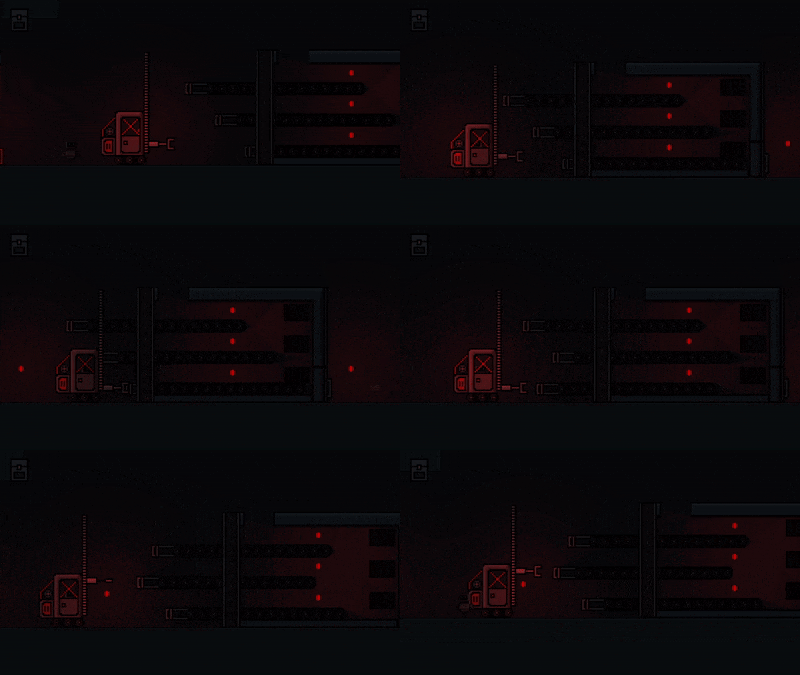
And here is the vehicle after loading the game.
(Might have to open the GIFs on new tab and zoom in to see the player animations)
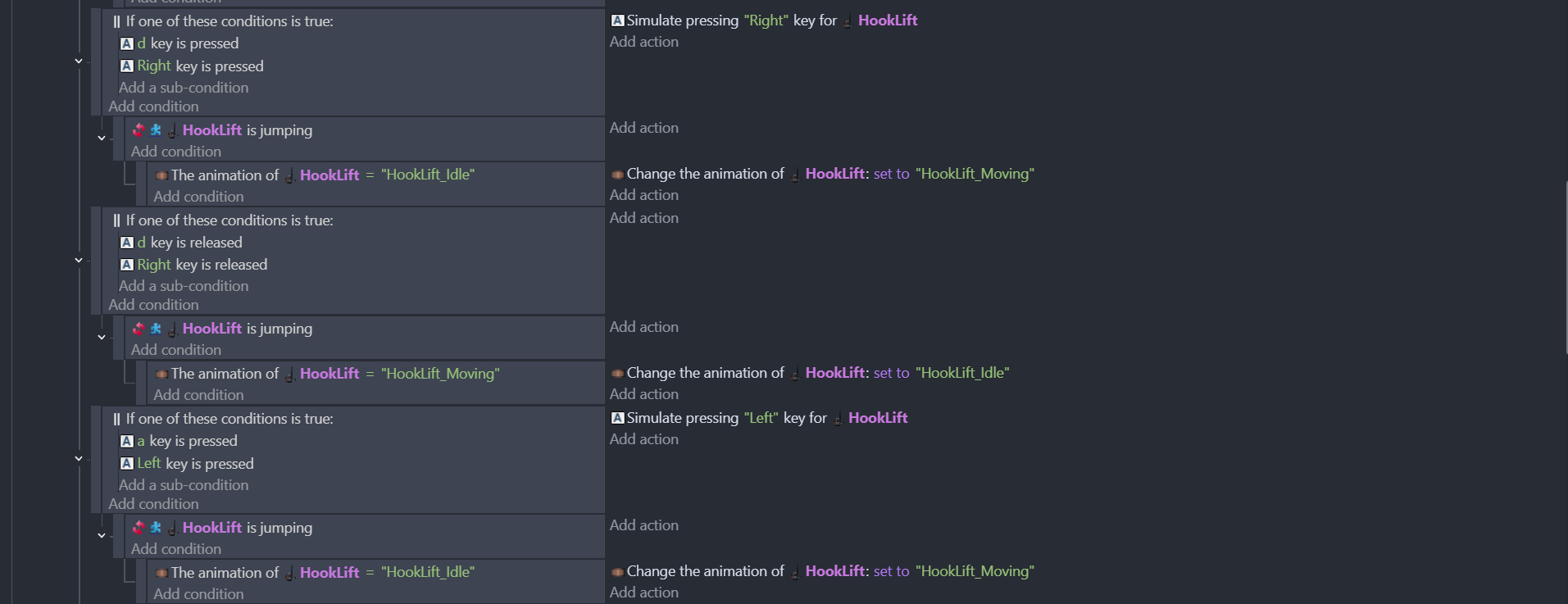
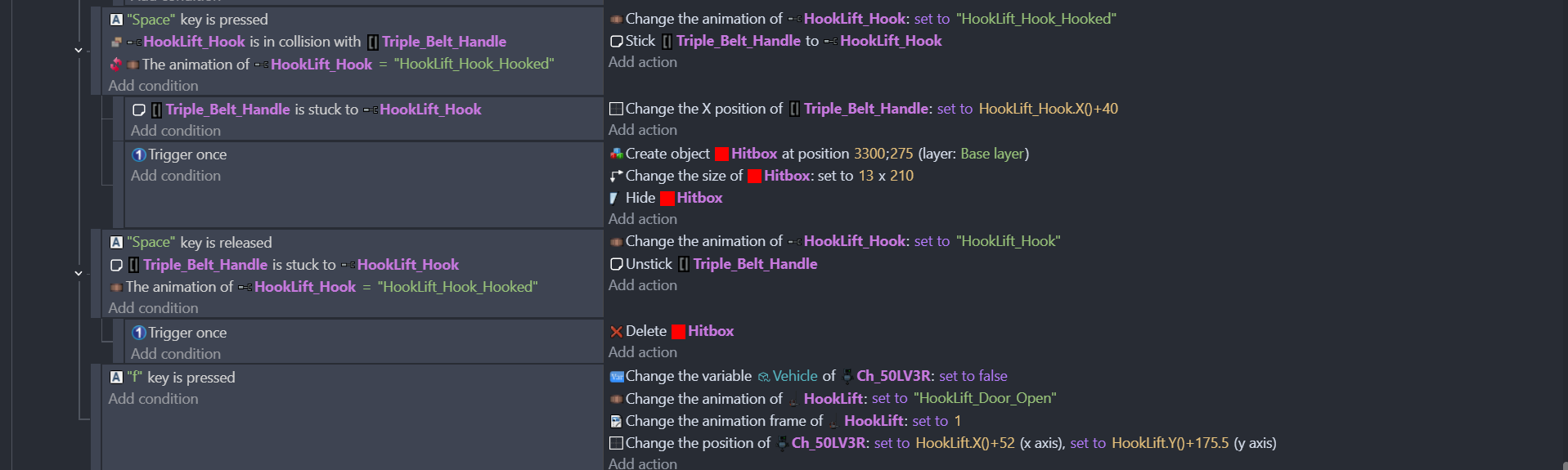
Hooking animation is triggered by pressing space and releasing the space makes it go back to neutral. Player animation is similar with A and D buttons. While player animation in the vehicle completely breaks hooking animation i have to press space again in order to make it go back to neutral.
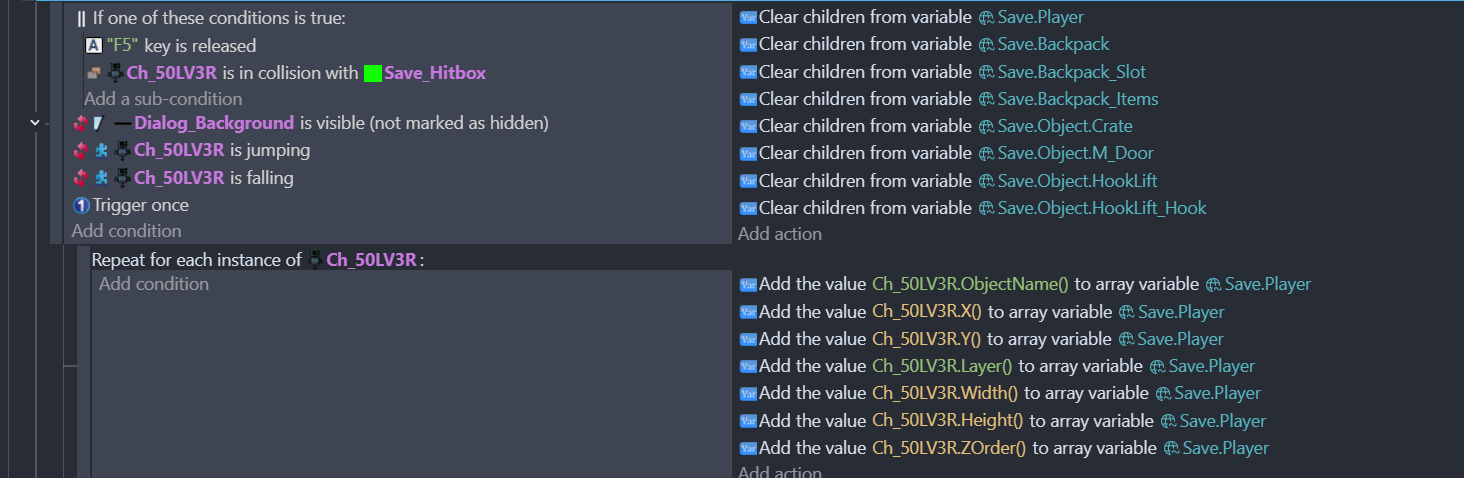
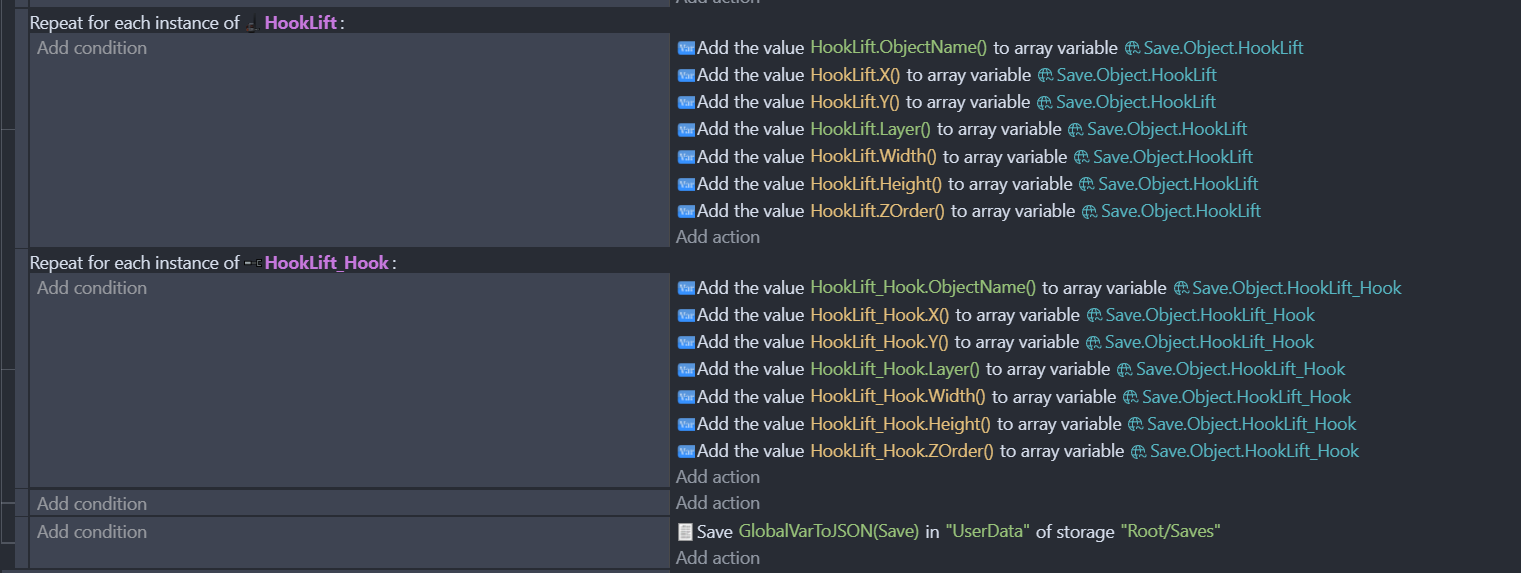
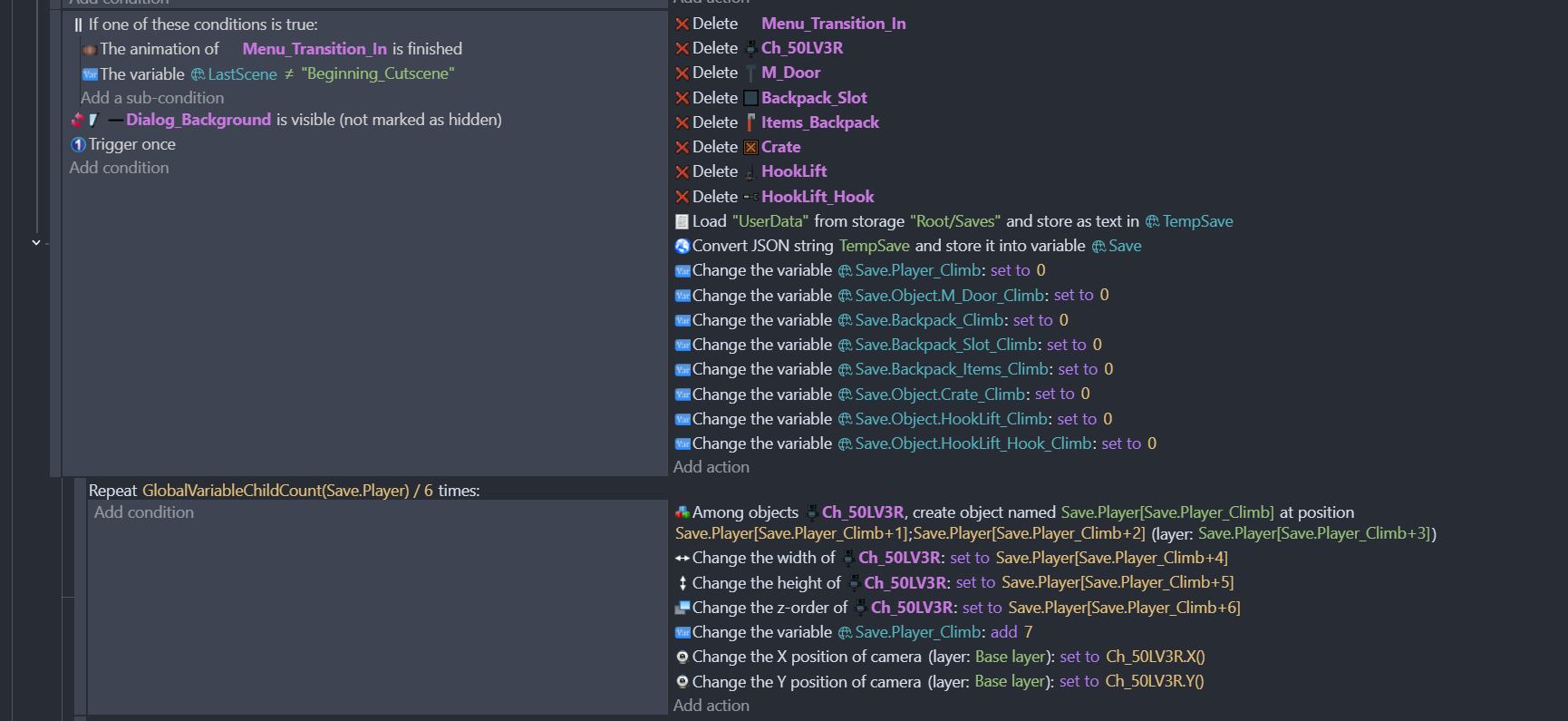
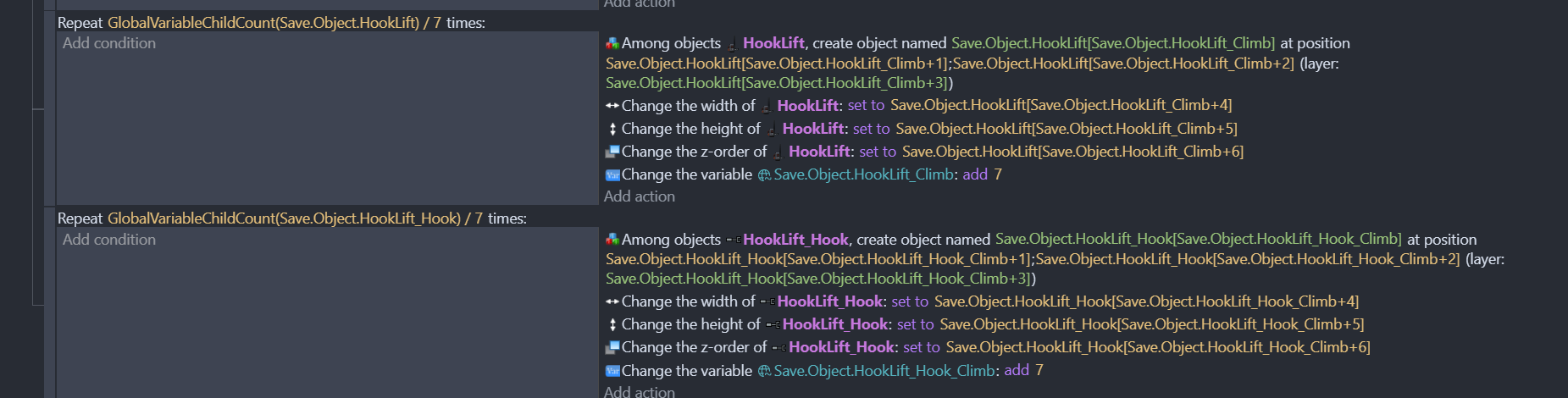
Here is the code where i’m saving the said objects :
My gut feel is that it’s not the loading of the data that’s the issue, but maybe what data hasn’t been saved & loaded that’s the issue.
In the first gif, has the vehicle been created in the scene editor? If so, it’s almost like there a property of the hook that has been modified in the editor or events, but not when it’s recreated. Can this be the case?
The mechanics themselves work more or less including the animations but it breaks the key press/release checks from what i can see. Everything works fine but for some reason the animations doesn’t.
Yes the objects exist on the scene when starting a new game. When loading it deletes every single one of them and re-creates them with the stuff i want to load like variables, position, scale, current animation etc.
Yeah the hook is stuck to the vehicle itself as a seperate object but that’s not the issue here. That’s the thing every single mechanic works. I can hook onto the handle of the belts and pull them back and forth, move the vehicle, move the hook up and down but the animations doesn’t play properly. Characters vehicle animations and “walking” animations gets mixed together and hooking animation on the hook doesn’t go back to neutral when i release space. I’ll have to press space in an empty area again for it to go back to neutral.
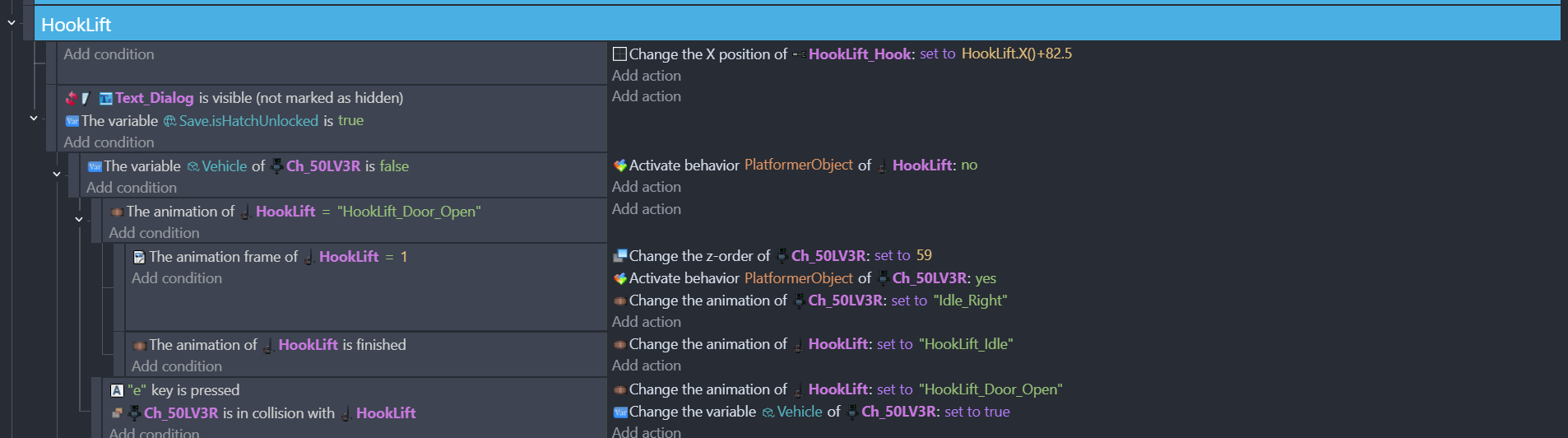
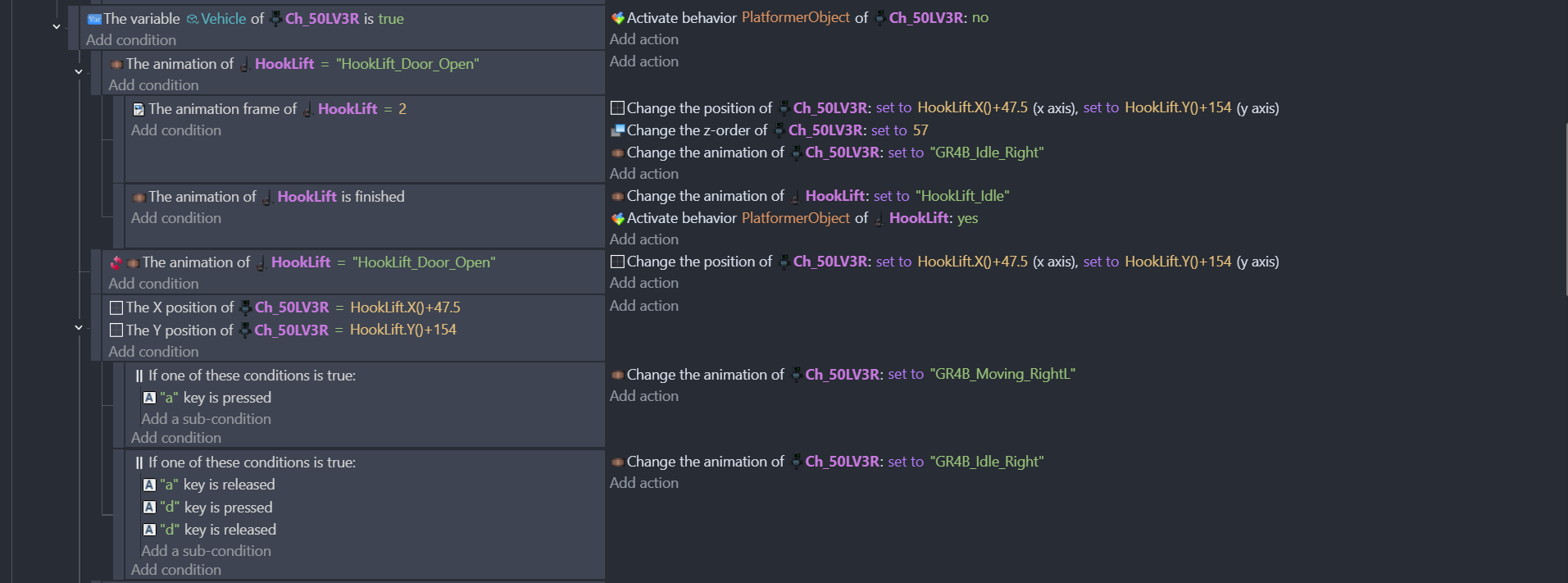
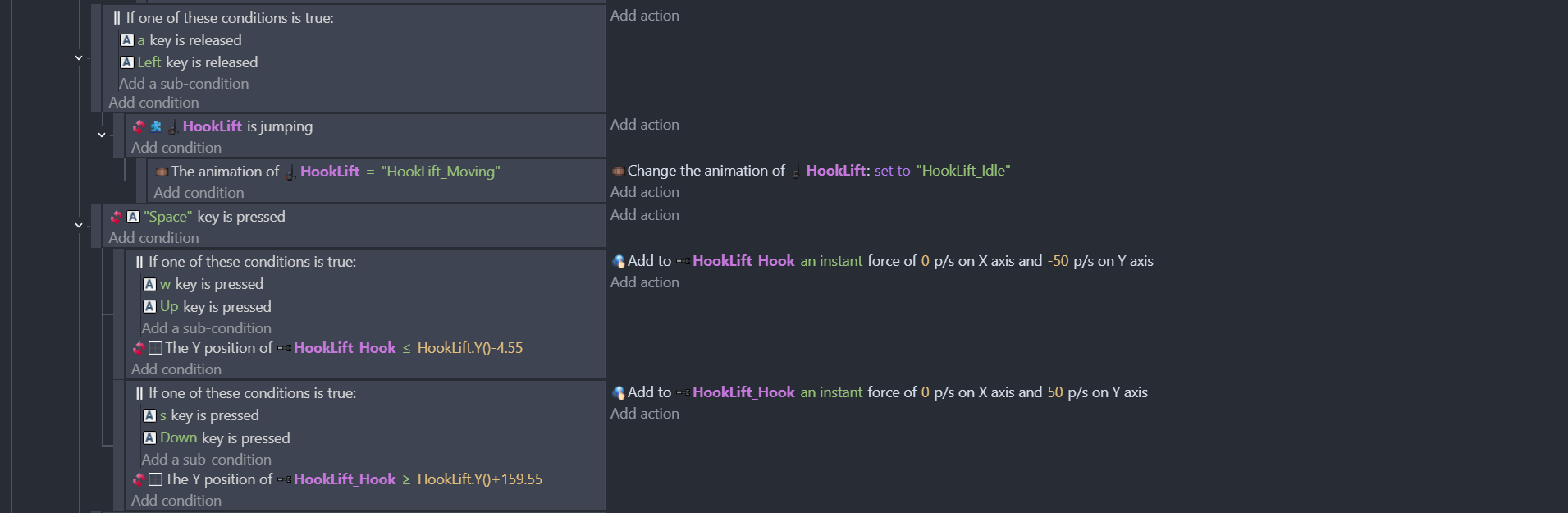
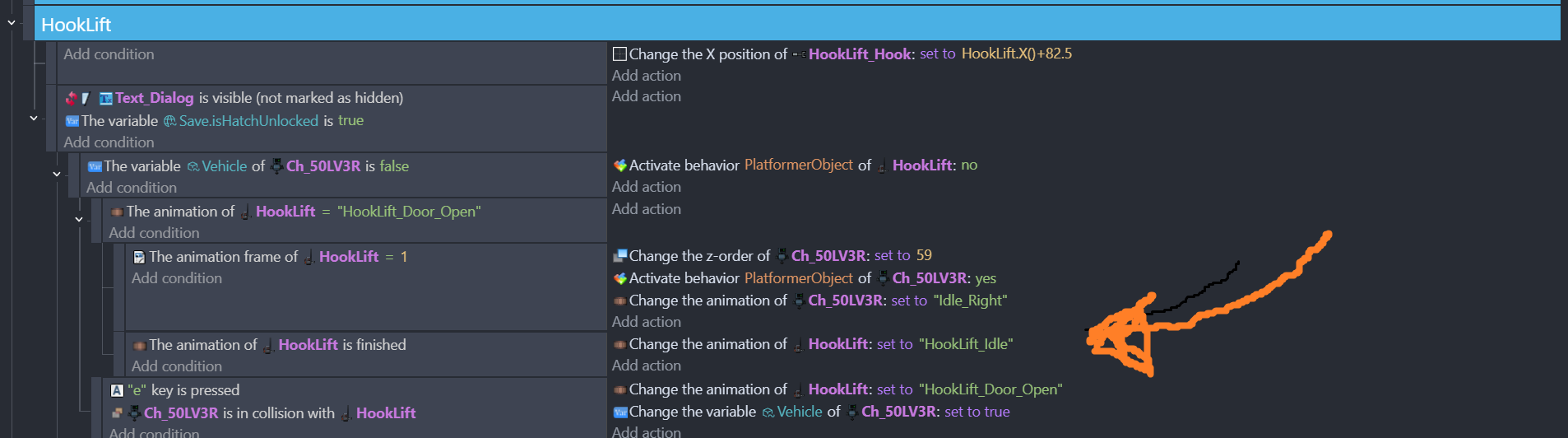
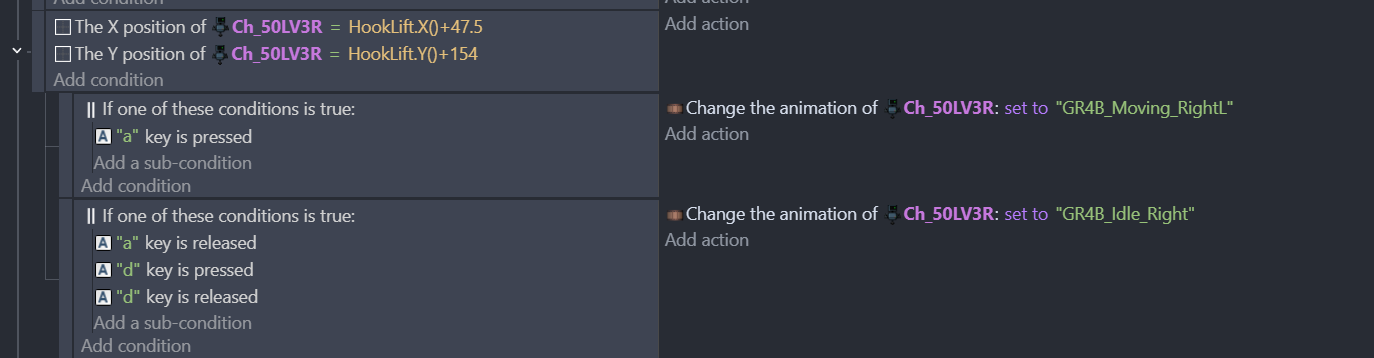
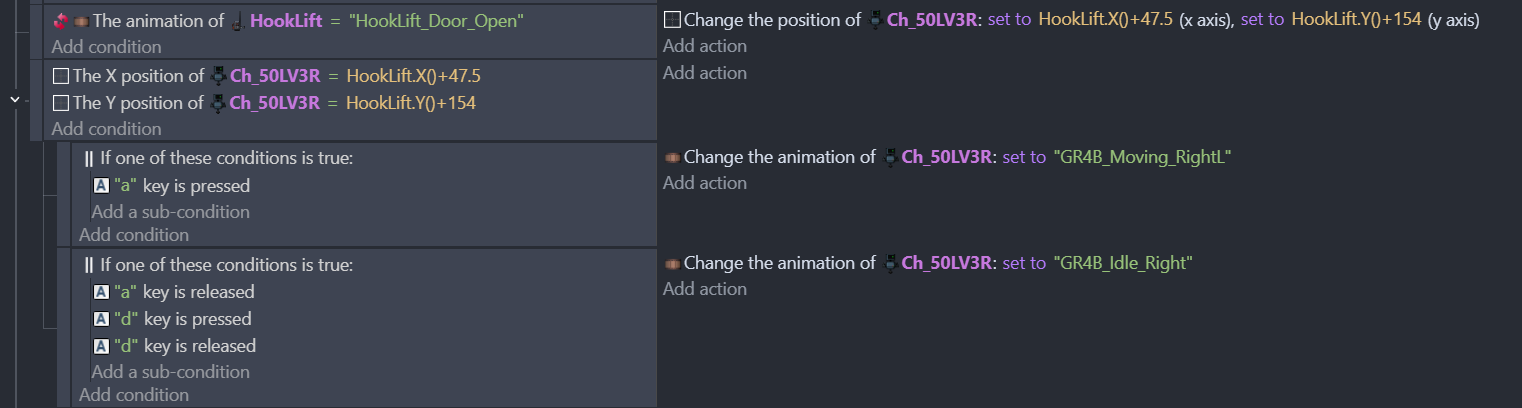
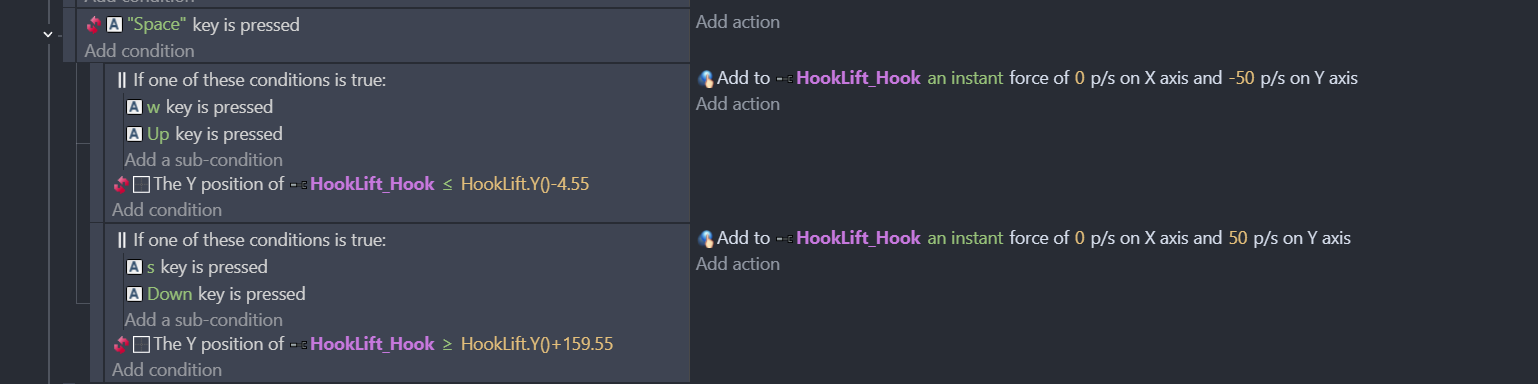
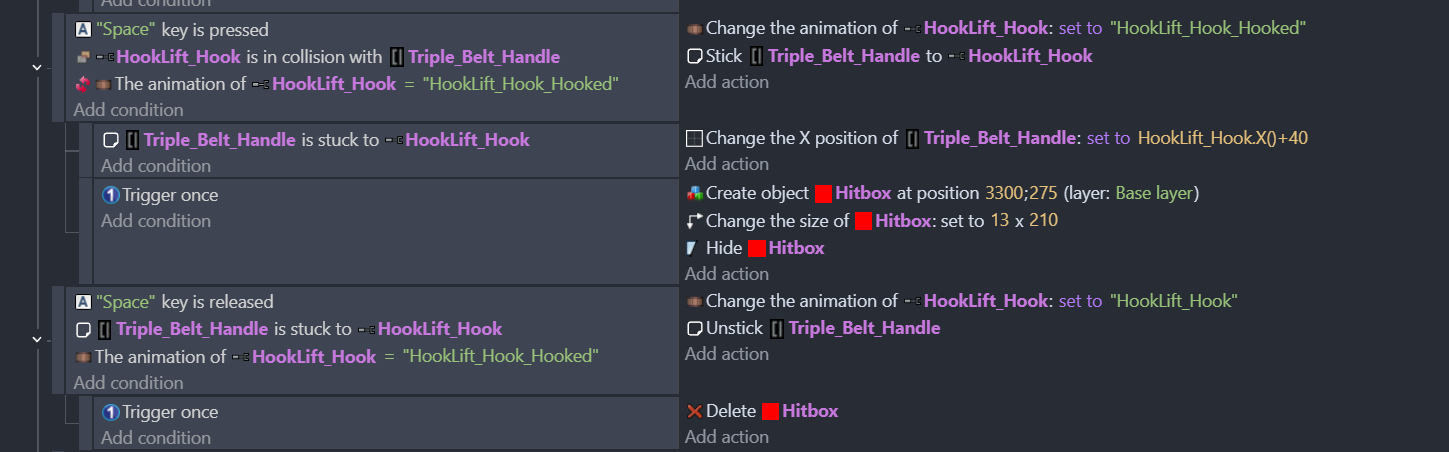
However if you think there is something wrong with the code and maybe there actually is and i have to save/reset something let me know. Here is the code for the vehicle and the player vehicle animations below :
You are not allowed to save inside the vehicle (or more like there are no save hitboxes where the vehicle is) so it’s not something getting stuck etc. Again i’m not sure what’s the problem here. Stick behaviour works, force behaviour works, platformer character works but animations doesn’t.
I’ve had this bug happen before aswell when trying to save the animation state of the player which got stuck with the last animation and didn’t fix itself until i jumped so i ended up not saving the animation state on the player instead. But not sure what to do about this one exactly. It’s more or less has to do with key press/release checks that’s the only thing i know about so far.
Ok…
so you have 2 objects i understand…
however…to me it still looks like…
some stack of anims problem.
…rarely it could be just some sorting event problem.
It rather has something to do with the key checks from what i can see. I’m not saving any animation states of the said objects. It’s just that key checks don’t work properly (hook) or get mixed together and overrides it (player vehicle animations)
My guess is it could be a bug inside the engine that breaks something after deleting and creating the objects in quick succession. Because everything works without a problem before loading the game and there is nothing happening before the load event. It’s just a bunch of dialogue and camera stuff in the beginning tab.
I would love to be proven wrong here but i honestly can’t see where the problem itself is. I’ve had problems with changing position of the objects during load state so that’s why i went with delete and create way. If there is no answer that fixes it i’m gonna give that a go tomorrow and see if it’ll work out. If not i guess only way is to make a bug report and wait for it to be fixed.
Supposing…
everything works fine as you said…i mean before loading.
then you should compare your loaded global with the saved one
as mr men suggested.
debug your json save with the devtool
Not sure what the save itself would do here. It literally just saves name, position, layer, width, height and Z order. Nothing to do with the animations.
Here you can see all of those being saved properly aswell.
Happens after a button press which works. Player pretty much teleports inside the vehicle. Then the movement keys are tied to the same position i’m teleported to. Unless somehow the player moves a pixel or something after teleporting for some reason (it literally can’t because platformer character behaviour gets disabled the moment you press the button to enter the vehicle)
This is there just to stop the hook from going to narnia if a player keeps pressing the w or s buttons. Pretty much acts as a block for the movement. It works.
nope…
to summarize what are you saying…
the save works…bcs it stores only data you posted above.
animations events…are coded properly…bcs you said so…
events sorting good…bcs you said it is…
then go for what you think it could be… since you said it could be a keypress problem.
Yes. I’ve shown that aswell. If it wouldn’t work it wouldn’t work on a fresh save either. Because loading happens before the event.
Yes. Loading happens before everything does. As it does in every game.
I can’t. The key press literally doesn’t work properly. That’s literally the issue. Releasing the space doesn’t change the animation. Nor the same thing with pressing the buttons for the character animations inside the vehicle.
If there is no other problem that’s causing this unless i’m a developer on the engine i can’t fix it. I’d love it if it was a me problem. (not saying it’s an engine problem it literally doesn’t look like there is something wrong with the code)
From what I can tell, the releasing the space key is one of three conditions in that event. Check that each of the other conditions is met.
The way I normally do it is by splitting the conditions into a separate event, nesting the events and using the log message to console (with a unique text) as the action for each condition. Then when you release the space bar, you’ll get the messages in the debug console.
So modify the space released events to look like:
"Space" key is released             Log "Space released" to console
    Triple_Belt_Handle...           Log HookLift_hook.Animation::Name() to console
This way if the second message doesn’t appear, you know the stuck condition has failed, and if the second message does appear then I’d assume its the wrong animation name.
And well there are only 2 animations in there. Like i’ve said i have to go to an empty space (where the hook can’t hook anything) press space and then it’ll go back to neutral state. Which still doesn’t fix it it just get’s stuck if i try to hook a handle again.
I’ve also said that i didn’t save any animations so it just puts the animation that’s at 0 which is the neutral one.
Sorry, I was tired when I wrote that debug reasoning.
Did you try out my suggestion of logging to the console? If you keep the debug console open you can see the outputs and see when it writes the 2 outputs. If it doesn’t output but the hook releases, then you know it’s happening somewhere else.
What do you mean by that? Not the logging to console part but the outputs themselves. The hook currently has 2 outputs
Holding Space - Clenches the hook. Basically The hooking animation
Releasing Space - Goes back to neutral
What’s happening here is that holding space works but releasing space doesn’t. Need to press and release space again on a place where you cannot hook for it to go back to neutral.
Everything except the release animation works here pretty much
This is the one that doesn’t work properly. It unsticks the object but the animation won’t change. So it does register the output but animations are all messed up i think.
Or does it unstick and change the animation, and then somewhere else the animation is again changed? I’d start putting in unique console logs at every HookLift_Hook animation change and seeing if another one fires straight after the space released.
My approach to these situations is to assume GDevelop is fine and my events are at fault, until I’ve exhausted and tested everything else. These things are frustrating and it’s the part of development I’m least fond of. But the feeling when you nail and fix it is quite a [geeky] rush.
But it only happens once and only after you’ve loaded the save state? Or is it multiple times after the save state has been loaded?