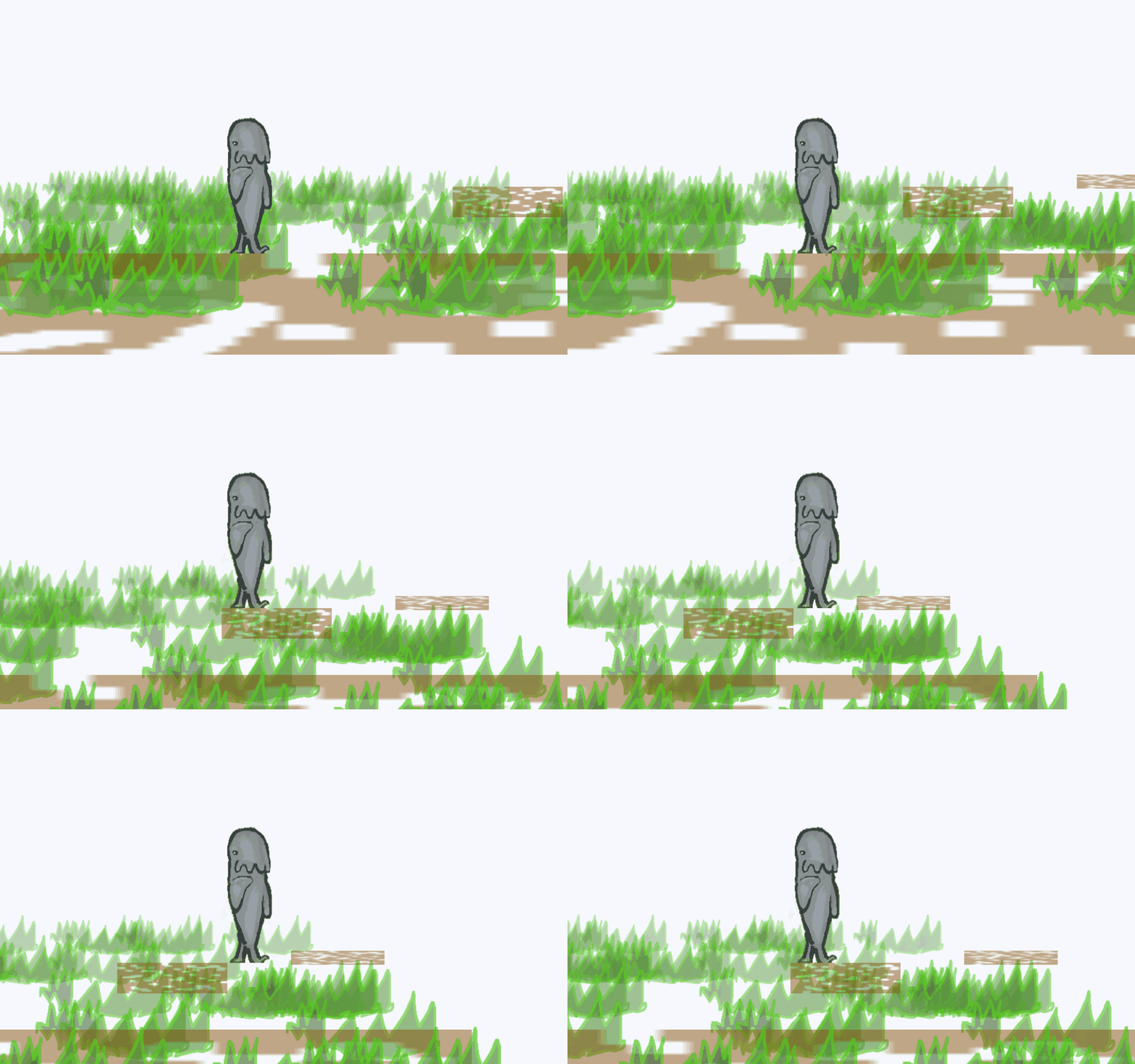
Hi so this issue stayed with me for over 4 months now and I keep ignoring it but it has become a real issue the bigger the scenes got …
I want to stop the offset that happens to objects when doing parallax
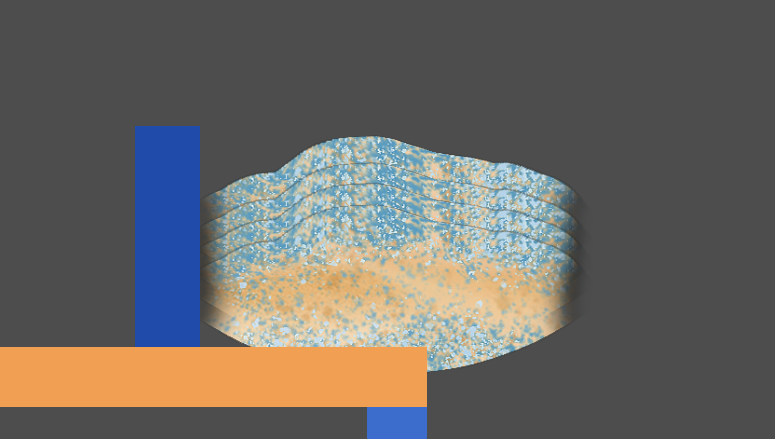
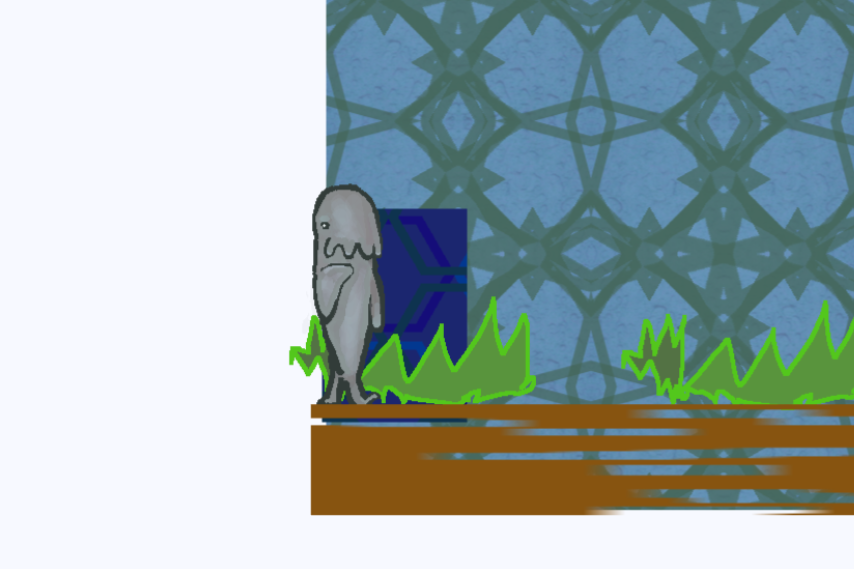
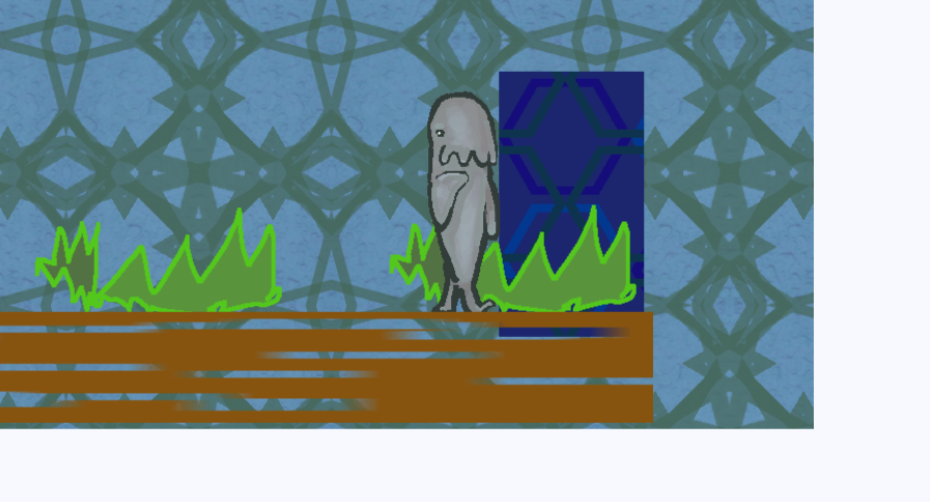
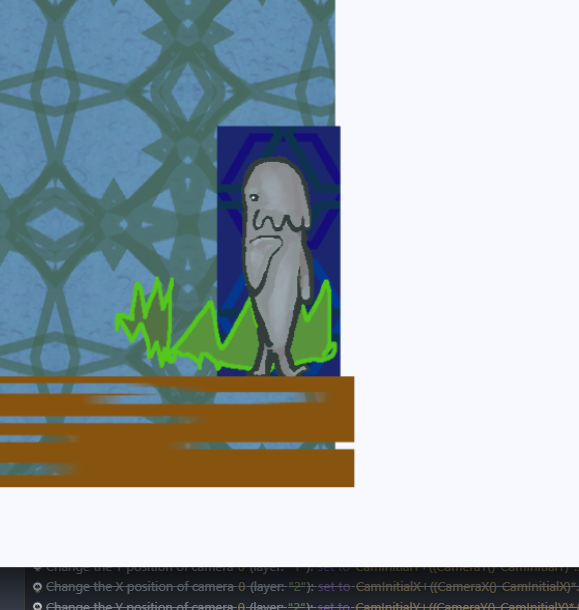
I have an object with 4 instances
Each instance is on a different layer
Back 1
Back 2
Back 3
Back 4
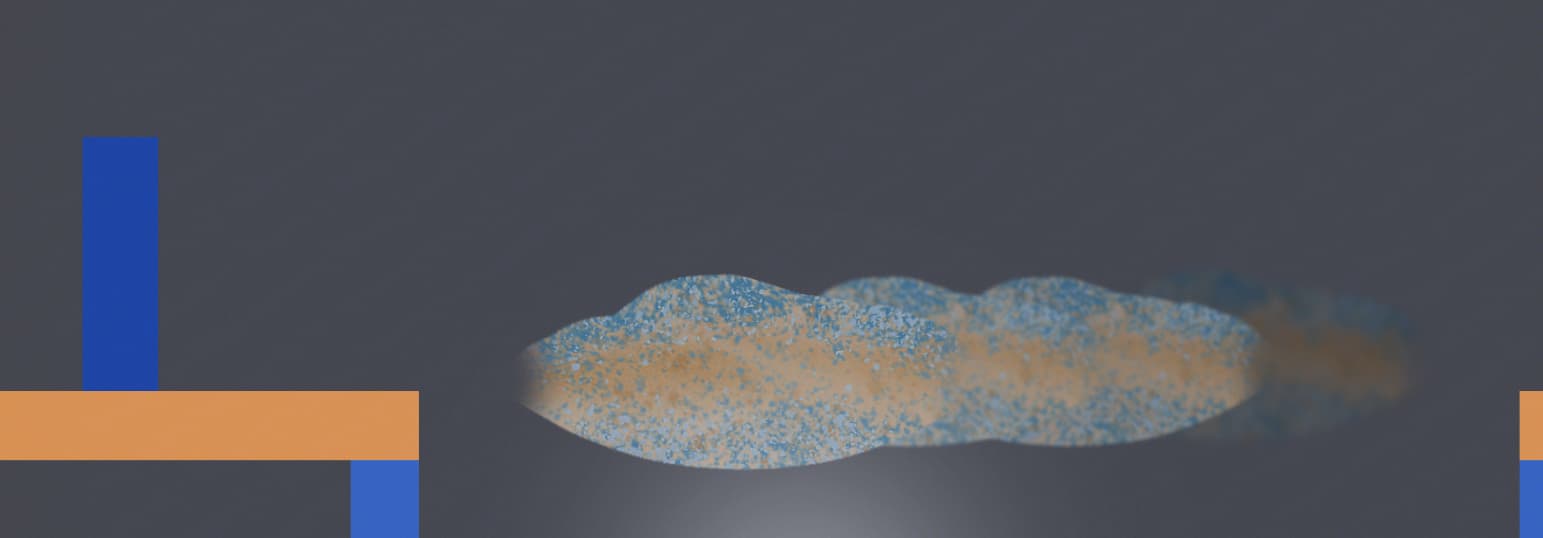
as seen here
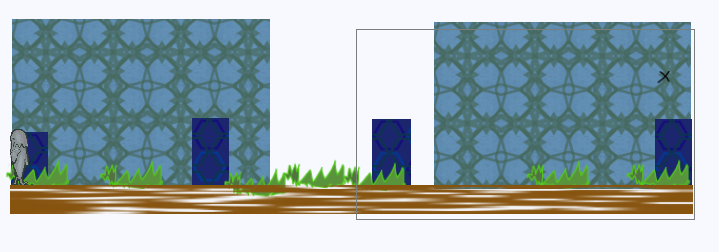
The Blue Object is for just for measuring how many pixels the objects moved from the scene editor to in game
The problem:
With big scenes >> The bigger the offset and everything starts to not be in it’s position and it becomes horrible to keep moving objects in the scene editor so it’s in the right position in game.
What I need:
I want to make each object start it’s parallax movement only when the player is close to the object knowing that the object has 4 instances each in a different layer So the idea I want basically goes like this:
1- When player is close or when the object is on the screen >> do parallax to that object
2- When player is far away or object is not of the screen >> stop the parallax and put the object to the original position it started at
It’s working fine but the offset is driving me crazy and I can’t fix this unless I make each object start the parallax only when I’m close and reset to the original position when I’m far.
Waiting for any help as I got defeated by this, months trying but nothing …
Hi - I thought you were going to use 3d for parallax? using sprite 3d or 3d boxes with transparency on.
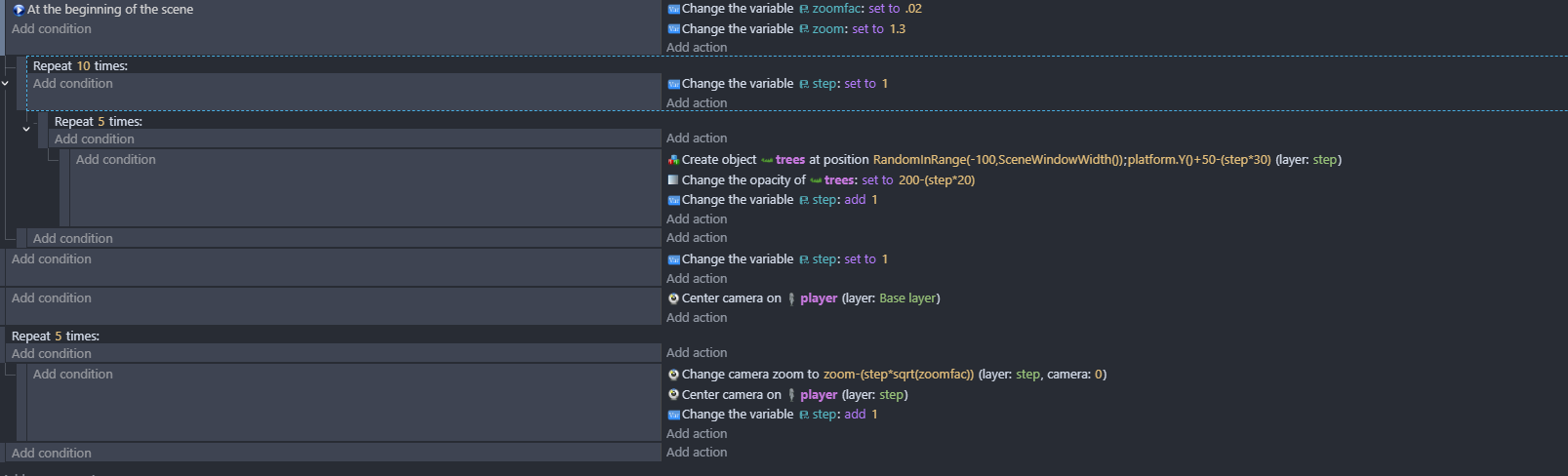
I’m cant get my head around the way that you’re doing it - but i’ll look into it a bit more. I normally do it with the zoom …something like …
You’
Hey @petlimpet thank you much for checking this one out.
I did try to use sprite 3D before but it doesn’t support any filters so it’s going to be a nightmare to work with as I want different brightness and blurriness in each layer which is not possible in sprite 3D
Even 4ian advised me not to use it as it’s currently in experimental state so any change in the future might break everything so I can’t really trust it and can’t use it with out filters.
I wish if 3d Sprite was finished and support filters, it would fix all my problems (but also kind of because it still would have offset with big scenes so really the same issue would stay.
About my idea, i call 2 variables at the start as it basically resets the position of the whole layer so whenever I start the scene everything is back to it’s position I put in the scene editor … But this issue is… Once I move it starts shifting it’s place and once I reach the end of the level the shifting gets bigger … it can reach up to 700 pixels in offset … Which is crazy to fix manually.
So what I want is something that resets the position of each object only when I’m close and when I’m far it resets again to it’s position, this way I stop any offset no matter how long the scene is.
in the other parallax thread i used 3d boxes instead of sprite 3d…so that could be an option.
I had a quick look at the example project which was similar to the way you’re doing it Parallax - a game example from the GDevelop game making app | GDevelop
i’ll have a play about exactly the way that you’re doing it later and see if i can work it out.
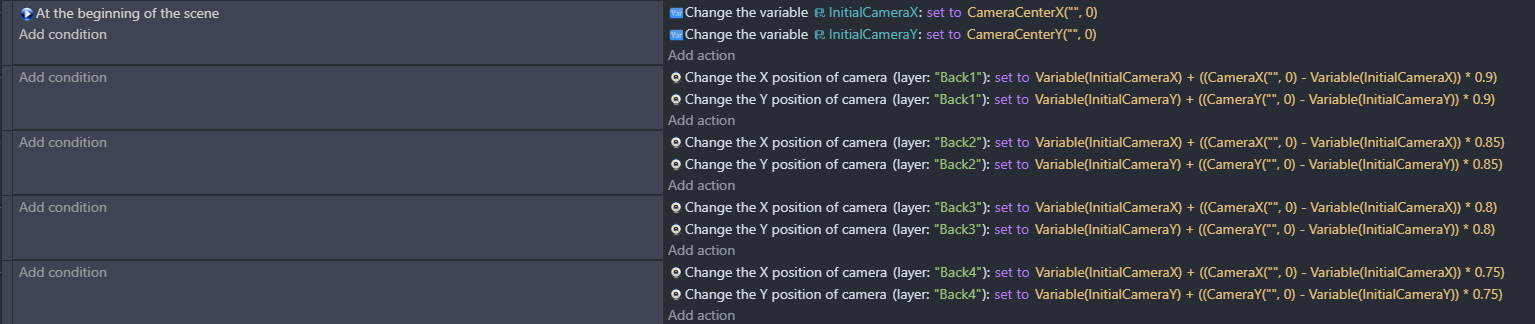
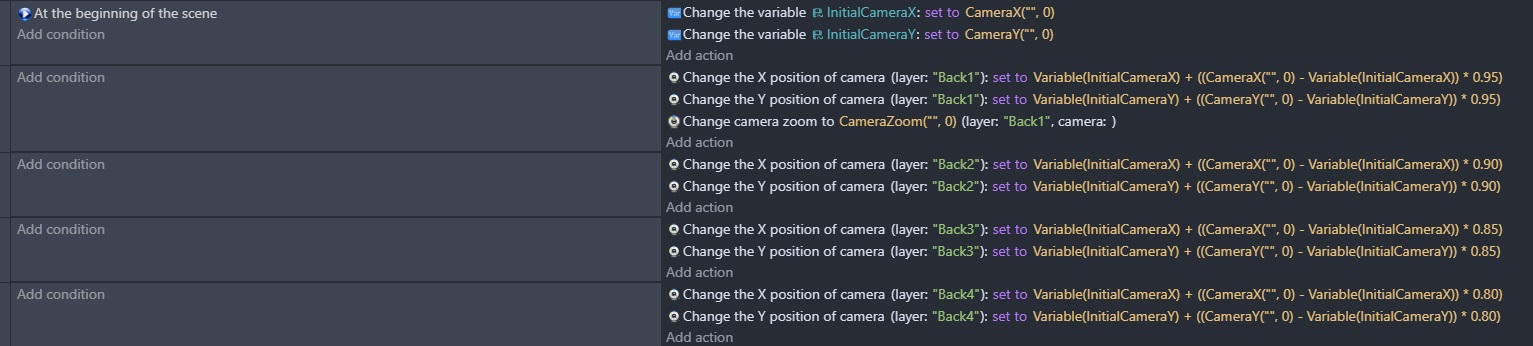
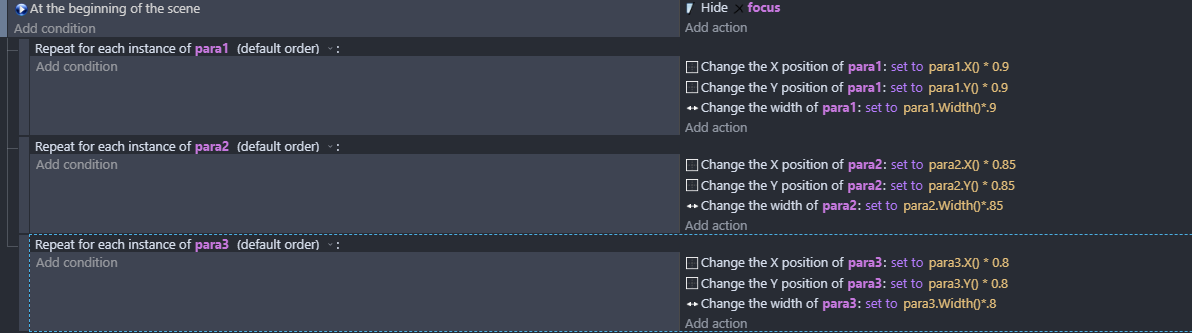
This GDevelop event sheet sets up a Parallax Scrolling effect. Essentially, it makes the background layer (Back1) move slower than the main camera, which creates an illusion of depth (like looking at distant mountains while driving).
Here is the breakdown of how this math works:
1. Initialization (At the beginning of the scene)
This event runs only once when the level starts. It captures the “Home” position of your camera.
InitialCameraX & InitialCameraY: These variables store the starting coordinates of your main camera.
Why? To calculate parallax, the engine needs to know how far the camera has moved away from its original starting point.
2. The Parallax Formula (Every Frame)
The second event has no condition, so it runs 60 times per second. It updates the position of the camera on the Back1 layer using this logic:
Thanks for that. I understand the basics of what you’re up to but I need the recreate what you’re doing in order to understand your problem s…I’ll try it later on…unless Keith’s already done it!
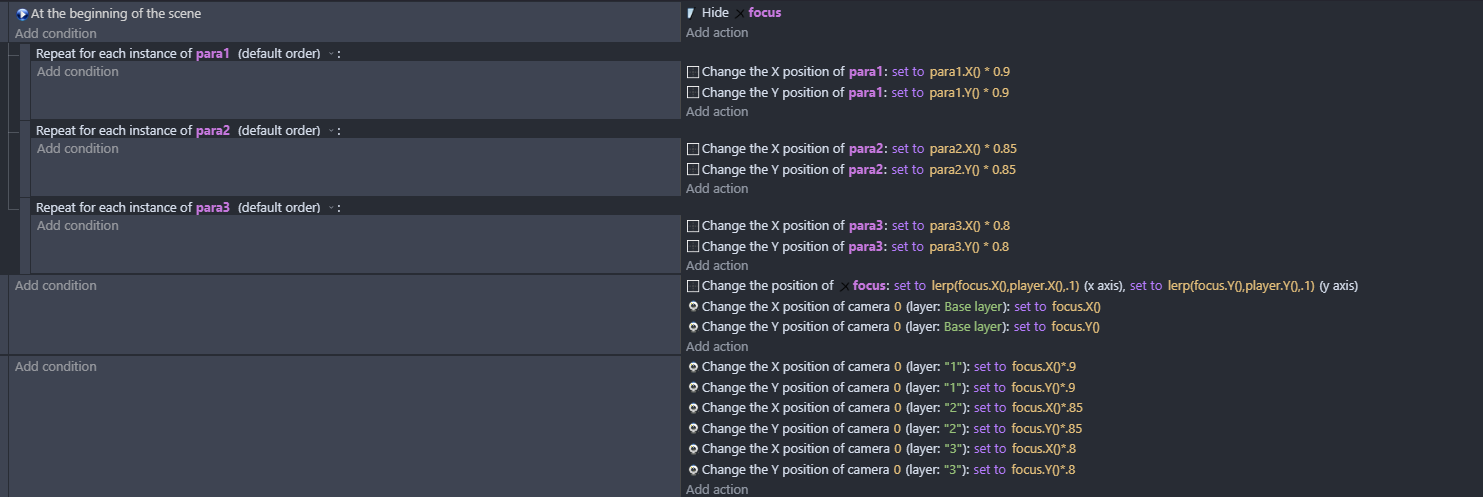
You could use a “dummy” object. This would be an object placed on the base layer (or whichever layer is not parallax-ing). At the start of the game, calculate the correct position (on the offset layer) of the parallax object so that it would line up with the dummy when the camera is in that position. Then create the parallax object at that position and delete the dummy.
i thought @magicsofa idea might be good …but i couldnt think how to do it then i thought what if you correct the position of all the objects by putting them in groups and doing for each at the beginning of the scene - which seems to work
@petlimpet So I forgot to mention that I don’t use any tiled sprites >> Only separate objects
So this basically keep the offset problem the same as it is
I can’t use “Change the width” when working with single objects (it will do stretching and break the look of the assets)
What I’m talking about it is parallax based on single objects when player is close or far (Or if object is on screen or not using the extension)
If player is close (or object on screen) >> do the parallax of the objects that are close to player
If player is far (or object not on screen) >> stop the parallax and put the objects in the same position as it was when the scene started
This method will eliminate any offset that happens no matter how big the level is because parallax happens only when the player is close to the objects.
In your example I see that you change the object speeds and so on but they all move across the whole level once you move … why not make them only move when you’re actually there and make them reset their position when you’re not ?
Im not changing their speeds. just changing the x and y positions at the start to correct the offset that appears when you use parallax. If you’re using ‘for each’ on all the objects in game itll be a drain on the ram. Im just suggesting this as an alternative - it doesnt matter what type of object it is really.
Hey @petlimpet
I just created a new Lynaria CyrxFall Devlog talking about what I did to fix this parallax Issue, just fixed it yesterday.
Probably made the best parallax Method in GD
Because this is introducing more processing and more confusing logic in order to achieve no real advantage. I don’t even understand why you would want to “reset their position” or what that even means since at the end of the day, you’re always going to be approaching from one side or the other so the object must be offset when the camera approaches. There’s no point to resetting the position since you’re automatically going to be recalculating the position anyway when it is time to display the object.
Simply moving an entire layer camera will always be more performant than operating on individual objects, so the ideal solution would be to figure a way to place the objects correctly from the beginning. I suppose a parallax camera in the editor would be nice, but still the inherent nature of parallax is that things move at different speeds and therefore will change position relative to each other. There will always be exactly one position where an object on layer A lines up with object on layer B.