I thought I could use the technique I used in this post
https://forum.gdevelop.io/t/stretchy-neck-effect-solved/53977/4?u=keith_1357
but it doesn’t work well with curves bc points on a curve aren’t spread out consistently. So, I couldn’t just spread them out by using an average technique.
A better solution might be to use physics to create a linked chain of objects using physics joints. Although, I’m not sure how to create the curve. I guess you could use gravity and maybe “pull” on objects 1/3 and 2/3 of the way along the chain. IDK. Maybe someone has a better idea or can modify one of my ideas.
A solution to my version would be to create a lookup table (array) of say 100 points and then go through the array and finding a position that is the intended distance from the last position.
To calculate the total distance of the Bézier Spline, you could add the distance between say 10 or 100 points depending on the desired accuracy.
I might play with that concept but my technique has the added difficulty of having to position the control points. My solution would be to place them at a certain distance from the center of a straight line from the start and end. But honestly my technique is starting to sound too complex.
I’m posting my method just in case it’s helpful now or later.
I'm hidding my events to keep the thread cleaner looking. Click to open
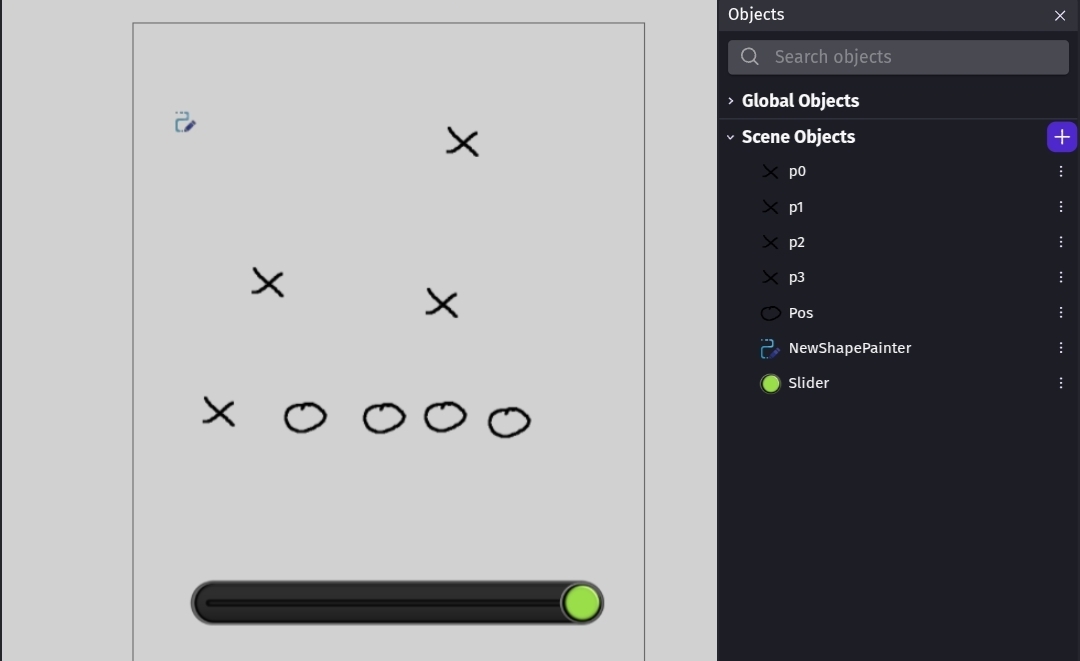
My method uses 6 objects. p0 is the start, p1 is the 1st control point, p2 is the 2nd control point and p3 is the end point. I added the drag behavior for testing. They’re the X objects.
I used a slider to control the number of objects. Sel is the circle object and I created copies to align to the path. The objects have an ID number variable.
I started my scene with 4 pos objects with IDs of 0 thru 3.
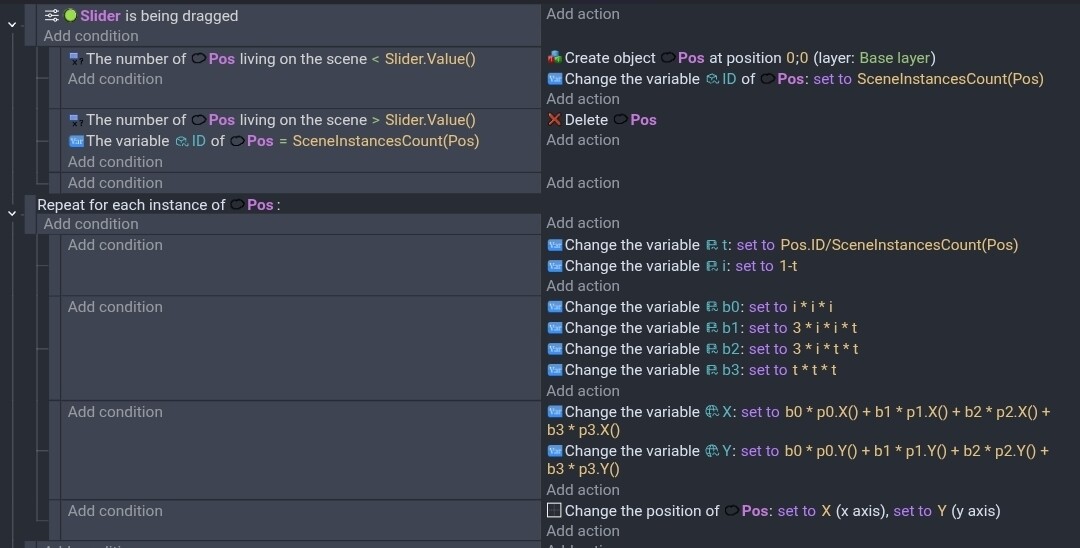
The formula Gemini gave me was fairly simple. It used the variables b0, b1, b2, b3, t, I, X and Y. It would be nice to turn the formula into a function.
This was my results.
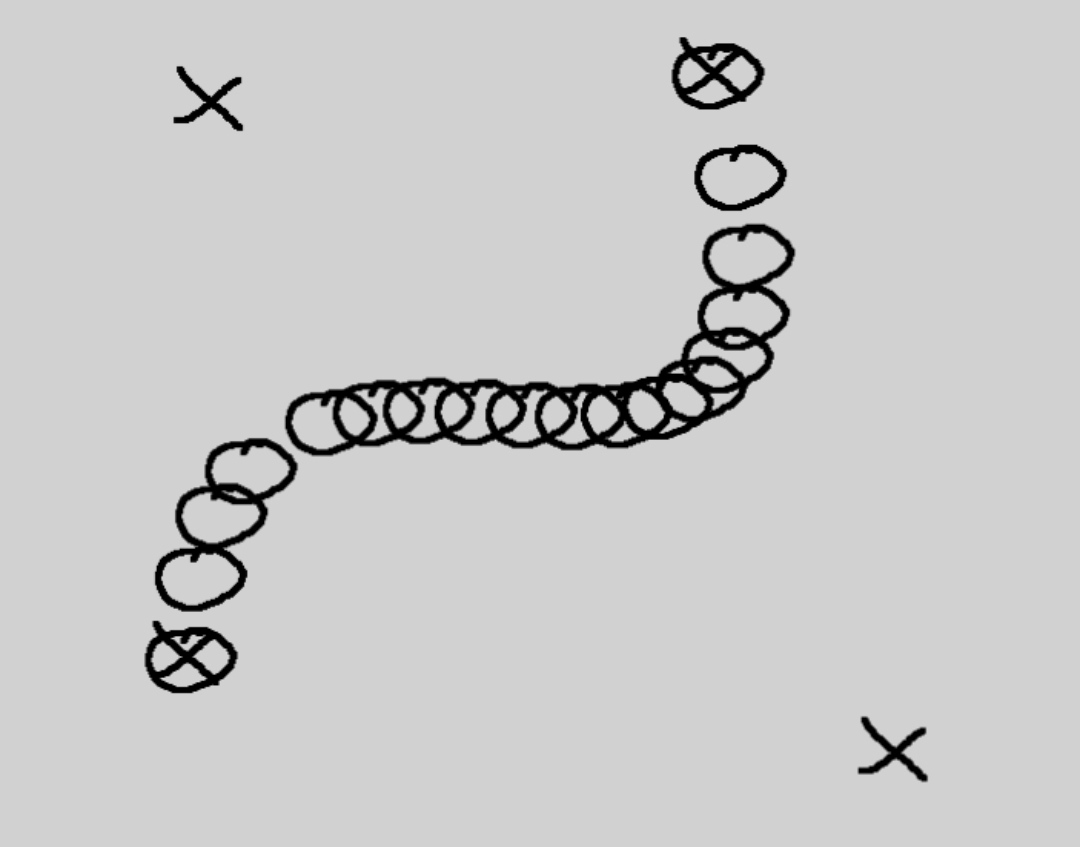
You can see how it bunched up and spread out.