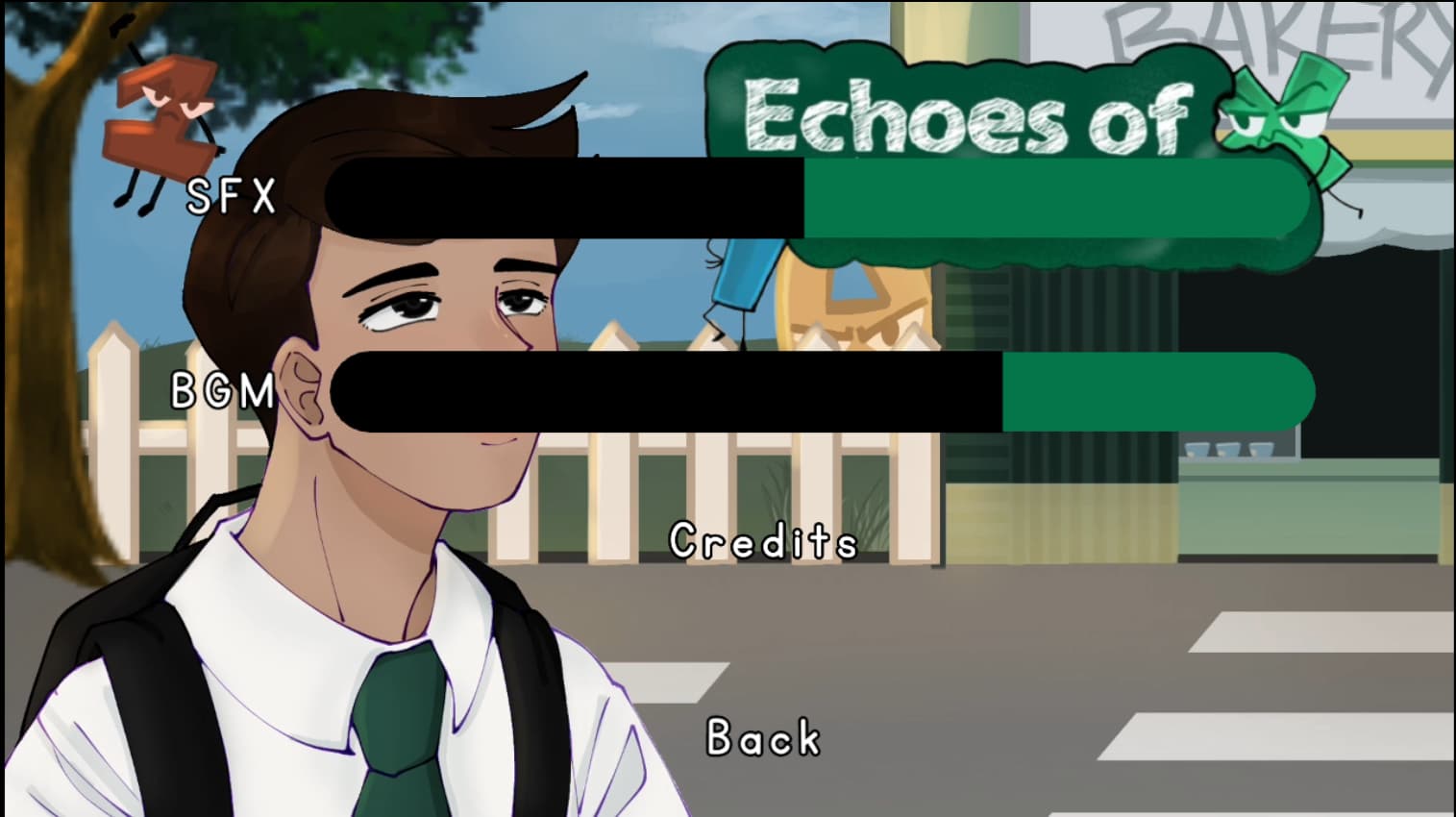
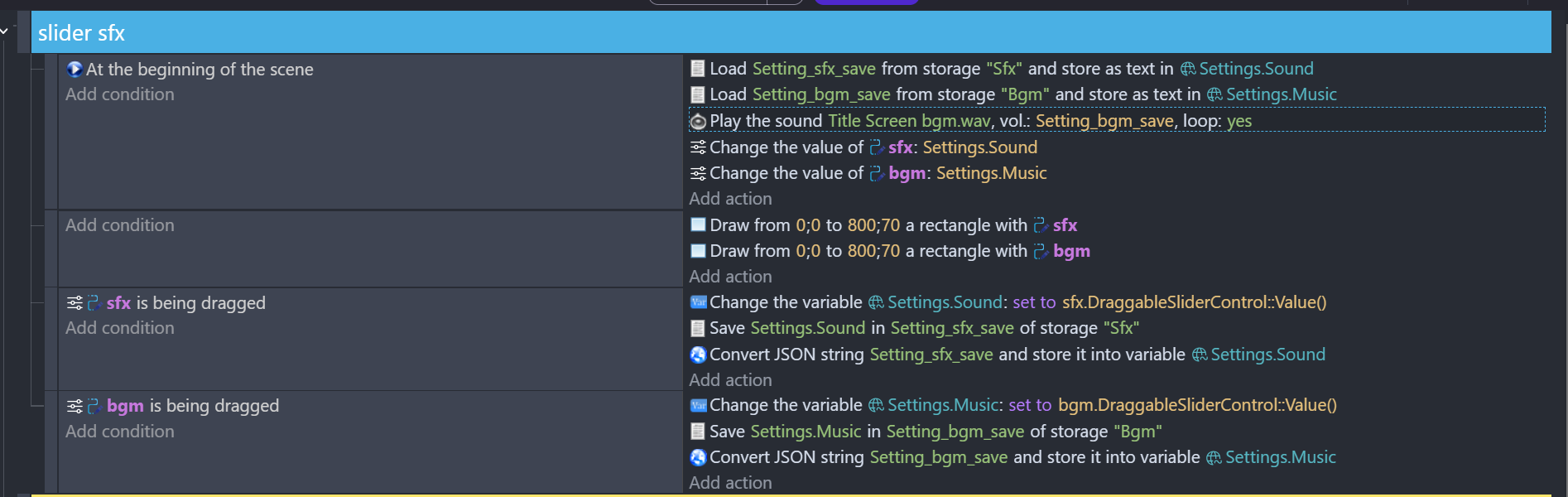
see the event sheet works but the music disappears when I preview the game, it should not disappear when I preview the game, but it should have the volume set to the variable in the pic. and when u drag the slider, it should affect the sfx/bgm playing in the bg. how do I solve this? I’m still trying to get the hang of variables so I’m not that good at it hehe
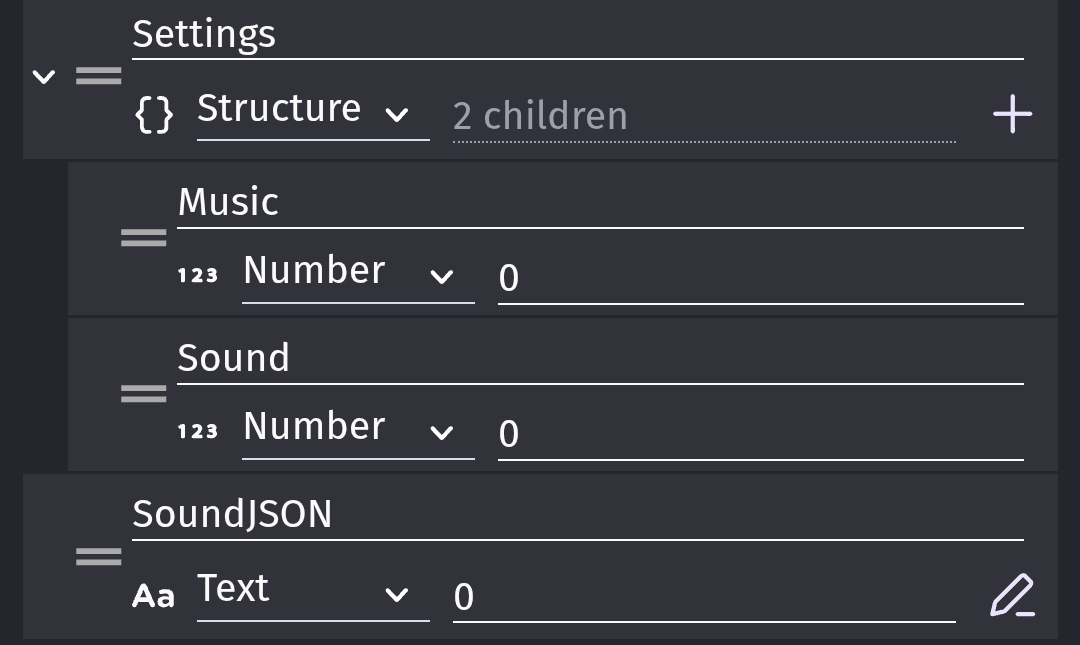
The Setting structure is setup with numeric values but then it’s being loaded as a string. Even if the string contains numbers, if GD is expecting a number variable, it will convert the string to the number zero when you try to set the sliders bc that’s what the action is expecting. A number.
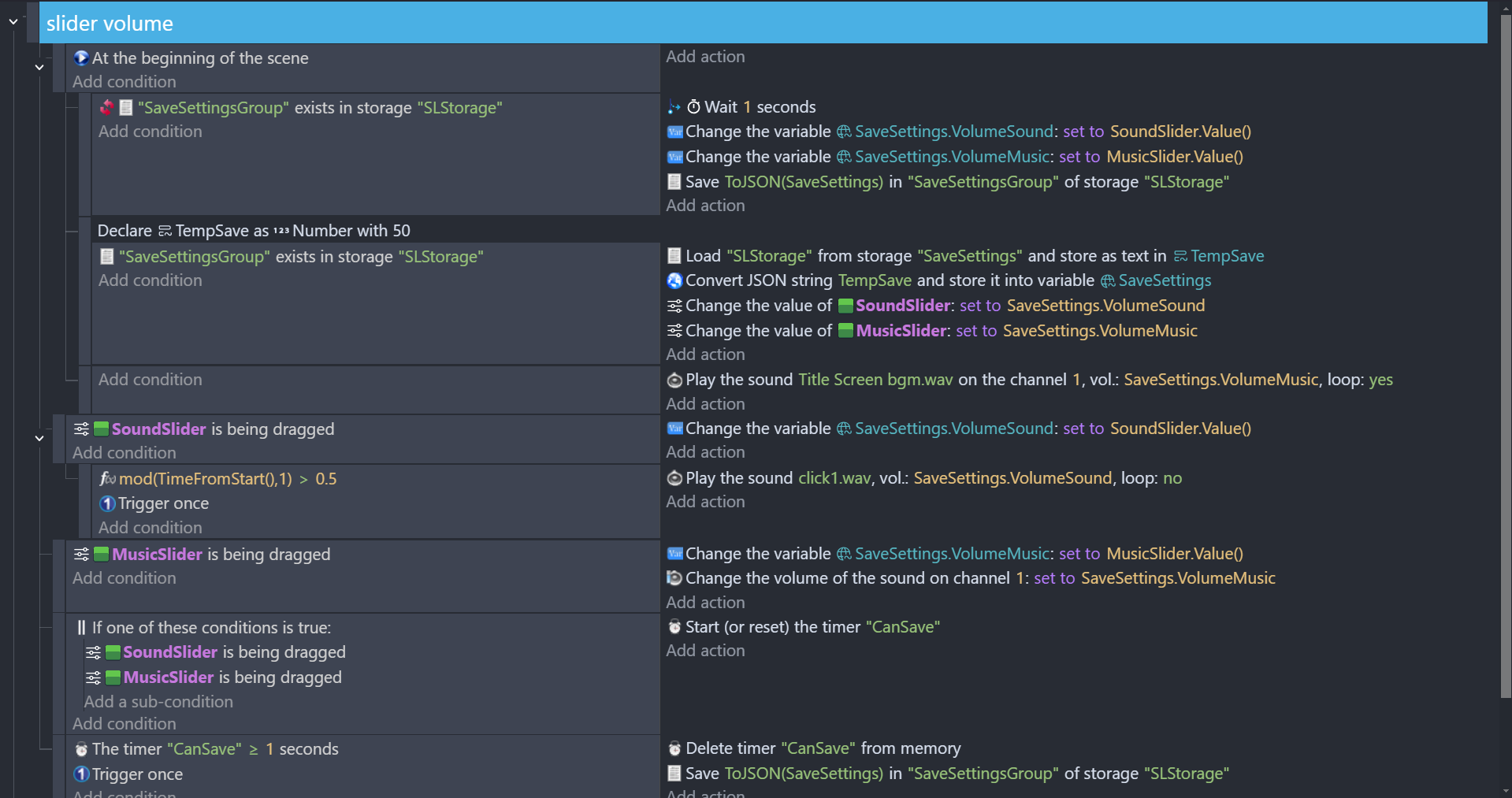
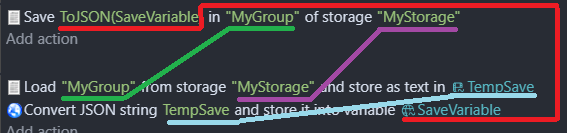
Since the variable is a structure, you can load and save just the structure but it needs to be converted to and from a string that is in the Json format. Once the structure is loaded, you can use it directly. Also, always check if storage exists before trying to load it.
I used 2 sliders and a button. There’s no need to save the variable to storage so frequently. You can just save it once when the back button is pressed or whatever takes the player to the next or previous screen.
Good day! I tried @ZeroX4 's method and it worked well for me!
just one problem tho, I followed everything in the tutorial from the post, but the slider volumes on both sound and music seems to start at 0 when u preview it on gdevelop. the thing is, when starting the main menu scene, it should have a sound of at least 70 as volume and 50 for music. so, when the player opens the game there should alr be music playing at the bg, did i do anything wrong or is there any way to fix this? thank you!
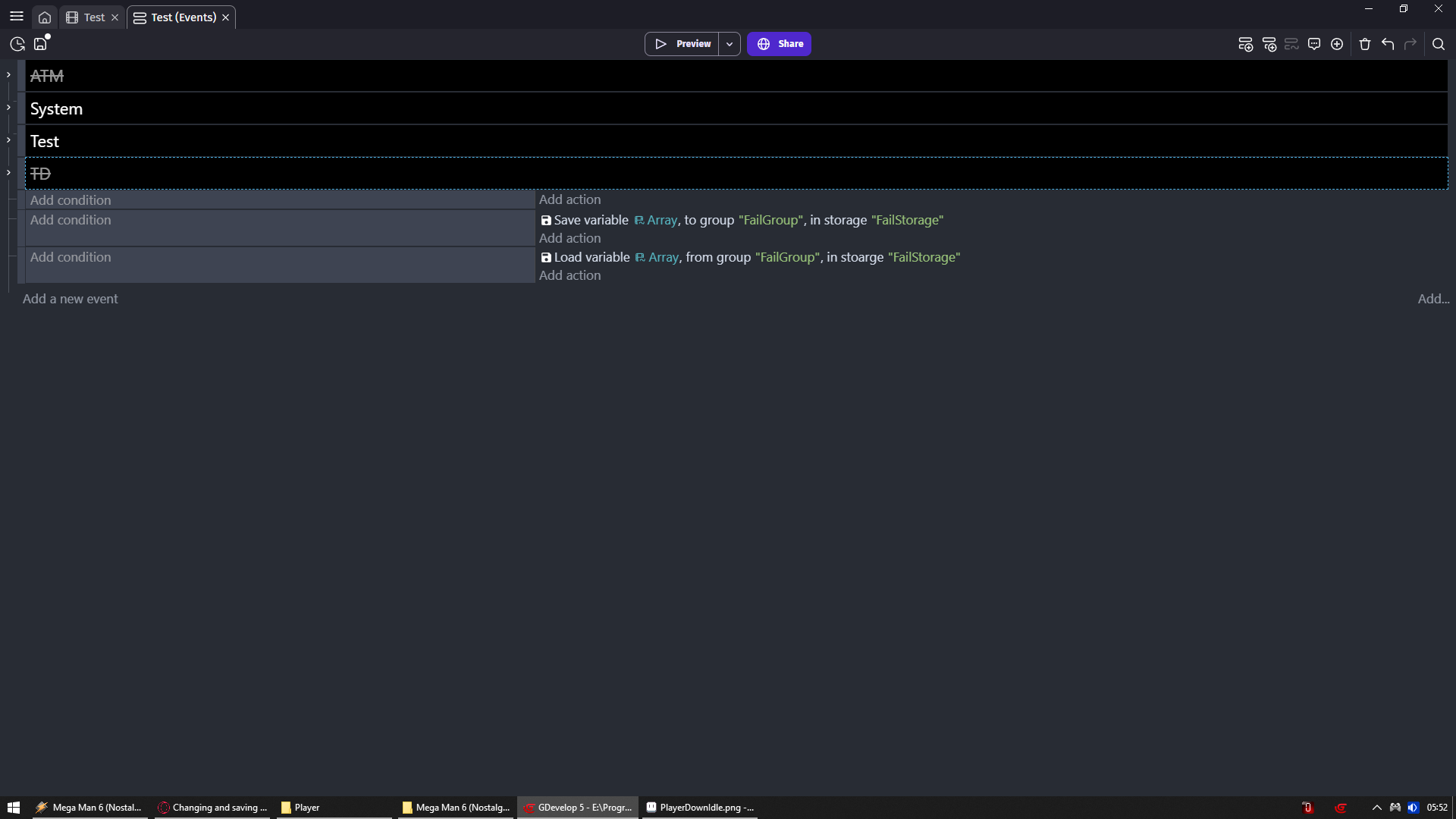
I wish the storage events were like tweens and other events where the parameters are remembered and it creates an autocomplete/dropdown list from them. There would be fewer errors.
In tutorial i pointed out to use same names as i do which you can change later in variable window
Which will update all names in events sheet
But ppl insist on going with their name
Just wtf?
Anyway i don’t believe we need here autocomplete
I did once mention that someone could make save / load extension
I remember Silver-Streak told me something like “but these are 2 actions”
What’s the point
Well above we see the point
And below we see how such extension could help ppl
Where i cannot deny the fact that autocomplete would help here
Actually i think i made feature request to reduce actions (make that convert to json part in background)
And re arranging names same as i did
I just can’t find it
Why its not simplified is beyond me
We can deduce its not connected to OP issue
BUT if you think about it
If you have less options
Its easier to spot mistakes you made
Hello, good day! i just wanted to update that the issue has been solved i was probably tired so i didn’t noticed that i’ve mixed them up/they had diff parameters, so that’s my fault it works now, thank you both for your help:))




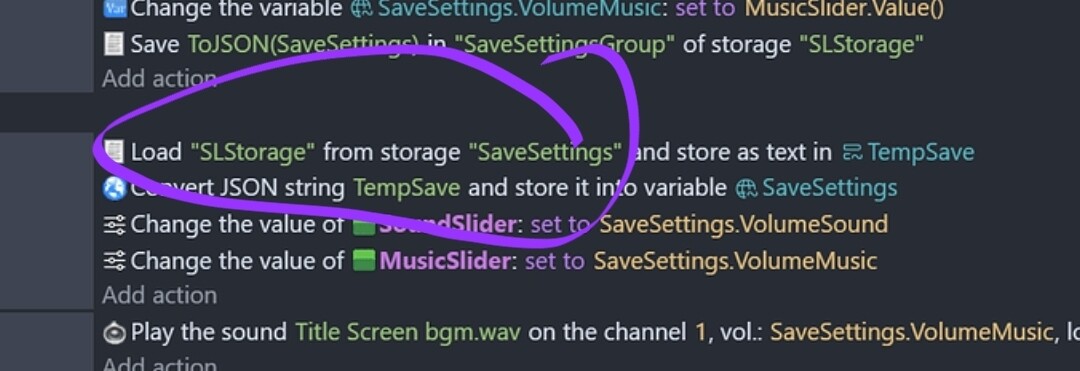
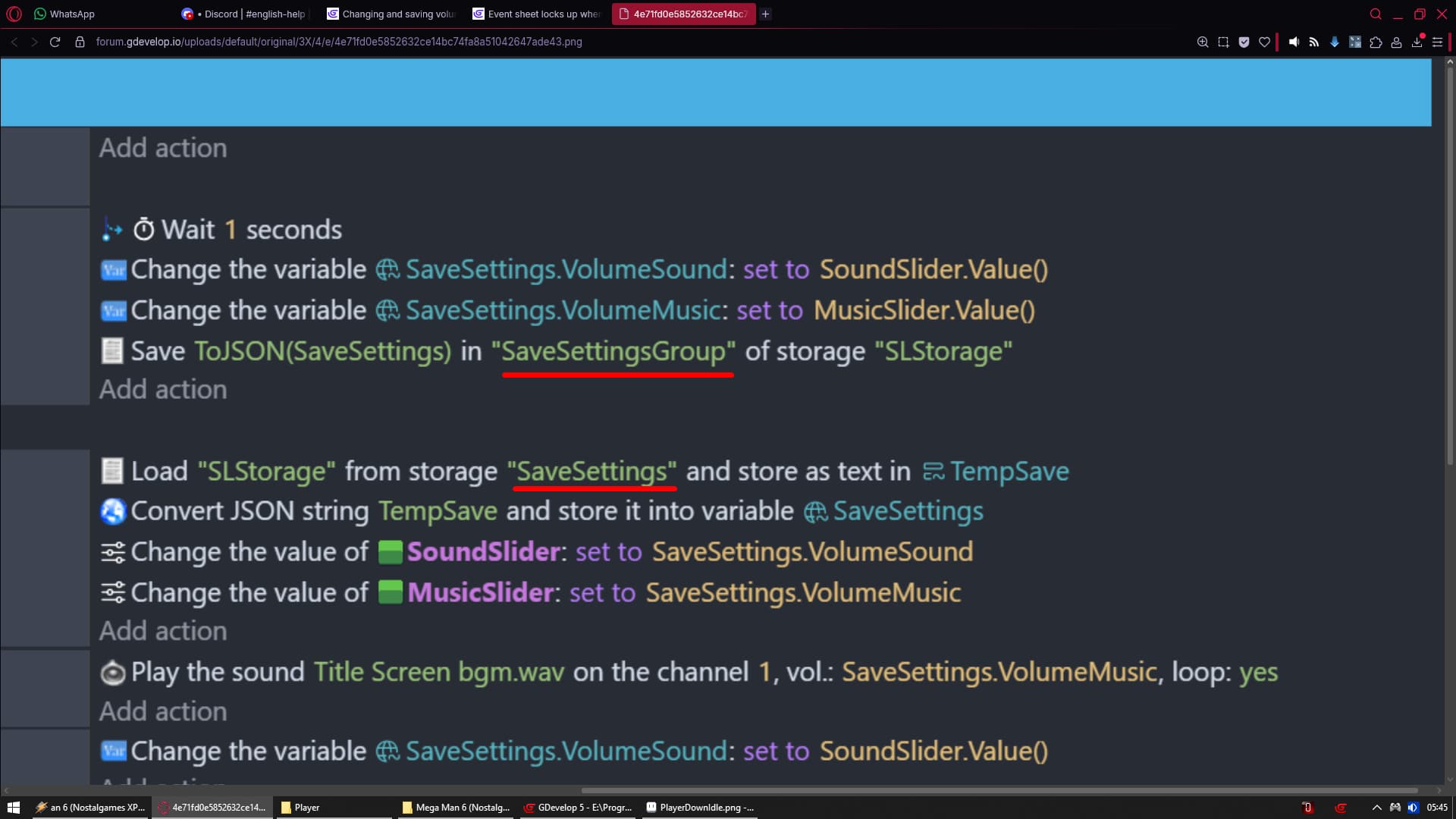
 i was probably tired so i didn’t noticed that i’ve mixed them up/they had diff parameters, so that’s my fault
  it works now, thank you both for your help:))