[SOLVED] Checking if the Player has a Possible Move

Solution:
After messing around with my code, I tried moving all my Squares at once (like ZeroX4 said) and after using a very obscure feature with the For each Object event, it worked!

Hey everyone!

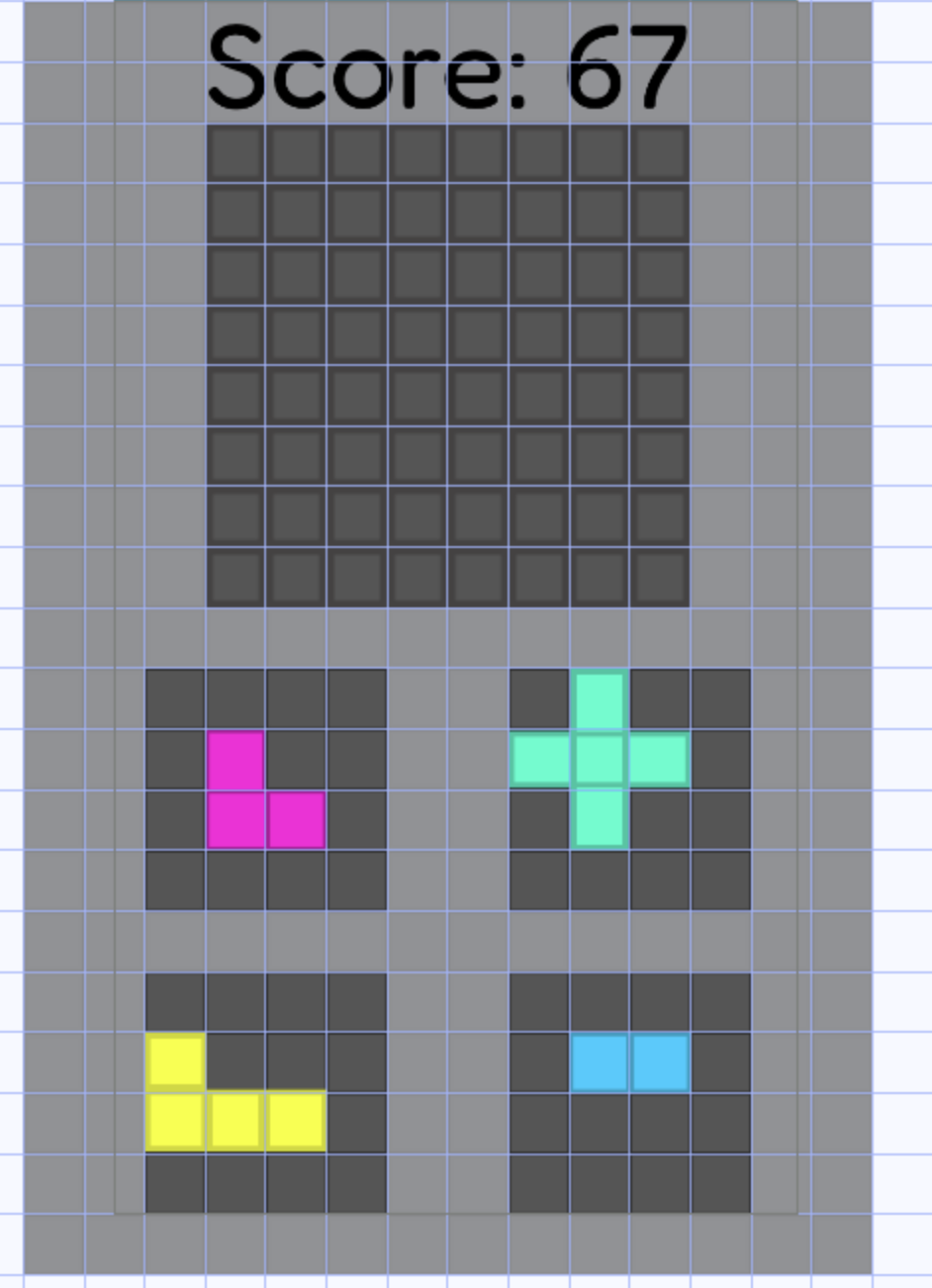
I’m currently working on a game involving blocks that you can drag onto an 8x8 board.

Each block has its own custom collision to only collide with the visible parts of the block. Also, the board is made up of 64 1x1 tile maps that can change color.

My question is, how could I check if the player has a valid move, and if not, set the variable “Lost” to True?
A valid move is when a player can place one of their 4 pieces onto the board, without it colliding with any other colors on the board, and without any of the piece hanging off the board. (For clarity, the pieces the player receives are randomly picked)

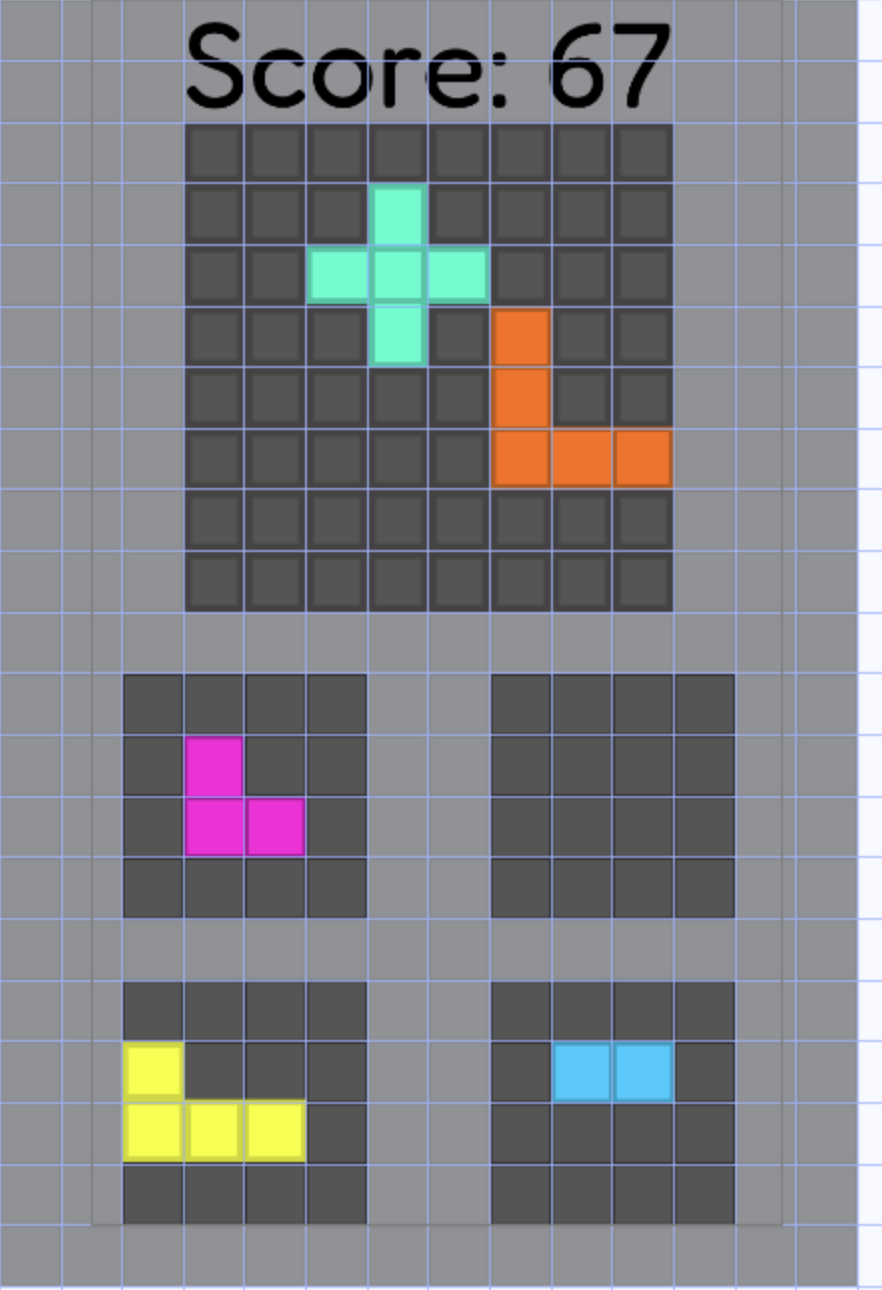
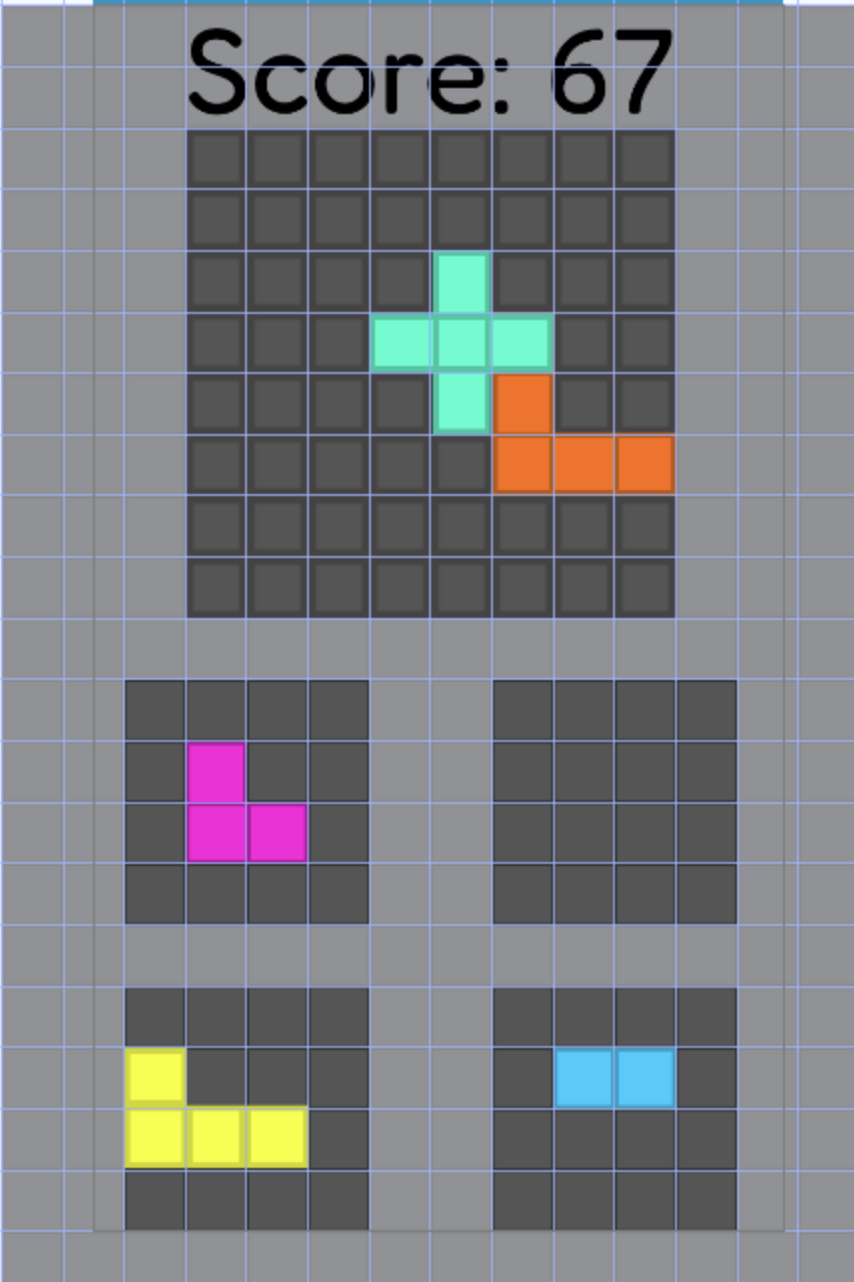
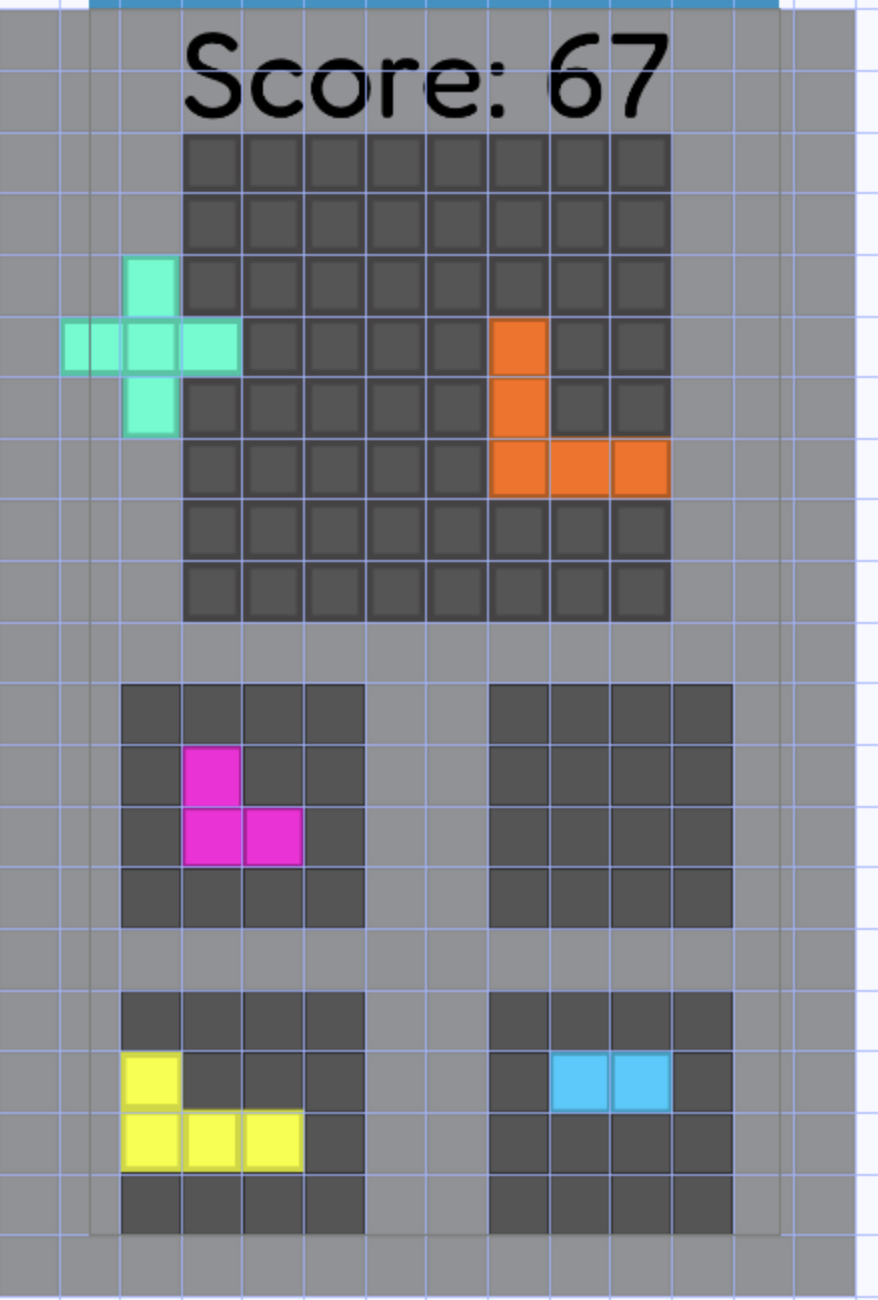
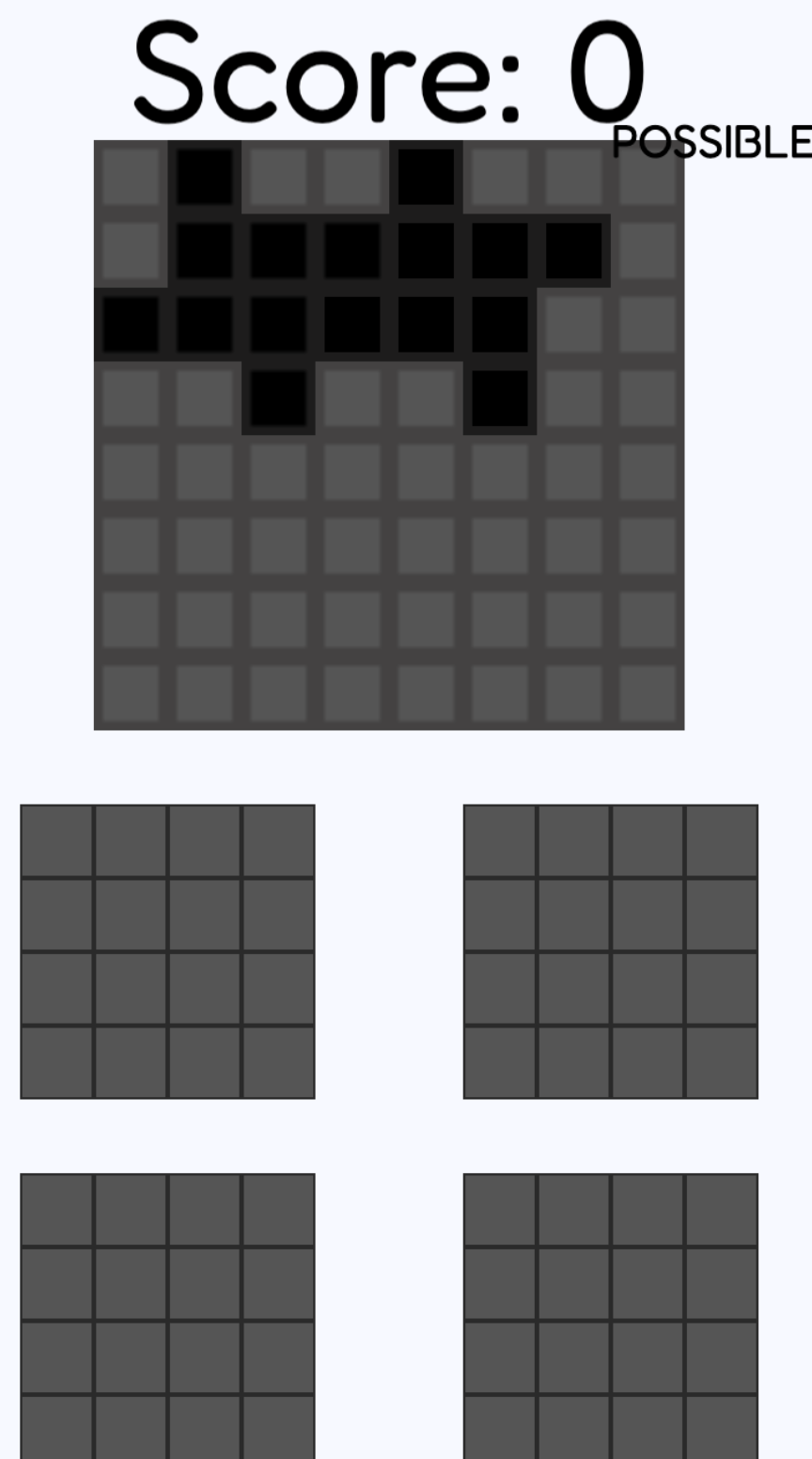
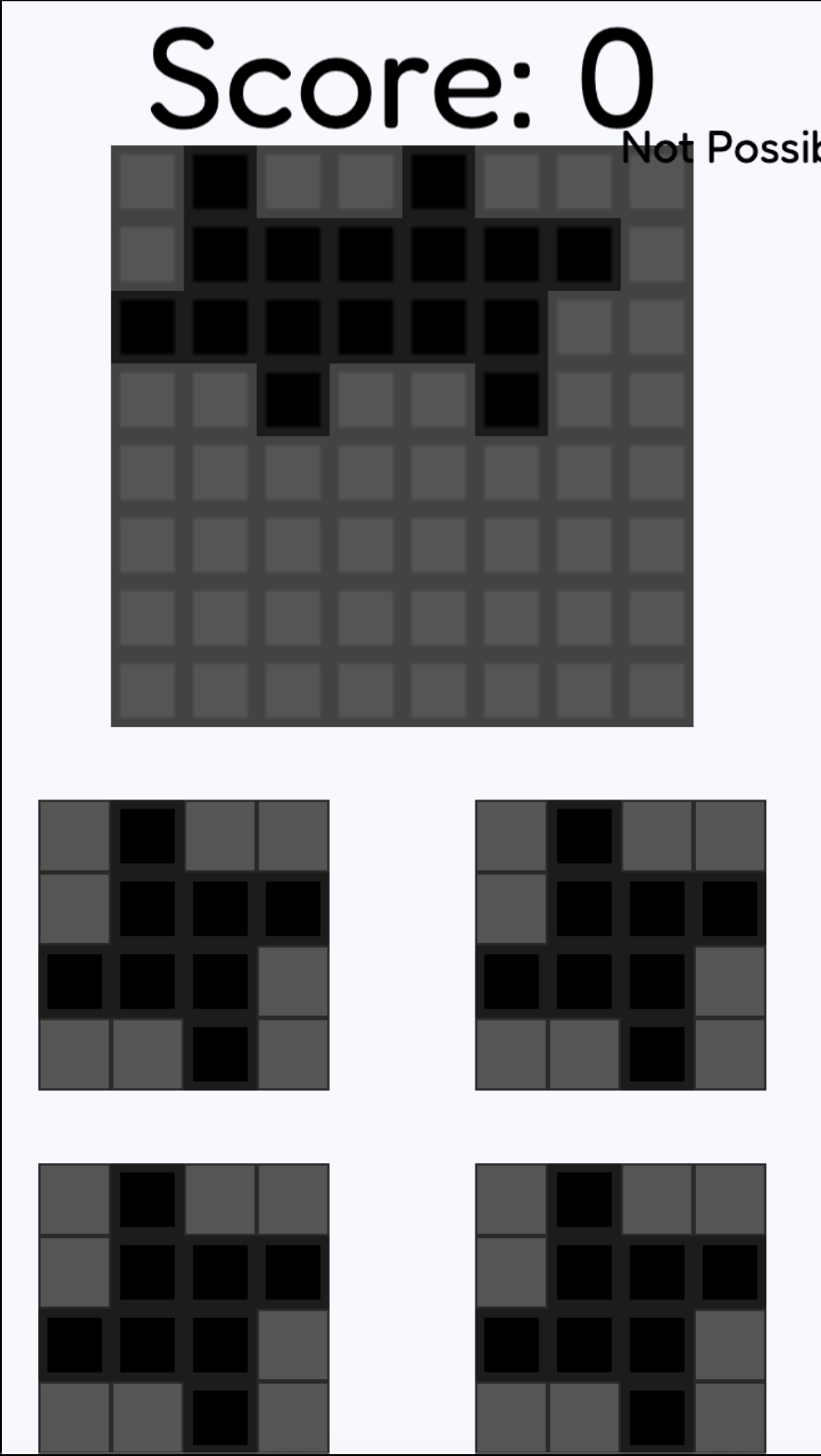
For example, when moving the cross shaped piece…

Valid Move:

Invalid Move (covers the orange piece):

Invalid Move (hangs off the board):

Thanks in advance!

Hi Snowy

If I understand correctly, 1 move is valid if and only if:

  1. no collision between blocks already present on the playing area
  2. the block is not outside the playing area (8x8 squares)

For 1) it’s easy to test.

For 2) we can for example put an invisible sprite (very low order) which would be right on the light gray part (see below) and test that there is no collision with this sprite

Does this help you?

A+
Xierra

Amigo, I don’t think it’s about detecting pieces already placed on the board by the player, it’s about predicting whether there is a valid place for a piece.

It will be interesting to see what ideas the brains come up with. All I’ve got is that you would have to go through each piece the player has left and place a ghost object of that shape on the board, moving it over one grid square at a time until one of two things - a place is found that meets the requirements or it gets to the end of the grid not having found a place.

I did not detect the pieces already placed on the board but the conditions to respect for valid moves.

A+
Xierra

Sadly, that doesn’t help. The light grey area is just a block there to check outside collision.

I’ve tried that and that’s where I got stuck. I’ve ran through many different iterations of moving the piece to every spot one by one, but all of them either incorrectly detect available/not available spots, or fire the checker before it’s done moving all the squares to the different spots.

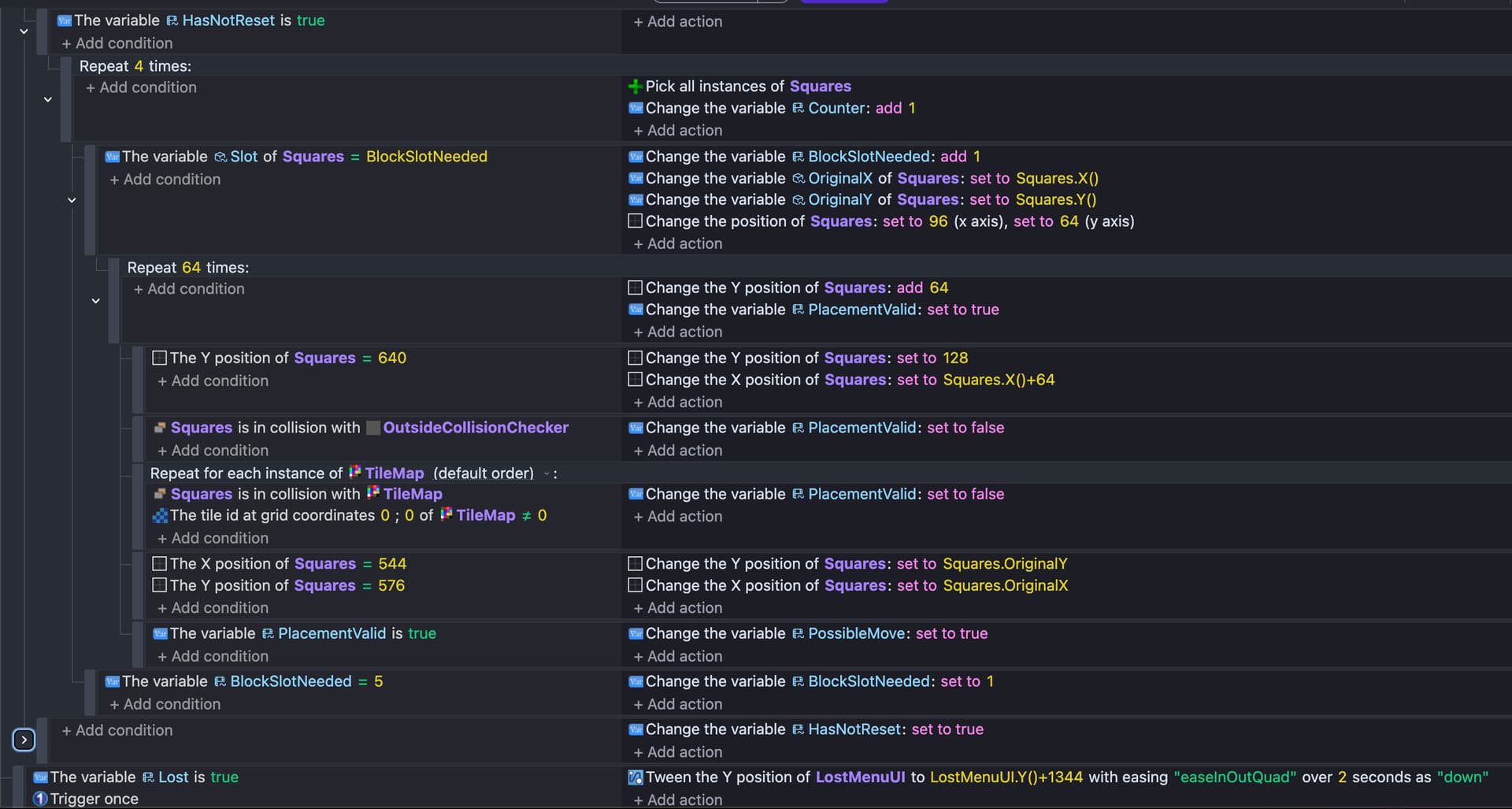
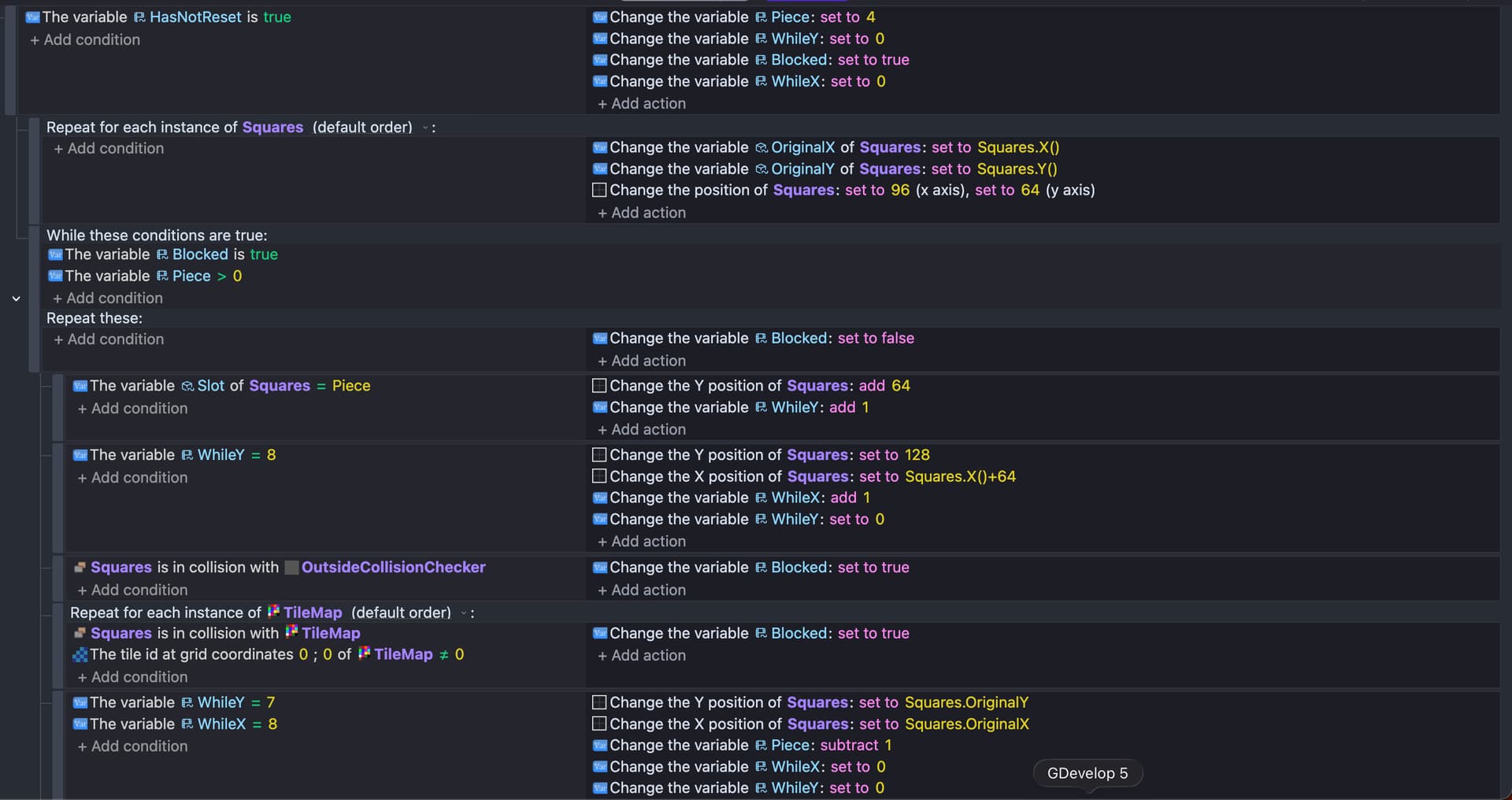
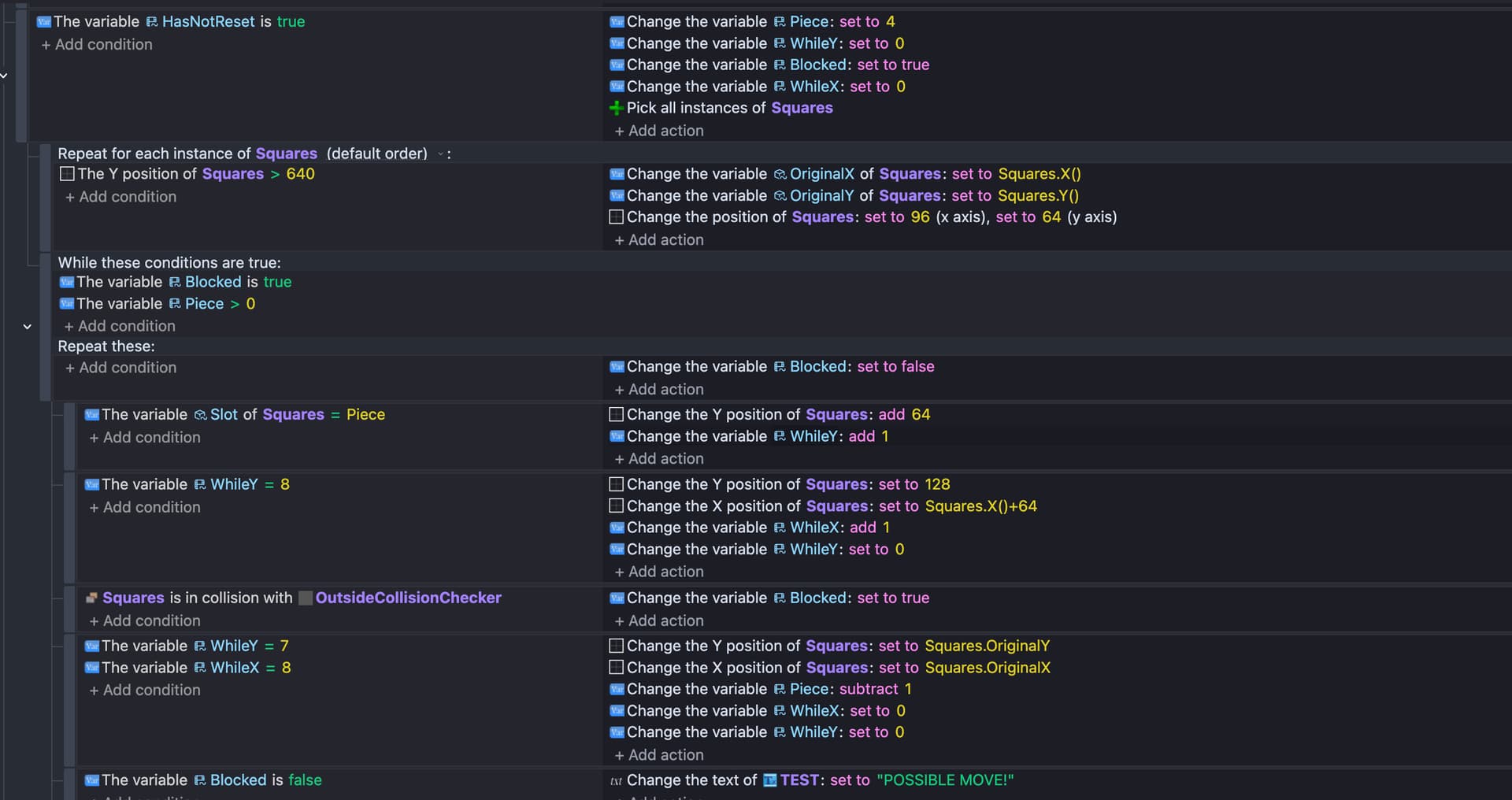
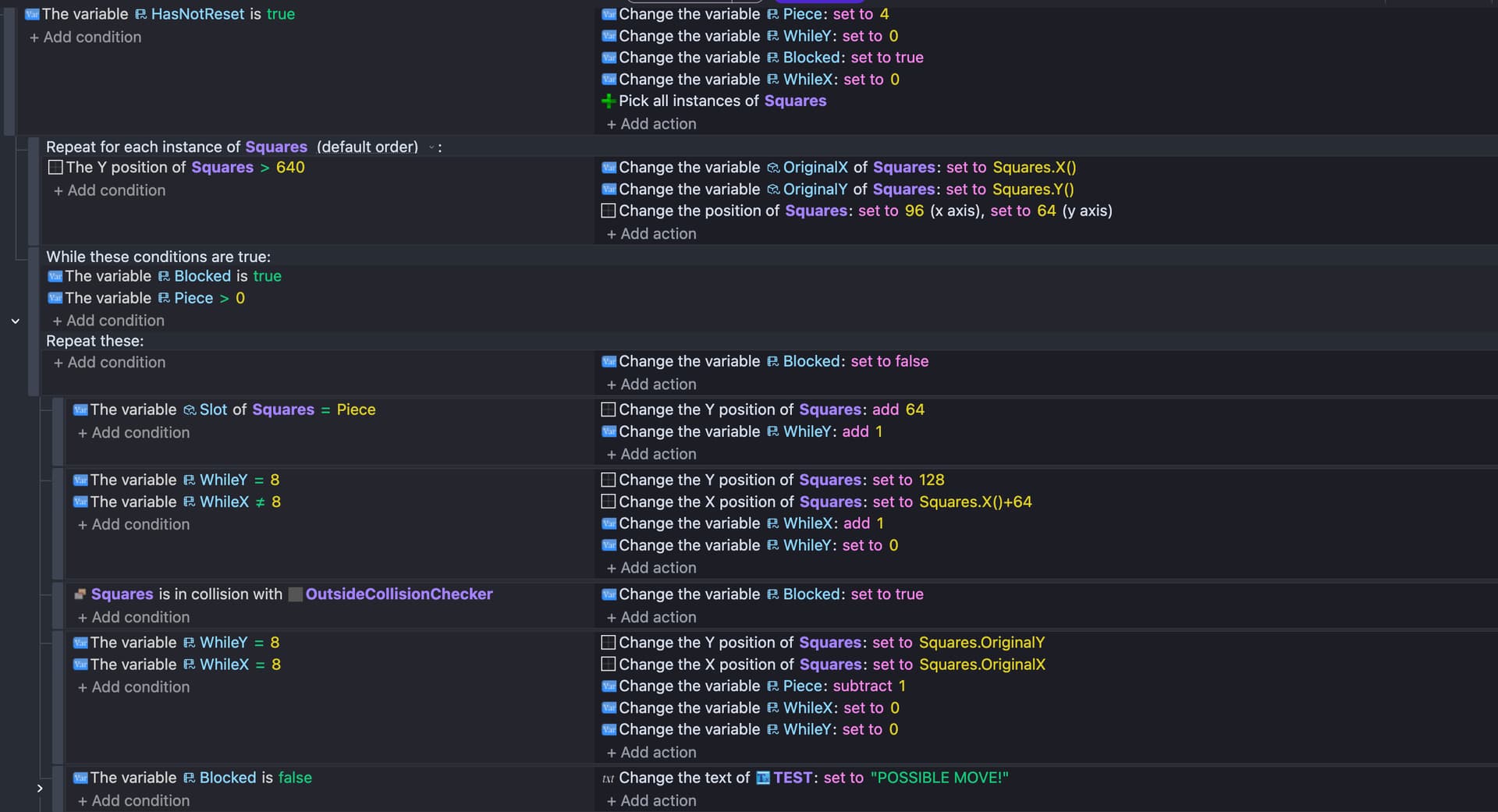
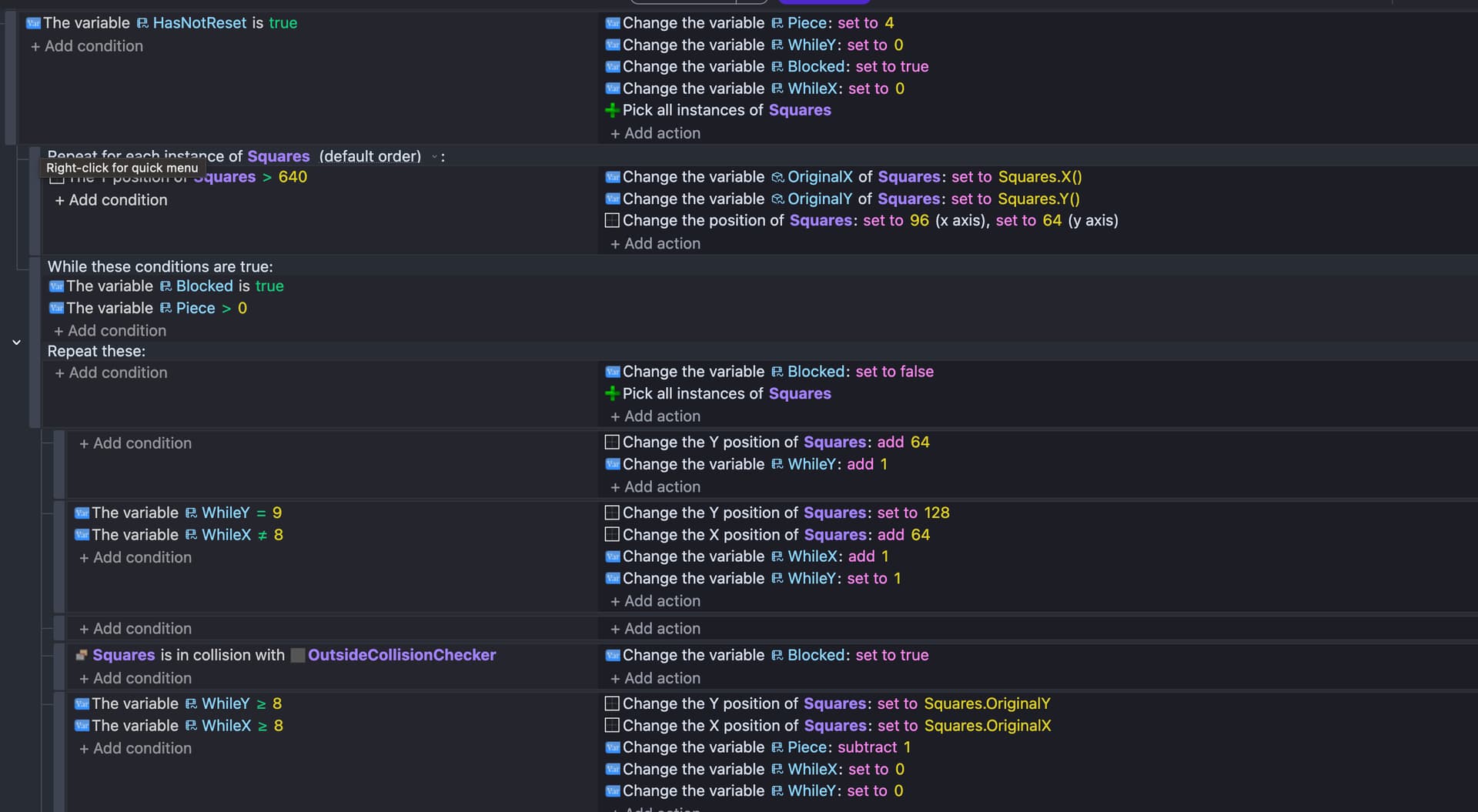
If it helps, this is what I currently have (I’ve had many other versions but I delete them to try and remake it working :smile:)

(The variable “HasNotReset” is for a different part of the code, so it can be ignored)

You’ve thrown the tricky bit at us here. I’ll have a think at work…because there’s so many possible combinations (im assuming that you can rotate l shapes) it needs an efficient algorithm and i think using an array of spaces that are available and each animation is a pattern of checks agaist the array rather than literally testing collisions might be best. I’ll think about it while im making penguins

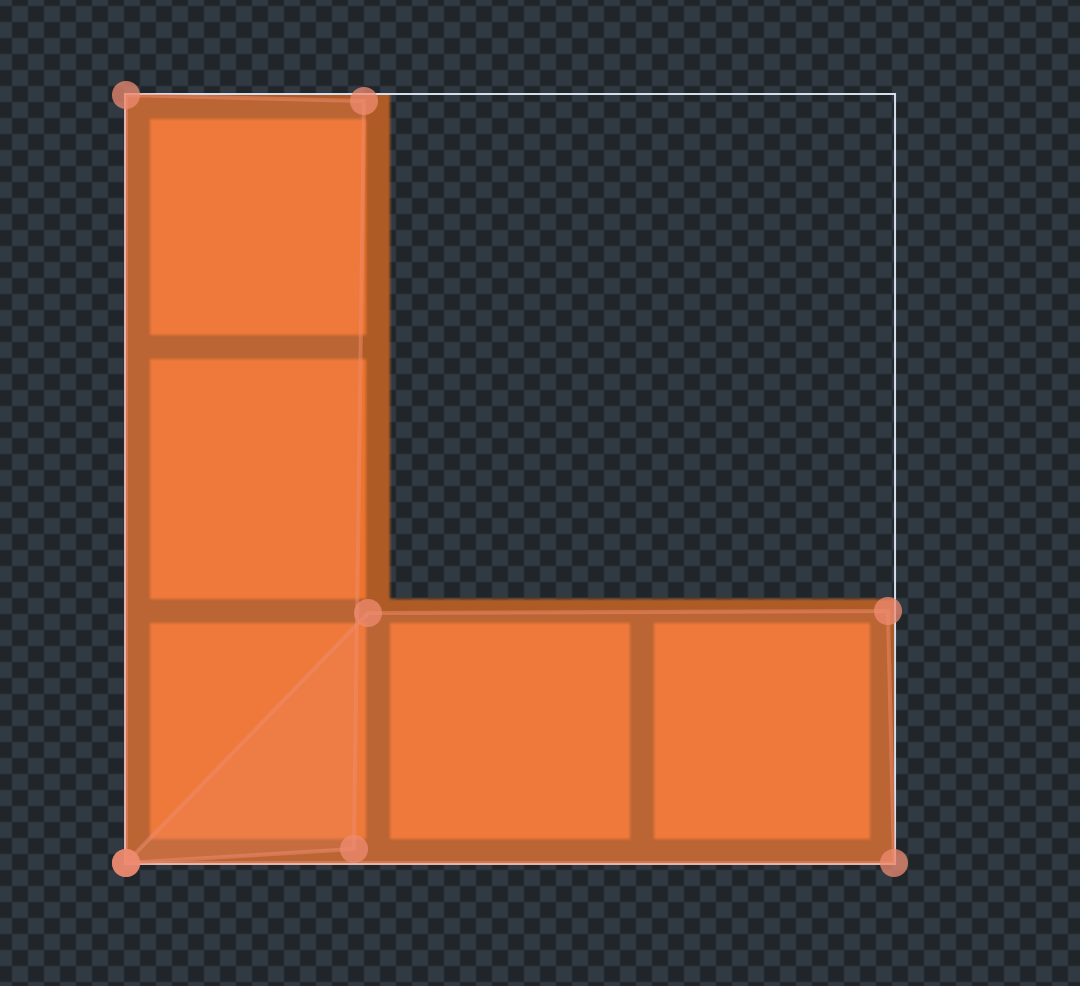
Actually, I haven’t implemented rotating shapes due to them not working with custom collision masks (I think?) currently my collision masks just look like this:


So they are fully set up for testing positions. The main problem I had was figuring out how to get the code to understand what constitutes a “correct” move. It’s really easy to tell it what an incorrect move is (collision with the outside or collision with a tile that has an ID that isn’t 0) but it’s much harder to check if the block isn’t in collision with a tile that has an ID that isn’t 0.

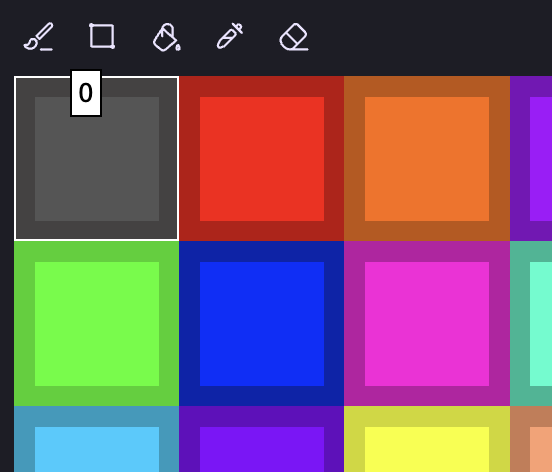
(Tile 0 is my “No block there” tile.)

The reason I’m struggling is because if you have it go through every tile map object for every one of the 64 positions, that’s going to start messing up really fast, especially trying to run it 4 times in 1 frame (for the 4 blocks).

The only thing I can think of is MAYBE when I change a Tile ID from 0 to whatever other number, I place a collision checker there as well with the size of the block, and then check collision with that?

Wait…that might actually work! I’m gonna test it out in a few mins, I’ll let you know it goes. :smile:

Your collision mask for this part seems incorrect to me.

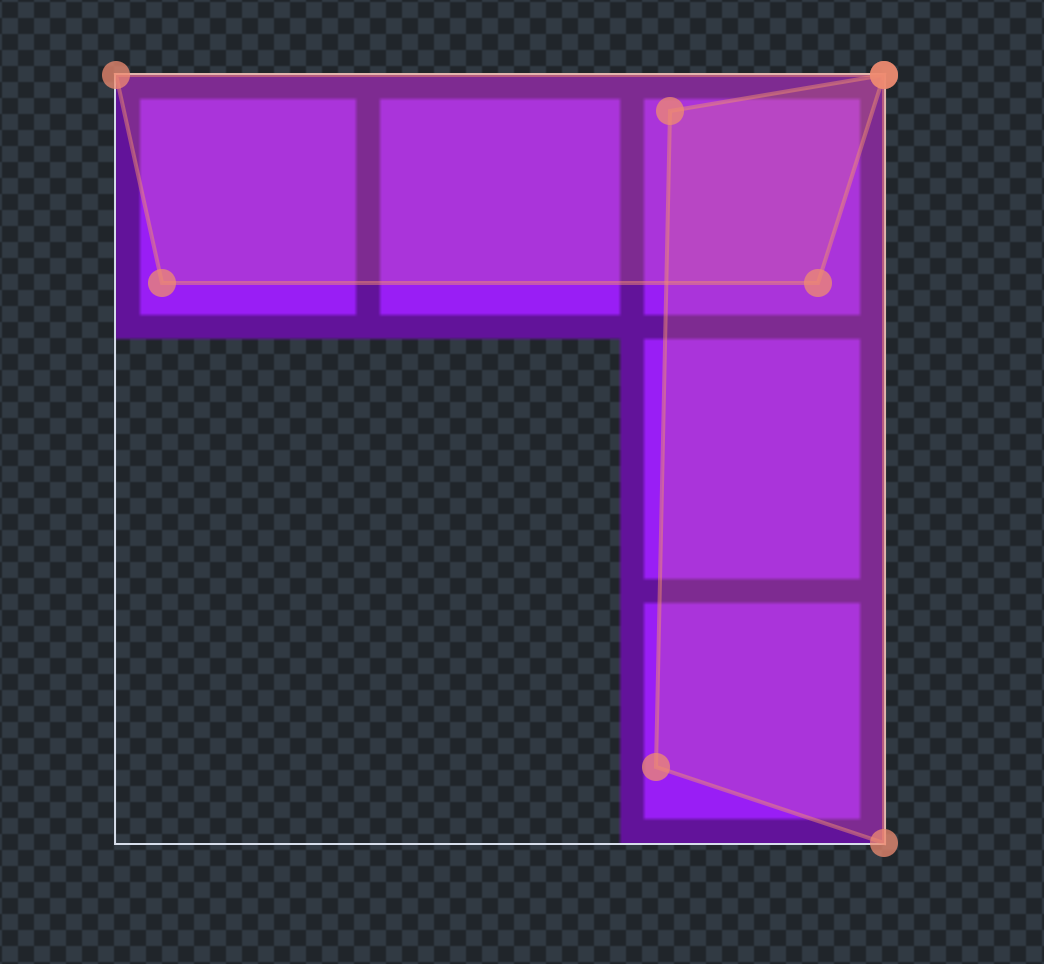
Sorry, it’s a bit hard to see. Here is an example of a different color:


The collision doesn’t need to completely fill the square, just touch it at some point (hence me being extremely sloppy :sweat_smile: )

I feel like you are overthinking this a bit. You already have the ability to check if a move is valid right? So you should be able to re-use that logic to check if any moves are available.

You only need to run this check when the board changes. It shouldn’t be happening at any other time. When a piece is placed on the board, the events should be locked until either the lose condition is met, or a valid move is found. Checking 256 collisions should be no problem for the engine, so I wouldn’t worry about keeping the UI responsive during the check. If you did want to make it faster, you could check tiles rather than use a collision mask.

There is no difference. One gives you the other. If the check for incorrect move fails, then it is a possible move. If you’re having trouble with this, then the issue must be in your event structure, not the actual checking logic. Otherwise, you would have problems with the player being able to make illegal moves.

What you would want is a loop that checks every possible position for each piece, and the loop breaks when a legal move is found. So basically there should be a single variable to represent that the current check is not a possible move. I might name it “blocked”.

I wouldn’t use a repeat x times for the whole thing because you can’t bail out of that - the event will always fire that many times. Instead, use ‘while’

Local vars:    blocked = TRUE
               piece = 4
               X = 0
               Y = 0
---------------------------------------
while
  blocked = TRUE
  piece > 0
do
  <empty condition>     |    blocked = FALSE
  ------------------------------------------------
  Squares.slot = piece  |    move Squares to X,Y
       -------------------------------------------
       Squares in collision?    |   blocked = TRUE
  ------------------------------------------------
  <empty condition>     |    X += 1
       --------------------------------------------
       X > 7                    |   X = 0
                                |   Y += 1
       --------------------------------------------
       Y > 7                    |   Y = 0
                                |   piece -= 1

If at the end of the loop, blocked is still TRUE, then there are no moves left. On the other hand if at any point the Squares are not in collision with the existing tiles, then blocked will stay FALSE and the loop will stop checking any further since you only need 1 possible move to keep playing.

Original Post

I tried out what you said, and it seems to now have me stuck in an infinite loop.

(This event is all in a subevent for dropping a piece, so it isn’t trying to run this every frame.)

For some reason, when I place a piece now, the game just freezes up as if the while loop is constantly running. Do you have any idea why this might be? :thinking:

Original Post 2


(This event is all in a subevent for dropping a piece, so it isn’t trying to run this every frame.)

I’ve updated it now so that an OutsideCollisionChecker spawns at the location of each tile map where TileID isn’t 0. The problem is this code is acting VERY weirdly. When I place a block, it teleports all the other blocks onto the board.

Not sure what this could be, I’ll keep editing my post whenever I fix something :smile:

Original Post 3 (Why do I keep encountering bugs? :/ )

Okay (I keep updating this because I keep fixing things) now, it seems to think I have no possible moves, when I can clearly fit not 1, but 2 more pieces onto the board.

Also, it seems that if I place 2 pieces at the bottom instead of the top, it says I can place more. I think it’s a problem with the top of the board specifically (Y 128)

(These events are in a subevent that runs when a Squares is dropped.)

Okay so…welcome to the 4th entry in the series. My code now works PERFECTLY except for the fact that it now requires every piece to fit in order to keep Blocked as False :pensive:

I tried adding that condition, and it bugged out and only would check the top row (never increasing the Y).

My best guess is that I’ve got to pick the “Squares” that has the Slot value the same as Piece, but I don’t know how to do it without that condition.

Sorry, I was writing that as a shorthand for the condition for checking object variables. You had it right before with “The variable Slot of Squares = BlockSlotNeeded” (I just wrote piece instead but it can be whatever you want)

(the “compare two numbers” condition won’t pick any objects so wouldn’t work here)

Side note, you don’t need those “pick all instances of Squares” actions. Events operate on all instances until they are filtered out with conditions. In this case, Squares have not been filtered out at the time you’re using the pick all, so they are redundant.

Also, it looks like WhileX will never reach 9 because of this:

The variable WhileY = 9
The variable WhileX =/= 8

I think you meant <= (less or equal) to 8?

The “Pick All Squares” is there because these events are in a subevent of “Squares was dropped” meaning all the events were only running on the dropped Squares.

WhileX never needs to reach 9, there are only 64 (8x8) squares on the grid, and when it gets to the last spot it should reset the piece instead of moving it to WhileX = 9.

Any clue on what to do for this?

Oh Snowy
I was watching this topic to see who will solve such complicated problem (me is disappointed)

ANYWAY
I wish you to explain to me why its so that users (you included) that have anything stupid to say to me
Happen to be ones who fail to understand what they even try to do and how to achieve it?
If you will be able to explain it to me i will be more than happy to help you

I see loud mouths when it comes to saying something stupid
But when it comes solving problems they somehow have such hard time
I start to see some sort of co-relation there

Now that we have this out of the way
1 - what you are about to see is already solution in itself and if you think about it you don’t need any logic from any1 but just understand what you actually see
2 - ONE user in this topic had right idea already
3 - i wonder will you think twice next time before you say something stupid to me (i hope you wont cause i enjoy ppl who pretend to be polite/smart and then reality check hits the fan)

Anyway
Some time ago friend of mine was unable to make crossword where words connect by same letter but do not collide with each other in any other way than cross shape (kinda)
So words that should not connect will not touch other words with anything other than corners
And guess i did it somehow?

This is way more complex than what you need for your issue
But at the same time just you need that kind of system and you can understand what i did just by looking at effect
So don’t say i came here with empty hands

I genuinely am curious what you will do with that knowledge

Anyway
I hope you enjoy that example
I for sure am enjoying this topic

fat kiss

I’m not sure why you’re enjoying this topic so much (I myself would say it’s pretty boring) and I’m not sure why you are saying what you’re saying but I’ll explain myself:

I’ve got the system working almost perfectly. I’m currently on break (working on a different project for the game jam) but in the meantime, I’m wondering if anyone has an answer to this:

So far, the rest of my system works, so I’d rather fix this one bug instead of starting from scratch. Also, the example you gave only has 1 piece at a time, so it kind of has every system except the one I need :laughing: :sob:

I’m just going to flat out admit to you that I am NOT the best coder, I do struggle a lot and usually ask for help (whether it’s AI or on the forum). :smile:

Not sure I’ll be able to explain it to you (without this turning into one of those threads which I’d rather avoid at the current moment) so it’s up to you whether or not you’d like to help! :smile:

(P.S: You can view every other time I’ve needed help on the forum by going to my profile and looking at all the topics I posted in the How Do I…? section! :smile:)

I’ve also been following this thread. I was hoping for more activity. I love reading about multiple solutions. It’s a complex concept.

When this was originally posted I had a few ideas and I also asked a couple of AIs. Their methods were similar.

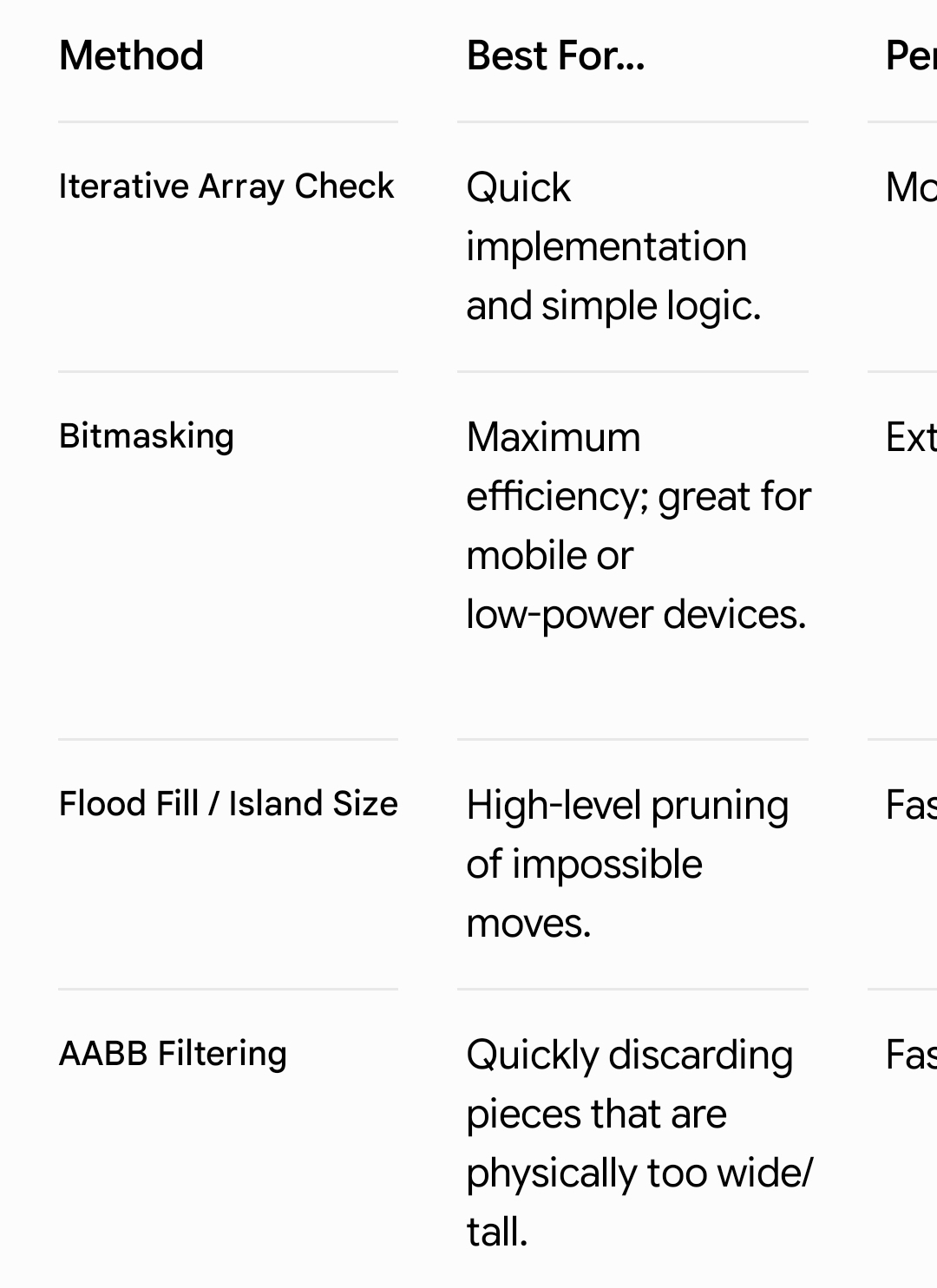
From Gemini.

(The cropped column is Performance)
(Moderate, Extremely fast and Fast)

I like the array approach. You copy the blocks in the pieces into a 2D array as they’re added and you then you scan for empty spaces. Say either using a 2D array of 0s and 1s for empty spaces or boolean trues and falses.

This would be done inside a while event so the search could end the second a valid move was found.

Gemini suggested a nice addition. It said you could use a complex sounding variable that’s not as bad as it sounds. It would be something like an array of structures that contained an array of structures that contains the X and Y of each block in each piece. It would be an offset value like 0,0 0,1 and 0,2 for straight piece. The actual variable is tough to explain without making it.

Pieces
… Straight
… … Array
… … … Structure
… … … … X =0
… … … … Y =0
… … … Structure
… … … … X =1
… … … … Y =0
… L
… … Array
… … … Structure
… … … … X =0
… … … … Y =0
… … … Structure
… … … … X =0
… … … … Y =1

It would be much quicker to go through an array than checking for collisions. If you planned on letting the player rotate the pieces then you could have a child for each piece and each rotation.

You would scan the array that represents the board for empty spaces and then check the other spaces using the offsets. If you aligned the first blocks in the array then 0,0 would be implied although that would mean some offsets would be negative values. Like, - 1,1 or - 2,3. But that would align the first block’s position.

I also liked the binary bit masking approach but GDevelop doesn’t have binary functions. Each block would be a bit in a 16 or 32 bit number. You would then compare the bits. You could create your own functions or use Javascript. I also didn’t know how to handle the column checking. I guess you would check say the 7th bit in an array of numbers. I haven’t played around with anything using binary in a while.

I like the idea of checking the size of each opening using aabb testing but I have no clue how to implement it. It makes sense to make sure there room for a tile first.

Remember. When brainstorming there are no bad ideas. You want to create a list of as many options as possible and then choose the most practical or efficient.
There were a lot of ideas that I saw as well, but I found it most practical (for myself) to have the code physically move the players pieces to each spot.

Like I said before, I’ve gotten the system to work, but it currently checks that ALL the pieces can fit instead of ANY.

I’m pretty sure I’ve sent photos of my code, but I can’t quote them (as I’m on mobile right now).

Hopefully you’d know a solution :smile:

Tip #1 - what players sees does not need to be what happens

Tip #2 - nothing stopping you from checking multiple pieces at once

Tip #3 - DO NOT try to think of it of it as its happening instantly but at VERY VERY VERY slow pace (speed of it happening can be changed later)

And extra
Tip #4 - Object.X() + Object.Width() and Object.Y() + Object.Height()
Would be your best friends here
(Points would be better)

BTW ever heard about something called HITBOX?
And how ppl in gdevelop tend to have 2ndary object for it?
IDK why you insist on doing what you want to do on what you see
Damn that is expansion for Tip #1

Papu zero will be back with more useless tips

I’ll be able to explain better later (on mobile atm) but

I currently ONLY need a condition that will select the squares 1 at a time, without using “Squares.Slot = piece”.

I tried adding that condition, and it bugged out and only would check the top row (never increasing the Y). (Because I have to pick all Squares to solve another bug.)

I get that there are many ways to check available spots, but I (again) already have a system in place, and I’m missing 1 thing to complete it.

Also saying this again, I’m going to put more time and effort into looking for a solution in a week after the game jam, in the meantime, I have this post up just in case someone else has a solution.

(Sorry for grammar and lack of :smile: emojis, I’m on mobile)

That condition should work regardless of ‘pick all’, assuming the pieces have their Slot variable set to number 1-4. That was my assumption from your previous example where you had used BlockSlotNeeded and added 1 each time. But, if the slots are something else like 0-3 then you would have to adjust my suggestion (you could change the loop to while piece > -1 for example).

There could have also been another issue though, so if you could recreate what you tried and show it to us then maybe we can figure it out

Ah, I misread the last condition as > 8 instead of >= 8. It’s a bit confusing since WhileY goes from 1-9 whereas WhileX goes from 0-8? Anyway, if it works for one piece, and adding the Slot check messed it up, then I think we should look at how you added the Slot check in the mix to be able to properly comment on it