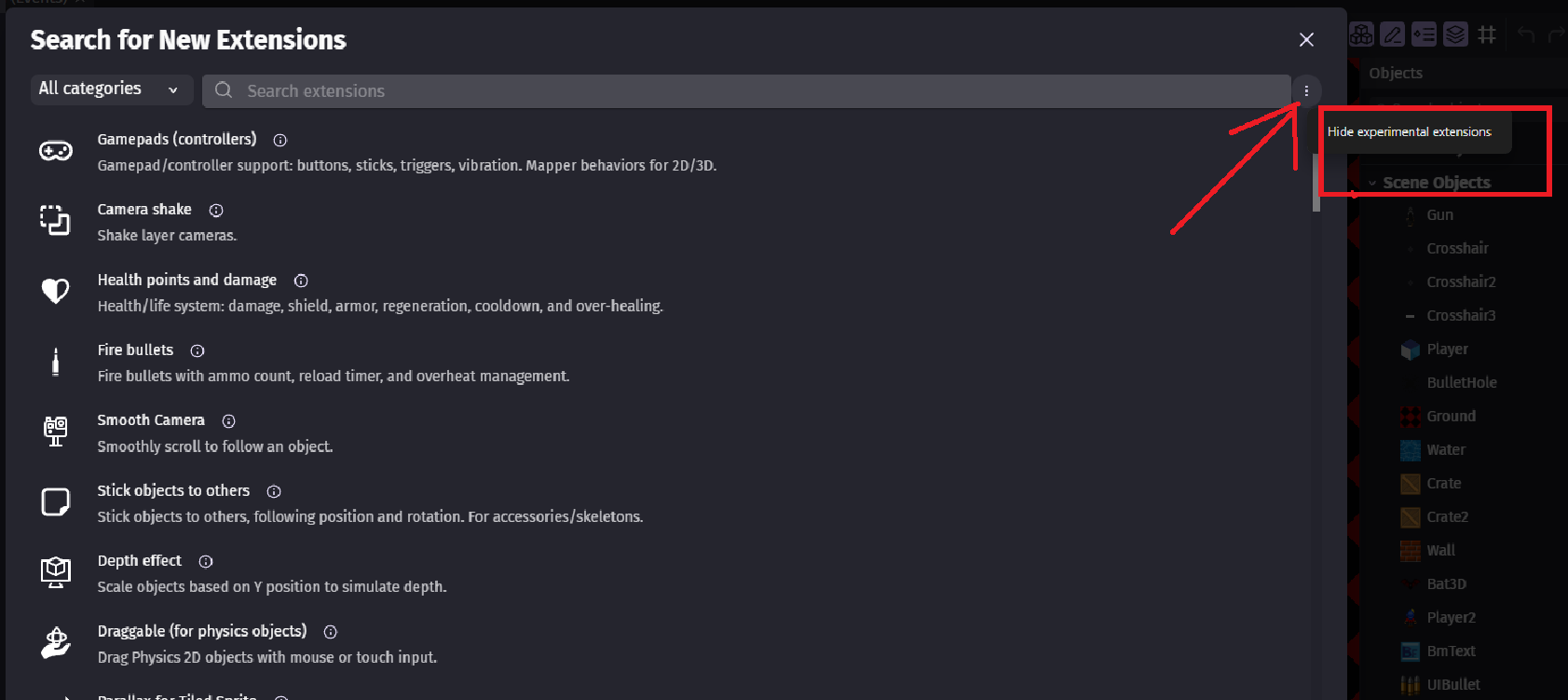
IDK why it was hidden in such way but i see it as terrible decision
1st barrier is new users can think of it as something bad that can break their game
So they will avoid it and won’t find some extensions
That is already bad idea
2nd barrier is that its now hidden cause user won’t even be curious enough to click it
If by default it is not set to SHOW
Then i am asking for at least bring back it being visible toggle switch button with description it will show experimental extensions
At least this way it will give some chance to users to find extensions they are looking for
This feature request is not about which are experimental or not
Its about hiding that “show experimental” button under these 3 dots
A LOT of ppl use tutorials/guides to create something
They see someone use some extensions and they look for them and they can’t find them
So at least let’s give them better chance of finding them
Even if they are not in perfect shape
They will at least be easier to find by making that button visible
And not hidden
He did understand what you meant, as he said this:
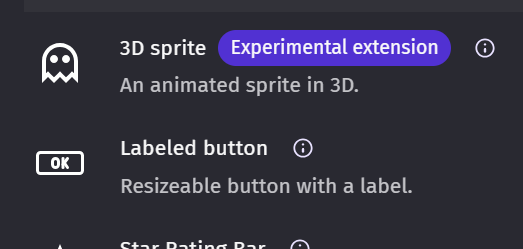
I disagree 100% though with this reasoning. Surely the big purple badge saying ‘Experimental extension’ is enough to warn people. Why should we have to be ‘saved’ twice? We get a warning so why do we need to have the toggle hidden from us as well?
I am well aware he knows cause Davy is one of the smartest person i meet here
And looking at your reply to Davy
And i see you get my point
Issue here is and i repeated it to Davy meany times
He is unable to think like someone who don’t know stuff
And he just looks at stuff as engine developer who knows everything
End user care to find something and use it otherwise it just make user frustrated
So it don’t help any1
That is what Davy fail to understand here and that is what im trying to point out
Choice to hide that button IS RIGHT
But outcome of that choice is NOT so good for end user
And that is what Davy needs to be pointed out
And to be fair in Davy case and wiki ppl case they are 100% right to be like that
Imagine making tutorial how to plug gfx card to your motherboard
“Take this thing with fans and put it into this thing that looks like long lego block with hole in it”
VS
“Take your gfx card and socket it in into graphic card slot on your motherboard”
Like 1st one would be easier to understand for someone who don’t know anything
Where 2nd one is more accurate
But does that make 2nd one automatically better?
At the same time does the fact 1st one is easier to understand for someone totally green
Automatically makes 2nd one worse?
And then last question and most important
For who is your tutorial?
For ppl totally green or for ppl who have some knowledge?
Cause depending on that answers to above questions will vary
I’m going to put forward an argument not in your favor.
I’m adding an experimental extension, and one time the extension messed up the whole project. I delete it, but it remains in the source code, but it is not visible in the editor. And the expansion keeps spoiling the game! And then you still have to go into the source code of the game to delete the extension manually, but as you said:
And I think it won’t be very easy for beginners to remove the extension through JSON.
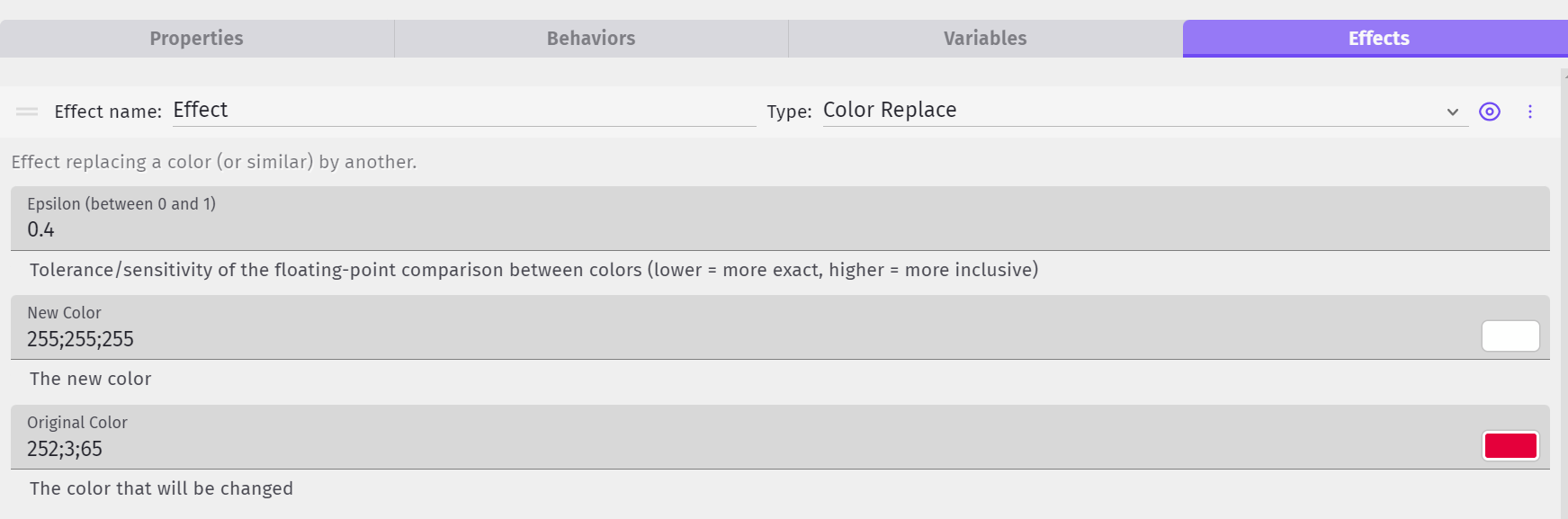
With recolorizer its easy since i just select the color i want to target with one i wanna replace
From over 3 years i know about color map
And NO ONE was able to explain to my (not even Silver-Streak) which color is where
Why there are 16 blocks and how to target only ONE specific color
And then how to save whatever user changed and load it later
For example allow ppl to recolor cloths or hair or skil or eyes
Davy probably meant to say the Color replace effect which is very simple and what I use.
As for actual color maps, I haven’t tried them but I don’t understand them at all even after reading the wiki. This user from a few days ago must have worked it out though,
the default color map texture is pretty much every color. if you then apply effects to an image, then apply the same effects to that color map texture, it will take on the exact same colors no matter what changes beneath it
1 - I bet Davy meant color map and not color replace
2 - For me color map is more of a “i wanna game boy colors to my game but allow ppl to tint them like super game boy” kind of solution
And not like i want to replace eyes color of my player with something
More like something that allows you to manage color pallets
But still confusing as hell cause you don’t have explanation of which color is where but just a strip showing some colors that look mixed to average user
3 - How you deduced from DesmonDev he figured anything out i cannot understand?
To me it looks only that he want to use it in 3D and not that he actually know to do anything i mentioned
2.This is exactly what the color replace effect does.
3.I assumed that Desmond had used it because he praised it and wanted the same effect in 3d, although I can’t tell from his response whether he has used it or not. If I have to phrase everything I write so that you can’t find fault with it, then it’s not worth the effort.
Not questioning color replace effect here
But color map
And again i believe Davy meant it and not color replace
Ppl want to have any kind of 2d effects in 3d not even fully understand how they work
Best example which is not event effect
Is tint action
Most ppl don’t understand it just adds colors and not replace them
So blue + yellow does not = yellow but = green
Same way you cannot tint anything to white
(For that you need to use adjustment effect)
But since it works well enough for them they are ok with it
And want to use it everywhere
If i make this slime whole white and shade only parts of it
Then his eyes and outline would not be black anymore
Test something yourself before you suggest it
And Davy is suggesting stuff that logic wise is better
Which don’t mean its better for average user
For example we could have trigger once condition that works with repeat for each object
Davy was against it and said instead of it we should use variables and so we don’t have it